Email timer terms, explained
By Danish Mohammed, founder. 8 min read
This category runs on about two dozen words that its pricing pages use and rarely define. Twenty-five of them are below, in alphabetical order, most linked to the page here that goes into it properly.
If you are new to the subject, the guide to countdown timers in email is the better starting point. Come back here when a pricing page uses a word you were not given.
The terms
Alt text fallback
The text a mail client shows in place of an image that did not load. For a timer it is the only content a recipient gets when images are blocked, so it should carry the offer rather than describe the picture. “Sale ends Friday” is useful; “countdown timer” is not. Blocked images are one of the causes covered in why your timer is not appearing.
AMP for Email
A format that runs a restricted subset of AMP components inside an email, so a message can carry a live form or a carousel. amp.dev lists five clients that support it: AOL Mail, FairEmail, Gmail, Mail.ru and Yahoo Mail. Outlook and Apple Mail are not on that list, so an AMP message always ships an HTML part too, and a timer inside it still needs an image. Nothing here uses AMP, because a rendered image works wherever an <img> tag works. The trade is discussed in the guide to countdown timers in email.
Cache busting
Changing an image URL so that an intermediary treats it as a new resource and fetches it again. It works on the new URL and does nothing about the copy a proxy already holds for the old one, and some corporate gateways strip query strings entirely. Treat it as a tool with known limits rather than a fix for stale timers, as set out in how email image caching works.
Dark-mode inversion
The behaviour where a mail client recolours message content for a dark interface, sometimes inverting text and painting a background behind a transparent image. A timer with a transparent background is the usual casualty, because the client puts its own colour behind digits that were designed for yours. No client vendor publishes its inversion rules, so the safe build is a design rule rather than a documented one: an opaque background that matches the surrounding block. The email client table has what the vendors do publish.
Dynamic content
Anything in an email whose value is decided after the message is written: a name, a price, a recommendation, a clock. In an image-based product the pixels are composed per recipient rather than picked from prepared files.
Evergreen timer
A countdown whose deadline is different for each recipient, calculated from something that happened to that person rather than from a date on a calendar. The two common starting points are the moment the message was sent and the moment the recipient first opened it. Evergreen is what makes a timer useful inside an automation. Evergreen timers that start when each person opens covers what counts as an open, and all six timing models are described in the timer types guide.
Expired frame
The image a timer shows once its deadline has passed. Without one, a late reader sees a counter frozen on zero, which reads as a fault rather than as a closed sale. Setting it before the send is the single cheapest thing you can do to avoid an embarrassing re-open, and it is covered in the timer types guide.
Fallback image
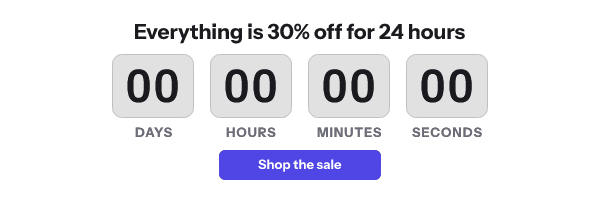
The picture served when the renderer cannot produce the real one. It exists so that a failure upstream becomes a plain image rather than a broken-image icon in mail that has already been delivered. Every request to the image service here returns HTTP 200 and a valid image for this reason, which is described on the features page.
First frame
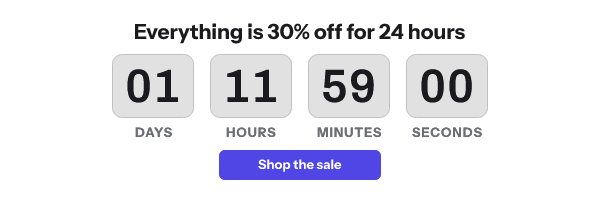
The opening image of an animated GIF, and the only one that classic Outlook on Windows draws. Microsoft’s own support page says that “If only the first frame of the animation appears, you have animations, or animated GIFs, disabled.” A timer whose first frame is a title card is broken for those readers, which is why frame one here is a complete image carrying the live numbers. Countdown timers in Outlook has the version detail, and the HTML for an email countdown timer shows the static fallback image for classic Outlook.
Fixed deadline
A countdown to one absolute instant, the same for everybody, usually written in UTC. It is the right choice for a broadcast, because the arithmetic stays correct however long the picture sat in a cache before somebody looked at it. Compare it with the evergreen models in the timer types guide.
Frame budget
The number of frames a timer GIF is allowed to contain, which decides how long the animation runs and how large the file is. Vendors cap it in different places and rarely on the pricing page, and a capped animation simply stops rather than counting on. The cross-vendor version is in GIF frame limits in email.
Image proxy
A server run by a mail provider that fetches remote images on the recipient’s behalf, so the sender never sees the recipient’s IP address. Google documents that “Gmail uses Google’s secure proxy servers to serve images”. A proxy can also hold the copy it fetched, which is how a re-opened email shows an old clock. Countdown timers in Gmail covers the case in detail.
Loop count
The GIF header value that says how many times an animation repeats, with zero meaning forever. For a countdown it is almost always wrong, because a restart jumps the clock back to its opening number. Timers here do not loop by default.
Mail Privacy Protection
Apple’s feature, introduced with iOS 15, that downloads remote content in the background and routes it through two relays so the sender cannot use the IP address as an identifier. Apple’s own description of Protect Mail Activity is that it “downloads remote content in the background by default”. For a timer that means the picture is drawn near delivery rather than at the read, which is explained in the Apple Mail page.
Merge tag
The placeholder your sending platform replaces with a per-recipient value, written differently by every ESP. In an image URL it is what carries the recipient’s token to the renderer, so the syntax has to match the platform exactly. The per-platform forms are in the merge tags reference.
Opaque recipient token
A short, meaningless string that stands in for a recipient inside an image URL, instead of their email address. It gives each person a distinct URL, which keeps one cached copy from becoming everybody’s, without putting personal data into a URL that proxies and gateways will log. The security page describes how tokens are issued and what they do not contain.
Open-time rendering
Generating the image at the moment the inbox requests it, rather than preparing a file in advance. It is the mechanism behind every live timer and every personalized image, and it is why one URL can produce a different picture at two moments a minute apart. How it works traces one request from the mail client to the pixels.
Opens and impressions
Two words for the same event: one fetch of your image. They are not the same as a human reading the message, because prefetching clients fetch without a reader and a second look at the same message can fetch again. Any plan priced per open is priced on this event, which is why the pricing page defines it before it lists a number.
Prefetch
A fetch of a remote image that happens before anybody opens the message, performed by the mail service rather than the reader. Apple Mail Privacy Protection is the prominent example. It moves a timer’s reference point from the read to something close to the delivery, and the consequences are worked through in how email image caching works.
Retina and 2x
Phone and laptop screens draw two or three physical pixels for every layout point, so an image exported at its display width is short of pixels for thin strokes and hard edges. Exporting a timer at twice the display width and setting the intended width on the <img> tag keeps the digits crisp. The arithmetic and the file-size trade are in countdown timers on mobile email apps.
Signed URL
An image URL carrying a cryptographic signature, so the service can confirm the parameters were issued by you and have not been edited. The signed parameters here choose the workspace, the published version and the recipient, and a caller cannot add one of its own or reach into another tenant’s. Signing and key scopes are documented in the API reference.
Start-on-send
An evergreen model whose clock begins when the message is sent rather than when it is opened. It suits an offer valid for a fixed window after dispatch, such as forty-eight hours from a cart-abandonment trigger. Compare it with start-on-open in the timer types guide.
View metering
Counting each image fetch against a plan allowance and changing the service when the allowance runs out. What happens at the limit differs sharply between vendors: some add branding, some bill per thousand extra, and at least one replaces the timer with a single-pixel image. The worst version of it is documented on the Stripo timer page.
Watermark
A vendor’s mark drawn into the rendered image, usually as the price of a free plan. It is the most common undisclosed condition in this category, because pricing cards list “branding removed” as a feature without showing what the branded version looks like. The free plan here carries no watermark inside its allowance, and the overage rule is stated on the pricing page.
White-label domain
Serving timer images from a hostname you control, so the URL in your email carries your brand rather than a vendor’s. It helps with recipient trust and with corporate gateways that judge domains, and it costs you the reputation a new hostname has not built yet. Here it is an Agency-plan feature, listed on the pricing page.
Keeping this page honest
Missing a word? Write to support@emailtimer.app and it goes on this page. The terms above are also used consistently across the client guides, the troubleshooting pages and the docs, so a definition here should match the usage there.
Sources
Related
Put a countdown in the campaign you are writing now
The free plan covers 5,000 opens a month with no card. Starter is $19 a month for 250,000.