Countdown timer examples, annotated
By Danish Mohammed, founder. 13 min read
Every example on this page was made here. They are the 47 starting designs in the gallery inside the EmailTimer.App dashboard, across nine kinds of campaign. None of them is a customer’s email, because no customer emails are published on this site.
Each design exists at three sizes. 600 by 200 is full width across a standard email column and is the default. 600 by 300 is full width with room for a line above the timer and small print below. 300 by 250 is half the column: a sidebar, a two-up row, or one cell in a product grid.
How the examples were measured
I rendered all 141 versions with the product’s own engine on 17 September 2026, with the clock set to 12:00 UTC. Every one came out as a 30-frame animated GIF. The smallest was 9.0 KB and the largest 58.6 KB, with a median of 18.7 KB. A KB here is 1,024 bytes.
The pictures at the end of each section are frame one of each design at 600 by 200, rendered the same way at the same moment, with a name left at the design’s fallback word.
The weights depend on the numbers on screen, so the same design weighs a little more or less on another day. The style matters more than the date. Cards, circles and underline designs each had a median of about 15 KB across their sizes. Bar and rings designs, which redraw a band or an arc as time passes, had medians of 34.4 KB and 32.4 KB.
What every gallery design starts with
Picking a design gives you a template with these settings, all of which you can change before publishing:
- The deadline’s time zone is UTC.
- The animation runs 30 frames, one a second, and then loops. Set “At the end” to Hold if you would rather the last frame stays put.
- After the deadline the image shows all zeros. You can choose an image instead.
- Unit labels are English, in capitals.
- A fixed deadline is a placeholder, set between one and fourteen days after the day you pick the design, or the next occurrence of a named holiday. Publishing refuses a deadline that has already passed.
Frame one of every render is the complete design with the live numbers in it. Microsoft’s support page says that when only the first frame of an animation appears, “you have animations, or animated GIFs, disabled”. For those readers the first frame is the whole timer, so it is never a blank plate.
Flash sale
Seven designs. All seven count to one fixed deadline shared by everyone on the list, which is the right model for a sale with a real closing time.
| Design | What it says | Style and layout | Counts to | Shows at 600 wide | Weight at 600 by 200 |
|---|---|---|---|---|---|
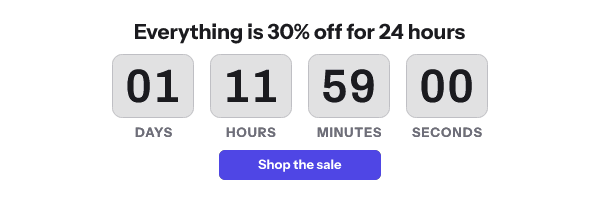
| Twenty four hour sale | Everything is 30% off for 24 hours | Cards, button | Fixed, 23:59 the next day | Days to seconds | 14.9 KB |
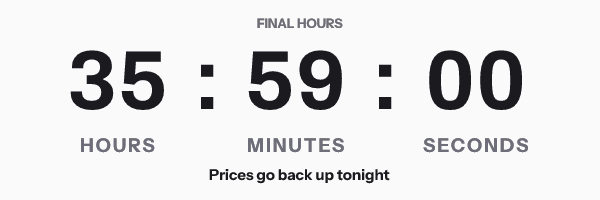
| Final hours | Prices go back up tonight | Plain, digits dominant | Fixed, 23:59 the next day | Hours to seconds | 19.4 KB |
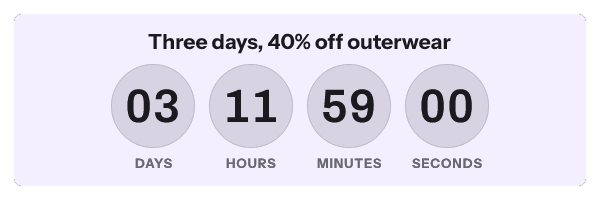
| Weekend sale | Three days, 40% off outerwear | Circles, inset panel | Fixed, 23:59 in three days | Days to seconds | 16.0 KB |
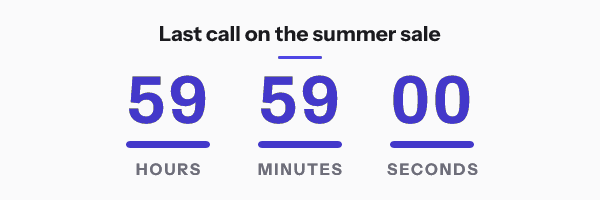
| Last call | Last call on the summer sale | Underline, ruled | Fixed, 23:59 in two days | Hours to seconds | 15.2 KB |
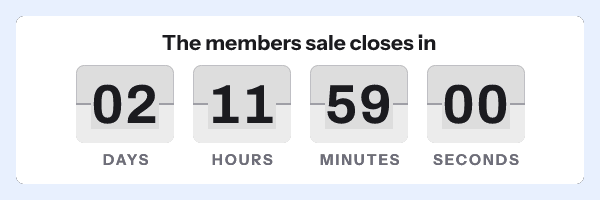
| Members sale | The members sale closes in | Flip, framed card | Fixed, 23:59 in two days | Days to seconds | 16.7 KB |
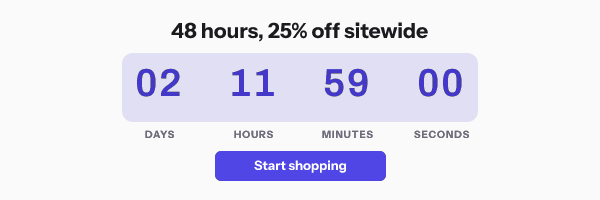
| Forty eight hour strip | 48 hours, 25% off sitewide | Bar, button | Fixed, 23:59 in two days | Days to seconds | 40.9 KB |
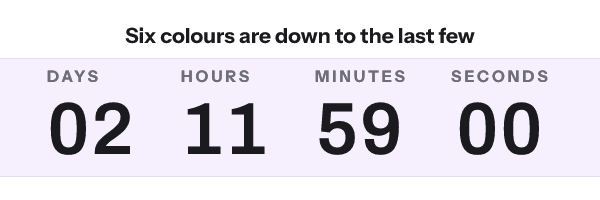
| Low stock | Six colours are down to the last few | Stacked, strip | Fixed, 23:59 in two days | Days to seconds | 18.2 KB |
Final hours and Last call show no days column. The engine rolls a missing unit into the largest one shown, so a three-day countdown in hours, minutes and seconds reads 72:00:00 rather than a misleading 00:00:00.
Low stock makes a claim about inventory as well as time. Only send it when the stock line is true, for the reasons set out in fake countdown timers. The 300 by 250 version of Weekend sale drops the seconds, because four units rarely fit legibly at half width.
Twenty four hour sale
Final hours
Weekend sale
Last call
Members sale
Forty eight hour strip
Low stock
Cart abandonment
Five designs, all set to start the clock on first open.
| Design | What it says | Style and layout | Counts to | Shows at 600 wide | Weight at 600 by 200 |
|---|---|---|---|---|---|
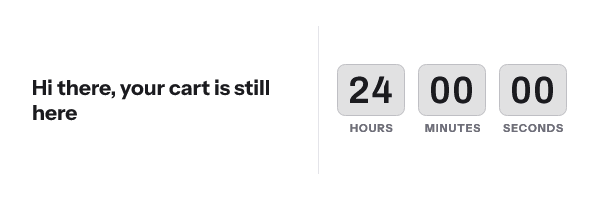
| Your cart is still here | Hi {{first_name}}, your cart is still here | Cards, copy beside clock | 24 hours from first open | Hours to seconds | 11.8 KB |
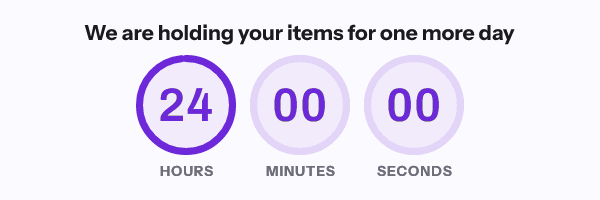
| Holding your items | We are holding your items for one more day | Rings, centred | 24 hours from first open | Hours to seconds | 49.1 KB |
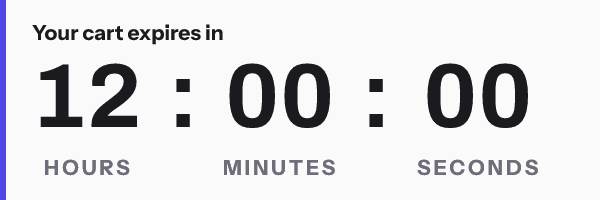
| Your cart expires | Your cart expires in | Plain, accent edge | 12 hours from first open | Hours to seconds | 21.1 KB |
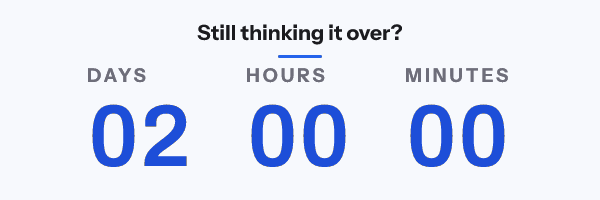
| Still thinking it over | Still thinking it over? | Stacked, ruled | 48 hours from first open | Days to minutes | 19.9 KB |
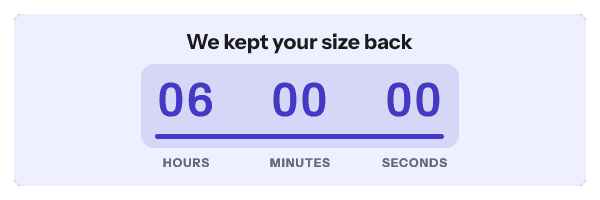
| Reserved for you | We kept your size back | Bar, inset panel | 6 hours from first open | Hours to seconds | 14.3 KB |
Before using any of them in a flow, know that the renderer records the first open against the image address. With the ordinary snippet every recipient gets the same address, so the clock starts at the first open by anybody on the list, and later recipients see less time or none. A clock that starts for each person needs an address per person, from a recipient set or the API, on Growth or Agency. Evergreen countdown timers covers the mechanism.
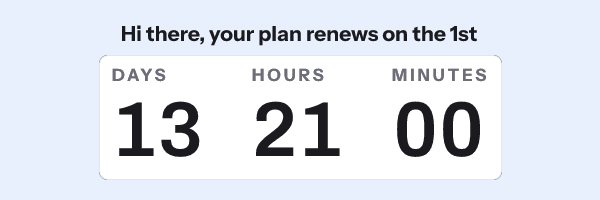
The same applies to the name in Your cart is still here. Without a recipient token the address carries no name, so the image uses the design’s fallback word and reads “Hi there, your cart is still here”.
Your cart is still here
Holding your items
Your cart expires
Still thinking it over
Reserved for you
Product launch
Eight designs, all counting to one fixed moment.
| Design | What it says | Style and layout | Counts to | Shows at 600 wide | Weight at 600 by 200 |
|---|---|---|---|---|---|
| The drop | The new collection lands Thursday at 10am | Flip, digits dominant | Fixed, 10:00 in 14 days | Days to seconds | 18.1 KB |
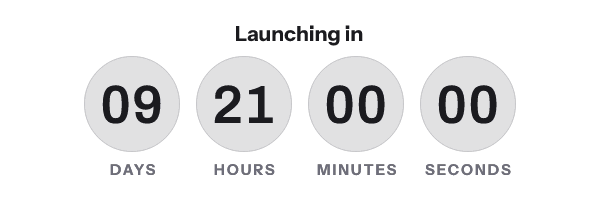
| Launching in | Launching in | Circles, centred | Fixed, 09:00 in 10 days | Days to seconds | 16.4 KB |
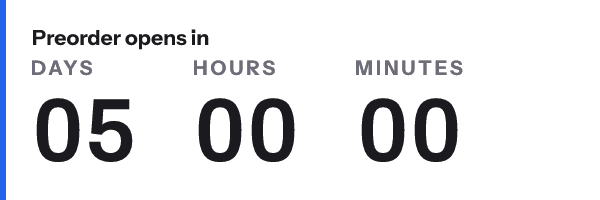
| Preorder opens | Preorder opens in | Stacked, accent edge | Fixed, 12:00 in five days | Days to minutes | 21.6 KB |
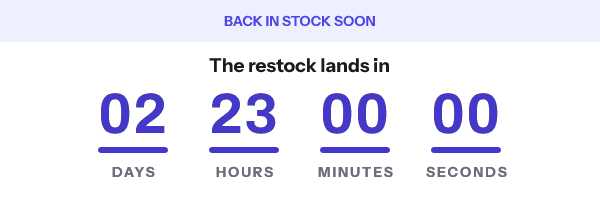
| Restock lands | The restock lands in | Underline, top band | Fixed, 11:00 in three days | Days to seconds | 14.7 KB |
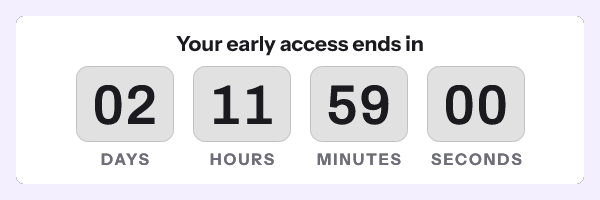
| Early access ends | Your early access ends in | Cards, framed card | Fixed, 23:59 in two days | Days to seconds | 16.9 KB |
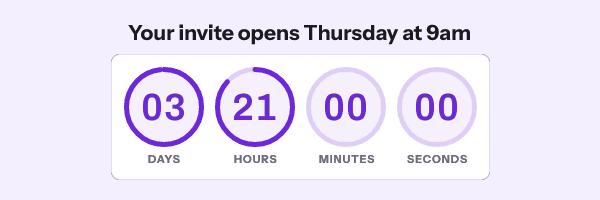
| Waitlist opens | Your invite opens Thursday at 9am | Rings, raised card | Fixed, 09:00 in four days | Days to seconds | 41.9 KB |
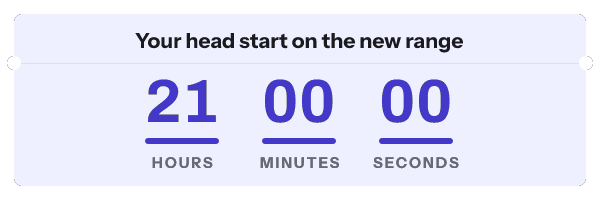
| VIP early access | Your head start on the new range | Underline, ticket | Fixed, 09:00 the next day | Hours to seconds | 15.2 KB |
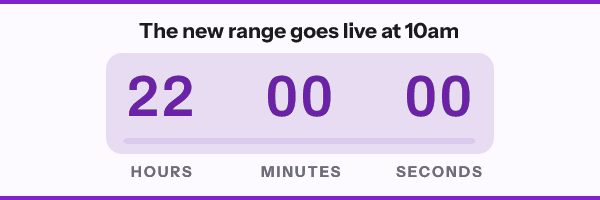
| Launch day | The new range goes live at 10am | Bar, bookends | Fixed, 10:00 the next day | Hours to seconds | 51.0 KB |
Several of these name a weekday or an hour in the headline. Edit the words when you change the date, because the words are drawn into the picture and do not move with the deadline. Launch day at 600 by 300 was the heaviest render of the 141, at 58.6 KB.
The drop
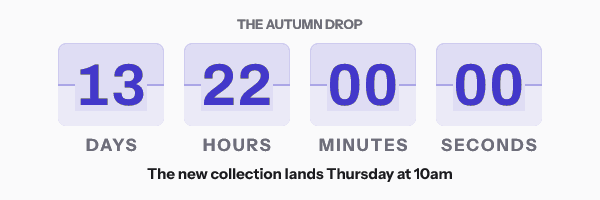
Launching in
Preorder opens
Restock lands
Early access ends
Waitlist opens
VIP early access
Launch day
Webinar
Five designs for registration, reminders and the minutes before a session.
| Design | What it says | Style and layout | Counts to | Shows at 600 wide | Weight at 600 by 200 |
|---|---|---|---|---|---|
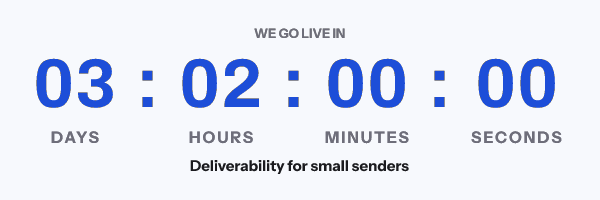
| We go live in | Deliverability for small senders | Plain with colons, digits dominant | Fixed, 14:00 in three days | Days to seconds | 17.2 KB |
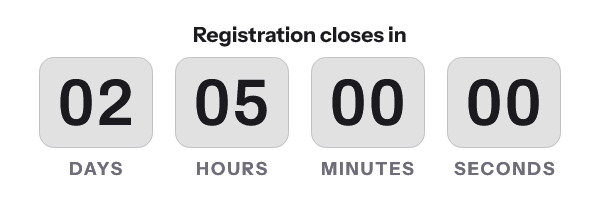
| Registration closes | Registration closes in | Cards, centred | Fixed, 17:00 in two days | Days to seconds | 18.8 KB |
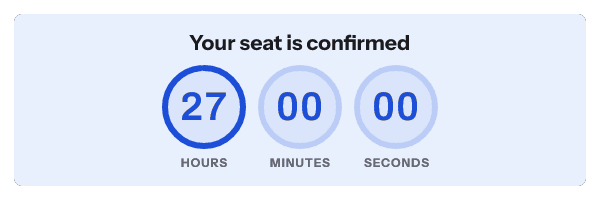
| Doors open | Your seat is confirmed | Rings, inset panel | Fixed, 15:00 the next day | Hours to seconds | 42.1 KB |
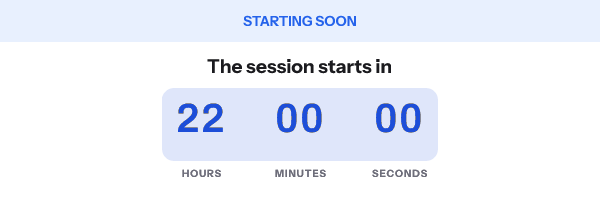
| Starting soon | The session starts in | Bar, top band | Fixed, 10:00 the next day | Hours to seconds | 34.6 KB |
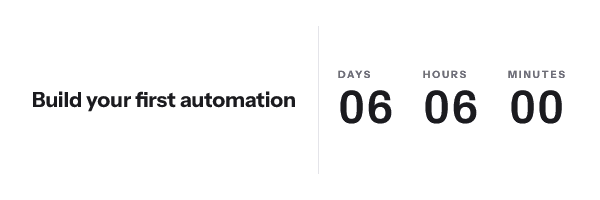
| Workshop seats | Build your first automation | Stacked, copy beside clock | Fixed, 18:00 in six days | Days to minutes | 12.1 KB |
A webinar deadline is usually in the attendee’s evening or morning, not in UTC. Set the template’s time zone to the zone the session is announced in before publishing. Registration closes quotes a seat count in its subline, so update that line or remove it.
We go live in
Registration closes
Doors open
Starting soon
Workshop seats
Event
Three designs for in-person dates.
| Design | What it says | Style and layout | Counts to | Shows at 600 wide | Weight at 600 by 200 |
|---|---|---|---|---|---|
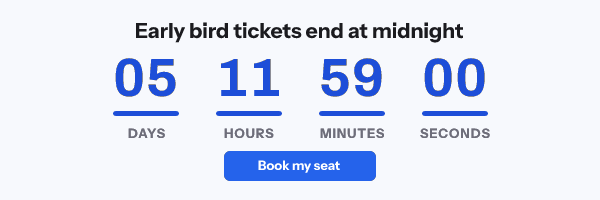
| Early bird tickets | Early bird tickets end at midnight | Underline, button | Fixed, 23:59 in five days | Days to seconds | 14.2 KB |
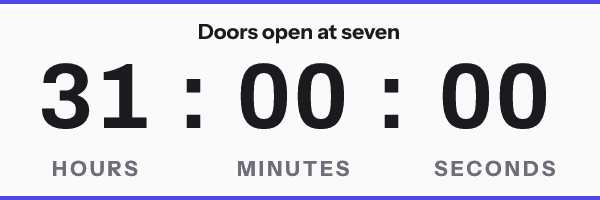
| Doors at seven | Doors open at seven | Plain, bookends | Fixed, 19:00 the next day | Hours to seconds | 21.4 KB |
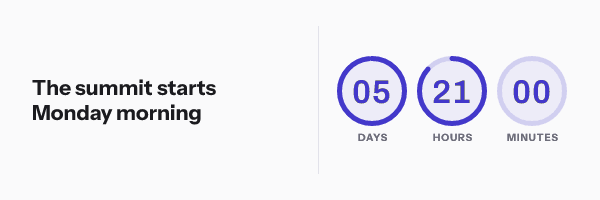
| Conference countdown | The summit starts Monday morning | Rings, copy beside clock | Fixed, 09:00 in six days | Days to minutes | 17.6 KB |
Conference countdown shows days, hours and minutes at every size. With no seconds on the face, the minutes column changes at most once in 30 seconds of animation, which suits a clock that is days out.
Early bird tickets
Doors at seven
Conference countdown
Subscription
Three designs, and the three use three different clocks.
| Design | What it says | Style and layout | Counts to | Shows at 600 wide | Weight at 600 by 200 |
|---|---|---|---|---|---|
| Renewal date | Hi {{first_name}}, your plan renews on the 1st | Stacked, raised card | Every month, the 1st at 09:00 | Days to minutes | 19.8 KB |
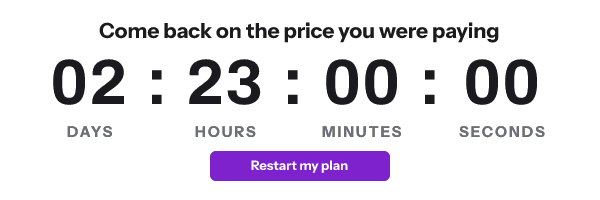
| Win back | Come back on the price you were paying | Plain, button | 72 hours from send | Days to seconds | 17.7 KB |
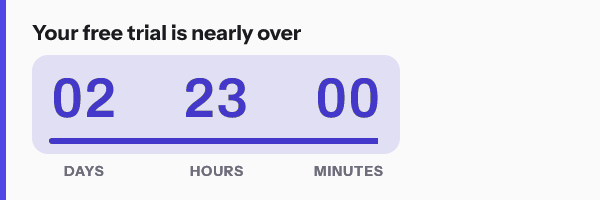
| Trial ending | Your free trial is nearly over | Bar, accent edge | 72 hours from send | Days to minutes | 16.2 KB |
Renewal date repeats. After the 1st it counts to the next month’s 1st on its own, which is only accurate if your renewals really fall on that day for everyone who receives it.
Win back and Trial ending start their clock from the send time, and the send time has to be signed into the image address. The snippet the dashboard hands you does not include it. When I rendered Win back without one, the engine returned the plain fallback picture instead of a timer, and Trial ending uses the same clock. Mint their addresses through the API on Growth or Agency, or pick a fixed-date design.
Renewal date
Win back
Trial ending
Shipping
Three designs for order-by promises.
| Design | What it says | Style and layout | Counts to | Shows at 600 wide | Weight at 600 by 200 |
|---|---|---|---|---|---|
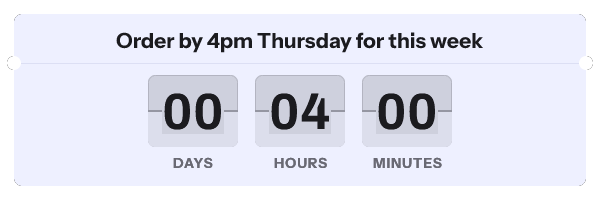
| Dispatch cut off | Order by 4pm Thursday for this week | Flip, ticket | Every week, Thursday at 16:00 | Days to minutes | 16.1 KB |
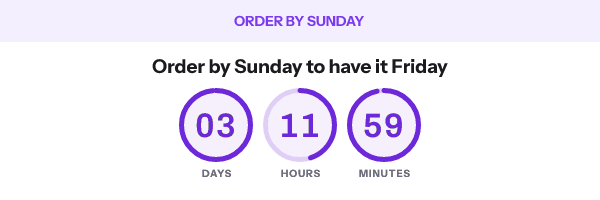
| Order by | Order by Sunday to have it Friday | Rings, top band | Fixed, 23:59 in three days | Days to minutes | 17.8 KB |
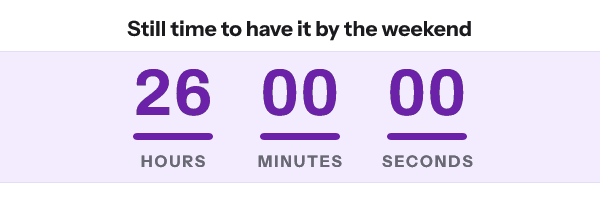
| Delivery promise | Still time to have it by the weekend | Underline, strip | Fixed, 14:00 the next day | Hours to seconds | 15.8 KB |
Dispatch cut off is the one design here meant to be sent every week without edits. It rolls forward to the next Thursday at 16:00 once a Thursday passes. Recurring countdown timers explains when a rolling clock is legitimate.
Dispatch cut off
Order by
Delivery promise
Birthday
Four designs, all with a deadline that belongs to one recipient.
| Design | What it says | Style and layout | Counts to | Shows at 600 wide | Weight at 600 by 200 |
|---|---|---|---|---|---|
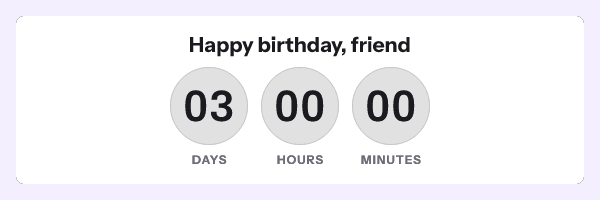
| Happy birthday | Happy birthday, {{first_name}} | Circles, framed card | Each recipient’s own date | Days to minutes | 14.6 KB |
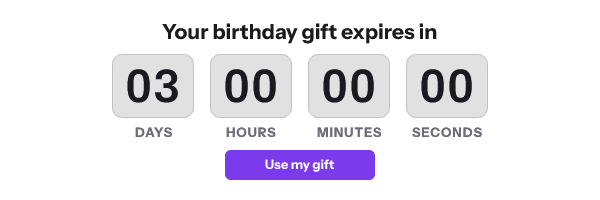
| Birthday gift expires | Your birthday gift expires in | Cards, button | Each recipient’s own date | Days to seconds | 15.5 KB |
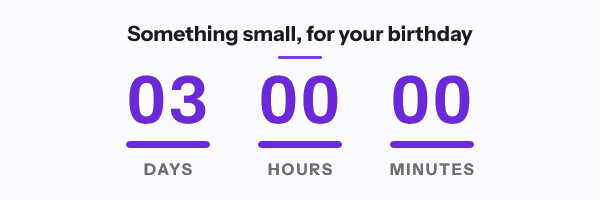
| Something small | Something small, for your birthday | Underline, ruled | Each recipient’s own date | Days to minutes | 16.2 KB |
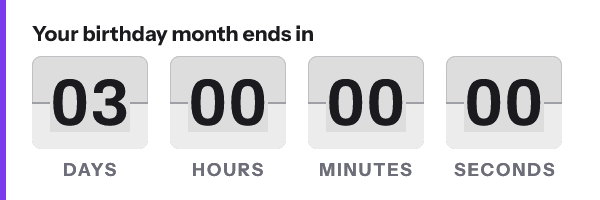
| Birthday month | Your birthday month ends in | Flip, accent edge | Each recipient’s own date | Days to seconds | 20.6 KB |
These need a deadline stored per person, in a recipient set or sent through the API, which is Growth or Agency. Rendered without one, the engine returned the fallback picture rather than guess a date. The sizes above come from a test render with a date supplied.
Happy birthday
Birthday gift expires
Something small
Birthday month
Holiday
Nine designs. Seven of them count to a named day, resolved to the next one after the day you pick the design.
| Design | What it says | Style and layout | Counts to | Shows at 600 wide | Weight at 600 by 200 |
|---|---|---|---|---|---|
| Black Friday opens | The sale opens in | Cards, digits dominant | The next Black Friday, 23:59 | Days to seconds | 16.5 KB |
| Cyber Monday | One day, 40% off everything online | Flip, top band | The next Cyber Monday, 23:59 | Days to seconds | 15.3 KB |
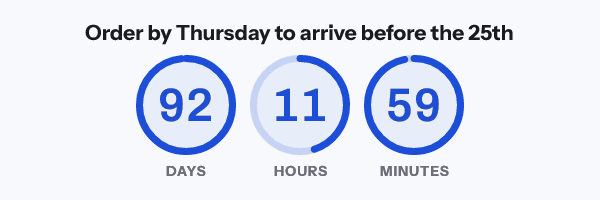
| Christmas shipping cut off | Order by Thursday to arrive before the 25th | Rings, centred | 18 December, 23:59 | Days to minutes | 23.0 KB |
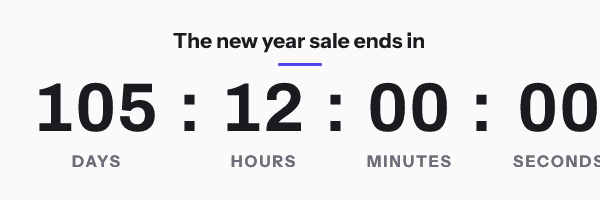
| New year sale | The new year sale ends in | Plain, ruled | 1 January, 00:00 | Days to seconds | 17.3 KB |
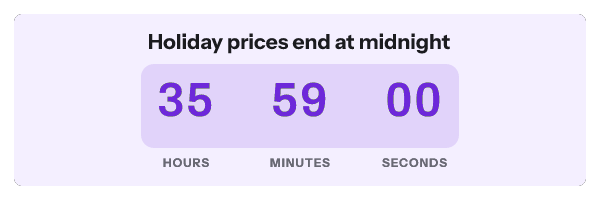
| Last day of the sale | Holiday prices end at midnight | Bar, inset panel | Fixed, 23:59 the next day | Hours to seconds | 41.5 KB |
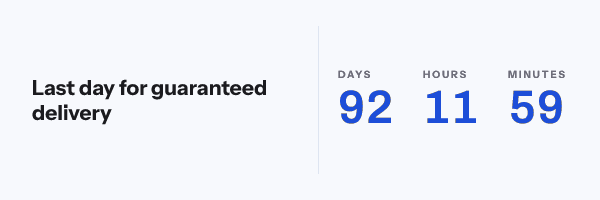
| Last day for delivery | Last day for guaranteed delivery | Stacked, copy beside clock | 18 December, 23:59 | Days to minutes | 11.4 KB |
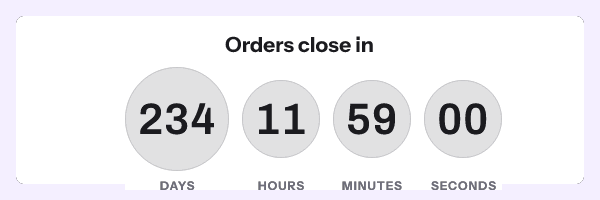
| Mothers Day orders close | Orders close in | Circles, framed card | The second Sunday in May, 23:59 | Days to seconds | 14.7 KB |
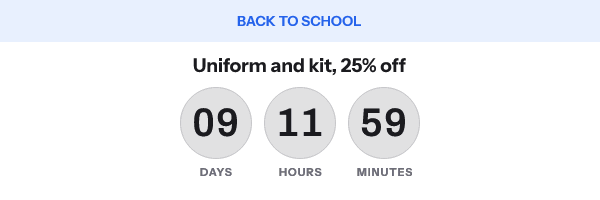
| Back to school | Uniform and kit, 25% off | Circles, top band | Fixed, 23:59 in nine days | Days to minutes | 13.1 KB |
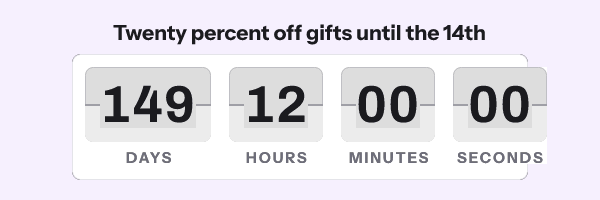
| Valentines Day | Twenty percent off gifts until the 14th | Flip, raised card | 14 February, 00:00 | Days to seconds | 17.4 KB |
Black Friday opens says the sale opens, but the deadline it ships with is 23:59 on Black Friday itself. Set the deadline to your real opening time, and set an expired image announcing the live sale, because the default after the deadline is all zeros. Black Friday countdown timers walks through that hand-off.
The gifting designs have the same gap in another form. Mothers Day orders close counts to the Sunday itself while its small print says to order by Wednesday. Valentines Day counts to the start of the 14th while its small print says to order by the 11th. Christmas shipping cut off says to order by Thursday and counts to 23:59 on 18 December, which in 2026 is a Friday. Point each deadline at your real order cut-off before sending.
Two square versions weighed more than 50 KB on the day I measured: New year sale and Last day for delivery. At 300 by 250 both show hours as their largest unit, and on 17 September both deadlines were more than 2,000 hours away.
Black Friday opens
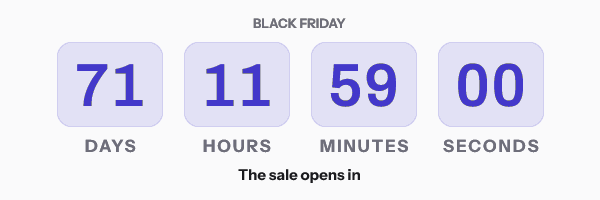
Cyber Monday
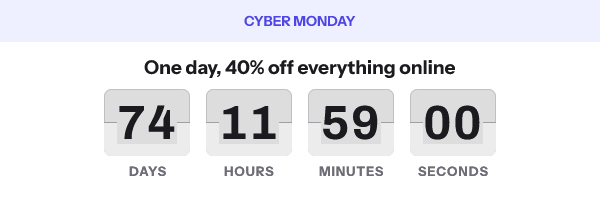
Christmas shipping cut off
New year sale
Last day of the sale
Last day for delivery
Mothers Day orders close
Back to school
Valentines Day
Which designs fit which plan
The pricing page lists two timer styles on the free plan: digital and underline. Digital is the older name for the style the editor calls Plain. Twelve of the 47 designs use one of those two styles, and every style is listed from Starter at $19 a month.
The eleven designs that start on first open, start from the send, or count to a per-recipient date need addresses minted on Growth or Agency to work as designed. The other 36 work with the ordinary snippet, with no API or recipient set involved.
To try the renderer before an account, the free generator makes a live timer with a fixed deadline in the browser.
Questions and answers
Are these real campaign emails?
No. They are the starting designs in the dashboard gallery, made for this product. No customer emails are published on this site.
Can I change the words and colours?
Yes. Picking a design creates an ordinary template, and every layer, colour, unit and deadline is editable before you publish. Headlines that name a day or an hour need editing by hand when you move the deadline.
Why does the cart design show the same time left to everyone?
Because one image address is one clock. The first open by anybody starts it. A clock per person needs an address per person, which comes from a recipient set or the API on Growth or Agency.
What does a design show after its deadline?
All zeros, as a single still frame, unless you choose an image for the expired state. A closing message is usually better than a row of zeros.
Is there a sharper version for high-density screens?
The gallery sizes are drawn at their display size. Retina countdown timers covers building one at twice the size, and what it does to the file weight.
Sources
Related
Put a countdown in the campaign you are writing now
The free plan covers 5,000 opens a month with no card. Starter is $19 a month for 250,000.