Comparison, with published 2026 pricing
EmailTimer.App vs NiftyImages: An honest comparison
NiftyImages is a pioneer in dynamic email images with mature Photoshop integration. It republished its pricing on 23 September 2026: three feature tiers against a slider of opens a month, starting at $59 for 25,000. EmailTimer.App provides a unified engine for timers and personalized images, with ten times the included opens at a lower monthly cost.
Looking for an alternative rather than a comparison? The NiftyImages alternative page is written for somebody already on NiftyImages who wants out, with their published prices, what they withhold, and the cases where they are still the better buy.
Everything below is taken from NiftyImages's own published pricing and documentation. If you are building a case for a client or a CMO, check it against their site rather than taking our word for it.
What each one costs to start
The number that usually decides it is not the monthly price, it is what a thousand opens costs you once the campaign is running.
EmailTimer.App
$19/mo
250,000 opens
$0.076 per 1,000 opens
NiftyImages
$59/mo
25,000 opens
$2.36 per 1,000 opens
Full range: $59/mo (25,000 opens a month) to $729/mo (500,000 on Scale), then custom
Prices checked on 23 September 2026, from NiftyImages's own pricing page.
What NiftyImages does well
- Extensive Photoshop plugin and PSD file import options for complex studio workflows.
- Long operational track record in the market since 2015.
- A free trial with no time limit and no credit card, though its pricing page lists no free plan and does not say how many opens the trial covers.
- Data source connectors for Google Sheets and live live-feed integrations.
Where we would pick EmailTimer.App
- Ten times the opens on the entry plan: $19 for 250,000 opens a month against $59 for 25,000.
- You see what Apple Mail, Gmail and Outlook will each show before you schedule the send, not after.
- Rendering close to your subscribers, which is what keeps a peak-season send from crawling.
- One editor for both the countdown and the personalized layers, rather than two tools to keep in sync.
Which one you should actually buy
If your design team lives in Photoshop and you rely on live feeds from Google Sheets, NiftyImages has been doing this longer and does it well, and its new pricing lets you buy volume without buying features you will not use. If what you want is a fast editor in the browser, a straight answer about what each inbox will show, and ten times the opens for less money, that is the trade EmailTimer.App is making.
Feature by feature
Prices checked on 23 September 2026, from NiftyImages's own pricing page and documentation. Where a row says "not listed on its pricing page", that is what we could and could not find there, not a claim that the feature does not exist.
The timers you would be getting
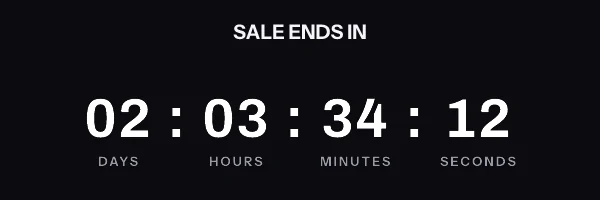
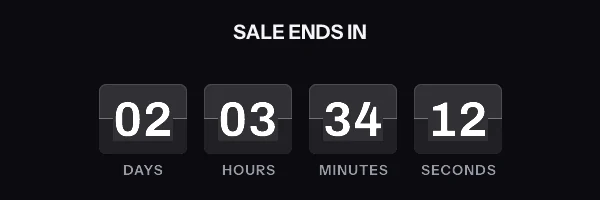
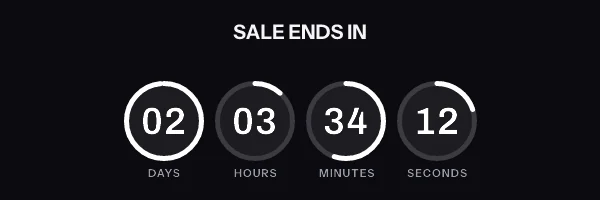
Real renders, running now, in your own fonts and colours once you make them yours. The full feature list covers the rest: every style, the six ways to set a deadline, and the preview of what each email client will show.
Before you decide
Questions about EmailTimer.App and NiftyImages
Including the one most comparison pages will not answer, which is when the other tool is the better buy.
What does NiftyImages cost compared with EmailTimer.App?
NiftyImages starts at $59/mo for 25,000 opens, which works out at $2.36 per 1,000 opens. EmailTimer.App starts at $19/mo for 250,000 opens, or $0.076 per 1,000 opens. Their full published range is $59/mo (25,000 opens a month) to $729/mo (500,000 on Scale), then custom. Those are their own published figures, so check them against their site before you quote them to anybody.
What is NiftyImages genuinely better at?
Extensive Photoshop plugin and PSD file import options for complex studio workflows. Long operational track record in the market since 2015. A free trial with no time limit and no credit card, though its pricing page lists no free plan and does not say how many opens the trial covers. Data source connectors for Google Sheets and live live-feed integrations.
Where does EmailTimer.App come out ahead?
Ten times the opens on the entry plan: $19 for 250,000 opens a month against $59 for 25,000. You see what Apple Mail, Gmail and Outlook will each show before you schedule the send, not after. Rendering close to your subscribers, which is what keeps a peak-season send from crawling. One editor for both the countdown and the personalized layers, rather than two tools to keep in sync.
Which one should I actually buy?
If your design team lives in Photoshop and you rely on live feeds from Google Sheets, NiftyImages has been doing this longer and does it well, and its new pricing lets you buy volume without buying features you will not use. If what you want is a fast editor in the browser, a straight answer about what each inbox will show, and ten times the opens for less money, that is the trade EmailTimer.App is making.
Compared with the rest of the category
Same format, same source: each vendor's own published prices, and a paragraph saying where they are the better choice.
EmailTimer.App vs Sendtric
From $9/mo for 150,000 views
EmailTimer.App vs MailTimers
From $9.99/mo for Or $7.99 a month paid annually
EmailTimer.App vs CountdownMail
From From $7/mo for Starter carries 100,000 views
The full price table, in dollars and rupees, is on the pricing page, and what a timer actually does in each inbox is set out in the complete guide to countdown timers in email. What Apple Mail's pre-fetch and Gmail's image proxy do to a timer applies to every vendor in this category, NiftyImages and us included, and it is written up in Countdown timers in Apple Mail.
Try it against your own numbers
The free plan covers 5,000 opens a month, which is enough to run one real campaign and compare what happened.