Countdown timers for trials and renewals
By Danish Mohammed, founder. 6 min read
A trial ending, a subscription renewing and a membership lapsing are all the same shape of problem: one date that is different for every person and that your billing system already knows. A countdown in those messages turns a date the reader has to compute into a number they can act on. Every deadline here is genuine, which makes this the easiest use case in the category to run honestly and the fiddliest to wire up.
Why this one needs minted addresses
Nearly every campaign timer works with one signed image address for the whole send, because everybody counts to the same instant. A lifecycle message does not work that way. Each recipient’s trial ends on their own day, so each needs their own deadline, and the deadline lives inside the signature of the address.
That leaves two routes.
Mint per recipient from code. Call POST /urls for one address or POST /urls/batch for up to 10,000 in a single call, passing the deadline you hold. The API lives at https://api.emailtimer.app/api/v1/workspaces/{workspaceId}, authenticates with a bearer key, and allows 60 requests a minute on most routes and 600 on the two bulk routes. Minting a URL changes nothing in your workspace, so it needs only a read scope.
Upload a recipient set. Export a CSV of user ids and expiry timestamps, upload it, and download one signed address per row. The import gives a per-row error report, so a file with three bad dates in 40,000 lines tells you which three.
Either way, the address lands in a contact field on your platform and the image src is that field’s merge tag. Both routes are on Growth or Agency, and pricing has the tiers.
The lifecycle, stage by stage
| Stage | Timer mode | Where the deadline comes from | What the expired state should be |
|---|---|---|---|
| Trial day 1, welcome | None, or a count-up | The signup instant | Not applicable |
| Trial, mid-point nudge | Per-recipient deadline | Trial end from your billing record | “Your trial has ended, here is what happens next” |
| Trial, 72 and 24 hours out | Per-recipient deadline | The same instant, in days then hours | The same, or an upgrade offer |
| Trial ended, grace window | Per-recipient deadline | End of grace, from your billing record | “Your data is scheduled for deletion” or the reactivation offer |
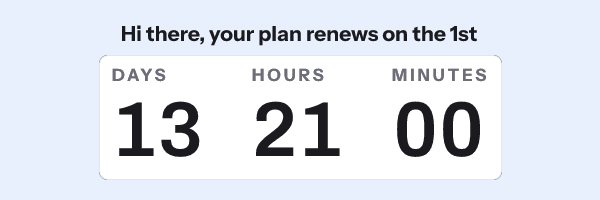
| Renewal notice, 30 and 7 days out | Per-recipient deadline | The renewal date on the subscription | “Renewed, thanks” |
| Card expiring or payment failed | Per-recipient deadline | The retry cut-off from your payment provider | “We could not collect, your plan is paused” |
| Membership expiry | Per-recipient deadline | The membership end date | The renewal offer |
| Annual plan anniversary | Recurring, monthly rule | The billing day of the month | Rolls to the next occurrence on its own |
| Weekly cohort or class start | Recurring, weekly rule | The rule in the template | Rolls to the next occurrence on its own |
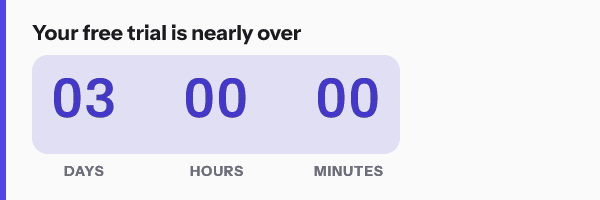
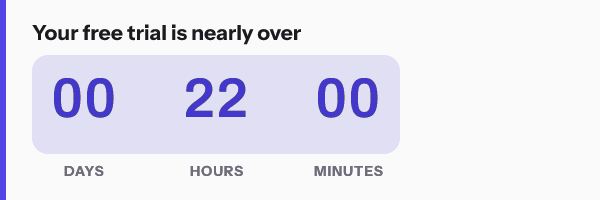
The bottom two rows are the exception. A billing day that repeats on the same date every month is a recurring rule rather than a per-recipient deadline. So is a cohort that starts every Monday. Either one means a single published template and no minting at all. The mechanics are in the recurring timer guide.
Transactional framing changes where the email comes from
A trial-expiry notice is usually a service message rather than a promotion, which means it often leaves through a transactional pipeline rather than a campaign builder. That matters for this use case in two practical ways.
First, the merge syntax is different from the campaign tools most timer documentation assumes. Customer.io states that “Any part of your message can contain liquid”, with {{customer.first_name}} as the form. Braze uses {{${first_name}}} for built-ins and {{custom_attribute.${attr}}} for your own fields. Iterable uses Handlebars, where field names are case-sensitive and a triggering event’s value takes precedence over the profile’s. The full table is on the merge tag guide.
Second, a transactional send is often built by an engineer rather than in a drag-and-drop editor, which makes the API route the natural one. The Customer.io and Braze pages show where the HTML block lives in each, and the API reference has the endpoint list.
The caching picture for a lifecycle send
Apple’s privacy page states that “Protect Mail Activity downloads remote content in the background by default”, regardless of whether the recipient engages. FreshInbox’s 2021 analysis reports the downloaded images are cached for two to three days.
For this use case that is mild. A trial-expiry deadline is an absolute instant per person, so an image fetched at delivery is still counting to the correct moment. What a cache can do is show a stale remaining time when somebody re-opens the same message two days later. A window of days rather than hours absorbs that without the reader ever noticing.
The one configuration to avoid is evergreen from first open. A trial does not start when the email is read, so a clock that starts at the fetch is measuring the wrong thing, and Apple’s delivery-time fetch would move it again. The evergreen guide covers why.
The honesty rule, which is stricter here
The FTC’s September 2022 staff report names a “Baseless Countdown Timer” as showing “a fake countdown clock that just goes away or resets when it times out”. Lifecycle mail is the easiest place to stay clear of that, because the billing system enforces the date whether or not anybody sends an email.
The trap is the discount rather than the deadline. A “50 percent off if you upgrade before your trial ends” clock that is followed by the same offer in a win-back email a week later is a resetting deadline with extra steps. Either let the offer expire with the trial, or do not put a clock on it. EU and UK consumer law on a false deadline is quoted beside the FTC’s on fake countdown timers.
How to set it up
- Build one template at 600x200 or 600x300 and set the timer mode to per-recipient deadline.
- Add text layers for the plan name, the price and anything else your record holds, each bound to a declared variable with a fallback.
- Open Expiration State and set the post-deadline graphic for that stage. A lifecycle email sits in an inbox for months, so this is the field that stops an old notice showing a dead clock.
- Publish, and read the image size, frame count and version off the readiness checks.
- Call
POST /urls/batchfrom the job that builds the send, passing each user’s deadline, or upload a recipient set and export the addresses. - Write the returned address into a contact field on your platform.
- Set the image
srcto that field’s merge tag, and put your other merge tags in the link and the alt text. - Send a seed to a real account and confirm the address in the source is unchanged. Any parameter appended by link tracking breaks the signature and serves the fallback card.
The six timing models are compared in timer types, and you can try the shapes without an account in the countdown timer generator.
Questions and answers
Can I do this without the API?
Yes, through a recipient set. Upload a CSV of ids and deadlines, export one signed address per row, and import the column into your platform as a contact field.
How many reminders should carry a timer?
The ones inside the window where the number is actionable, which usually means 72 hours and 24 hours before the date. A counter reading 27 days on a day-one welcome email is decoration.
What if the user upgrades before the deadline?
Suppress the remaining sends in your flow, exactly as you would without a timer. The image keeps counting because it does not know your billing state, which is an argument for short reminder windows and accurate suppression.
Is a renewal notice allowed to carry a countdown at all?
The deadline is real and imposed by the subscription, so the clock is describing a fact. Keep the tone as a service message and the timer reads as helpful rather than as pressure.
Which timer mode is wrong for this?
Evergreen from first open, in every case. It measures from the fetch rather than from the billing date, and Apple’s delivery-time fetch moves the start again.
Sources
- Personalize messages with liquid (Customer.io Docs)
- Supported personalization tags (Braze Docs)
- Personalizing Templates with Handlebars (Iterable Support)
- Mail Privacy Protection and Privacy (Apple Legal)
- A Technical Take on iOS15 Mail Privacy Protection (FreshInbox, 29 July 2021)
- Bringing Dark Patterns to Light (FTC Staff Report, September 2022)
Related
Put a countdown in the campaign you are writing now
The free plan covers 5,000 opens a month with no card. Starter is $19 a month for 250,000.