Customer.io in practice
Customer.io countdown timer guide
By Danish Mohammed, founder. 5 min read
Customer.io is the rare platform that builds a countdown into its template language. It is also the platform with the most specific documented ceiling in this directory, and the ceiling is a number you can check yourself in thirty seconds.
Does Customer.io have its own countdown timer
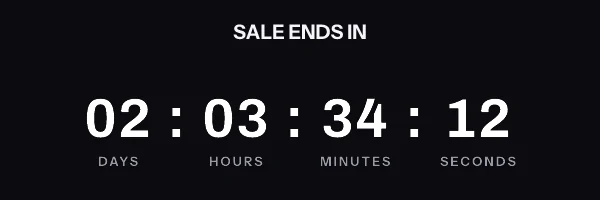
Yes. There is a countdown Liquid tag. The Liquid syntax list describes it as something that “Creates a countdown timer in your message, helping you alert your audience to how soon an event they’re interested in is set to happen”. It takes a font size, a target time in YYYY-MM-DD hh:mm:ss (GMT) form, a foreground colour and a background colour as required parameters, with optional font, weight, locale, looping, resolution and frame count.
The Liquid recipes page shows a working call, and it is compact:
{% countdown point:64 font:roboto weight:light fg:000000 bg:f2f6f9 time:"2022-07-04 12:00:00 (GMT)" locale:en looping:true resolution:S frames:2 %}
The same page states the limit in one sentence: “The countdown timer GIF cannot contain more than 60 frames. This limits the size of the image in your messages and ensures that your message loads properly.”
Sixty frames is the constraint that decides everything else. With resolution:S, one frame is one second, so the animation covers sixty seconds and then stops. That is fine for a timer that reads in days and hours, where each frame is a much longer step. It is a real constraint for the seconds display that most people picture when they ask for a countdown, and it is the reason the recipe in the docs sets looping:true.
The design surface is narrow too. Colours arrive as hex values and the font weight “takes normal CSS font-weight values”, which is the extent of the styling the tag exposes. Anything your brand guidelines require beyond that has to come from an image.
Where the snippet goes
Customer.io offers four editors for email, and they differ in how much markup they will accept. The email basics page lists Design Studio, the drag-and-drop editor, the rich text editor and the code editor, and notes that layouts “are only available in our rich text or code editors”.
In the drag-and-drop editor, drop an HTML content block where the timer belongs and paste the image tag into it. The drag-and-drop FAQ is direct about the trade-off: you can add blocks of HTML, but “there is no way to view all body HTML like there is with the code editor”. If you want the whole message under version control, use the code editor and paste the tag inline.
Liquid personalization is the usual two namespaces. Customer.io documents customer attributes as {{customer.<attribute_name>}} and event attributes as {{event.<attribute_name>}}, with a default filter for missing values, as in their own example {{ customer.plan_name | default:"custom" | capitalize }}. “The default filter only works with our latest version of liquid”, so an older workspace has to use an if-else block instead.
A per-person deadline cannot be appended to the image URL as a Liquid tag. Every query parameter is inside the signature, so a value substituted after signing fails verification for everyone in the send. Write a pre-signed URL to a person attribute and read it back:
<img src="{{customer.et_image_url}}" width="600" height="200" border="0" alt="Your seat is held for a little longer" />
What breaks in automations and flows
Customer.io campaigns are long-lived by design, which is the trait that turns a fixed deadline into a liability. A time: value hard-coded into a Liquid countdown inside an onboarding campaign is correct for one week and misleading for the rest of the year. Anything that runs on a trigger wants a deadline computed from the person’s own entry instant.
The 60-frame cap interacts with this badly. A seconds-resolution timer inside a journey animates for one minute per open, so a recipient who scrolls back to the message an hour later sees the animation finish quickly and stop. Looping hides the symptom and introduces another one, because a countdown that jumps back to its opening number reads as broken to anybody watching it.
Preview data is the third trap. Customer.io’s test send replaces Liquid statements with data from whichever profile you pick in the Sample Data panel, so a profile without your URL attribute produces an empty source attribute. Pick a profile that has been through the same integration that writes the attribute in production.
What your recipients will see
The GIF that Customer.io generates and the GIF that an image service generates are both subject to the recipient’s mail client, which has the final say. Classic Outlook on Windows draws HTML with the Word engine and shows one frame of an animated GIF instead of playing it. Apple Mail with Mail Privacy Protection fetches remote images at about the time a message is delivered, so the number reflects delivery. Gmail proxies images and can return a copy it already holds when the same person opens the mail again.
That is documented client behaviour rather than a render I have watched, and the per-version table is on the email client support page. Put it next to the 60-frame cap and the resolution choice makes itself. A days-and-hours timer stays inside the frame budget and stays readable when it is frozen at frame one. It also survives a proxy serving an hour-old copy, because an hour barely moves the display.
Test before you send
Customer.io’s testing page gives the exact sequence. Choose a person from the Sample Data panel, because “Your test send will replace customer liquid statements with this person’s data”. Then click Send test, “Enter up to 25 email addresses. Separate multiple email addresses with commas”, and choose whether the subject line carries a [TEST] marker.
Use two of those 25 addresses on Gmail and Outlook. The preview pane confirms that Liquid resolved. Only a delivered message confirms that a mail client fetched the image and drew it the way your design assumed.
Questions and answers
What is the 60-frame limit on the Customer.io countdown?
It is a documented ceiling on the GIF the countdown tag produces. The practical reading is that a seconds display stops moving after a minute, so pick days and hours unless the whole message is about the last minute.
Can I style the native countdown to match a brand palette?
Only within the parameters the tag exposes, which are a font family, a weight, a font size and two hex colours. A layout that needs more than that has to be rendered as an image.
How do I give each person their own deadline?
Write a pre-signed image URL to a person attribute, then use {{customer.et_image_url}} as the image source. The deadline is inside the signed URL, so a triggered campaign can set it per entry.
Which editor should the snippet go in?
Either the drag-and-drop editor, using an HTML content block, or the code editor. The code editor is the better choice when you want to see the whole message body as markup.
Does anything here need a developer?
No, though minting per-person URLs from the same service that writes your attributes needs the REST API, which is on Growth and Agency. The free plan covers 5,000 image opens a month with no watermark, and the tiers are on pricing.