GetResponse in practice
GetResponse countdown timer guide
By Danish Mohammed, founder. 6 min read
Most pages about GetResponse timers were written before GetResponse had one. This one is written after, and the honest verdict is that the native block covers more ground than any other built-in timer in this directory.
Does GetResponse have its own countdown timer
Yes, and it is new. GetResponse announced a native countdown timer in the email editor on 22 April 2026. The announcement says “The timer is available on all plans, including a free plan”, and a bullet under it reads “Available on all plans at no extra cost: Including the Free plan, with no upgrade required.” It describes the block as a way to “embed an animated countdown directly into any email campaign, without leaving the platform, installing third-party tools, or pasting a single line of HTML code”.
The help article, How to add a countdown timer to a message?, is the one to read. Two timer types are documented. An evergreen timer is “personalized for each recipient and starts counting down from the moment they open the message”, with a countdown duration that “defines how long the timer should run for each recipient”. A fixed-date timer “counts down to a specific, predefined date and time that is the same for all recipients”, and you choose the end date along with a time zone.
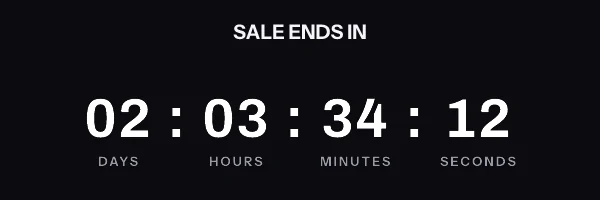
Display format is a choice of hours-minutes-seconds, days-hours-minutes, or days-hours-minutes-seconds. The design panel exposes font, size, colour, bold and italic and underline styling, plus background, borders, border radius and padding under advanced settings, and separate control over whether unit labels appear.
That is a more complete feature than most built-in timers manage. Per-recipient evergreen is the capability other platforms leave out, and GetResponse shipped it on the free plan. If the native block does what you need, use the native block.
Where the snippet goes
Two jobs remain outside it. The first is a countdown that has to carry the recipient’s own data in the same picture, such as a name or a voucher code drawn into the pixels beside the clock. The second is a design that exists as a Photoshop file, where the type and the shadows have to survive exactly as the designer drew them.
Both arrive as an image tag in the Custom HTML block. GetResponse’s help article describes the block as one that “allows you insert your HTML and CSS into your message”, and names timers among the things people use it for. The click path is the Layout section, then Basic blocks, then Custom HTML, dragged into the section or column you want. The code goes into the properties panel on the right, with a live preview on the canvas.
One limit from that page matters. JavaScript is not supported, only HTML and CSS, which rules out every browser-side timer and leaves a server-rendered image as the only option.
Personalization uses double square brackets. GetResponse documents [[firstname]] for a first name and [[email]] for the address, with custom fields following the same shape. A fallback is written inside the brackets, as in [[color fallback="your best-kept secret"]], and without one GetResponse will “display an empty value in a real message”.
For a per-recipient deadline in a custom image, the merge word cannot go in the query string. The signature covers every parameter, so a value substituted after signing breaks the URL for the whole send. Store a pre-signed URL in a custom field and use the field as the source:
<img src="[[et_image_url]]" width="600" height="200" border="0" alt="Your offer ends soon" />
What breaks in automations and flows
An autoresponder cycle or a marketing automation message is authored once and sent for as long as the workflow runs. A fixed-date timer inside one is correct until the date, and wrong afterwards, which is the argument for the evergreen type in any automated message.
A custom image has the same requirement met differently. The deadline lives inside the signed URL, so an automation that writes the URL per contact at enrolment produces a countdown anchored to that contact. The ordering matters: whatever writes the field has to run before the message step, not alongside it.
The quiet failure is an empty field. GetResponse renders an unassigned custom field as nothing, so an image source built from one becomes an empty attribute and the recipient gets a broken image with no error anywhere. A fallback protects the alt text and the link, and it cannot rescue the source attribute, so the field has to be populated.
Keep the paste clean, too. GetResponse tells you to use “a plain text editor such as notepad”, because “Pasting code from Microsoft Word or similar software can add additional coding or styling you don’t want.” A curly quote inside an attribute is an unusually annoying thing to find by eye.
What your recipients will see
Whichever timer you choose, GetResponse delivers a picture and the recipient’s mail client decides what to do with it. Classic Outlook on Windows renders through the Word engine and shows one frame of an animated GIF rather than playing it, so the first frame has to carry the real numbers. Apple Mail with Mail Privacy Protection fetches remote images around the time the message is delivered, which fixes the reading at delivery. Gmail serves images through its own proxy and can return a copy it already holds on a later open.
This is documented client behaviour rather than something I have watched in an inbox, and the per-version detail sits on the email client support page. It is also the reason to think twice about the hours-minutes-seconds display format. Seconds only pay off on the clients that animate, and on a list with real Outlook share the days-hours-minutes option communicates the same urgency to everybody.
Test before you send
GetResponse puts both checks behind the Test and Preview link in the message editor. A test message “allows you to send this exact message to one of your own inboxes”, sent only to confirmed sender addresses on your account. It arrives with [TEST] in the subject and a red warning box in the body.
The test message is not the place to check the merge value, and GetResponse says so on that page: “Personalization will not work for test messages. To test it, add yourself to the contact list and send it as a newsletter.” That applies to the field holding your image address, so a test send arriving with no image is not evidence of a broken snippet.
Preview mode is where a custom field resolves against a chosen list and contact, and it renders the message in dark mode on desktop and mobile. One caveat from the same page: “Inbox preview is not available on free accounts”, so on the free plan a newsletter to yourself is the whole of your render testing.
Questions and answers
Does GetResponse have a built-in countdown timer?
Yes, launched on 22 April 2026 and available on all plans including free. It supports both a fixed end date and an evergreen countdown that starts when the recipient opens the message.
Does the GetResponse timer work per recipient?
Yes. The evergreen type is documented as personalized for each recipient, starting from the moment they open the message, with a duration you set.
Why would I use anything else?
When the countdown has to share one picture with the recipient’s own data, or when the design has to come from a Photoshop file kept pixel for pixel. Both need a rendered image rather than a block.
Where does third-party timer code go in GetResponse?
In the Custom HTML block, found under Layout, then Basic blocks. Paste the image tag into the properties panel on the right and check the live preview.
Will a JavaScript countdown work in a GetResponse email?
No. GetResponse’s own documentation says the Custom HTML block accepts HTML and CSS only, and mail clients would not run the script anyway. A rendered image is the alternative, free to 5,000 opens a month on pricing.
Sources
- How to add a countdown timer to a message? (GetResponse Help Center)
- GetResponse Launches Native Countdown Timer in Email Editor (PR Newswire, 22 April 2026)
- What is the HTML block and how can I use it? (GetResponse Help Center)
- How to personalize my emails? (GetResponse Help Center)
- Can I check how the message looks in an inbox before I send it? (GetResponse Help Center)