ActiveCampaign in practice
ActiveCampaign countdown timer guide
By Danish Mohammed, founder. 5 min read
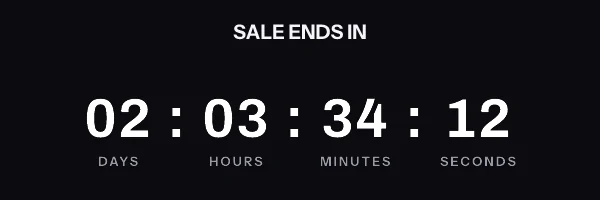
ActiveCampaign is one of the few platforms in this directory that already gives you a timer. That changes the job of this page. The useful question here is when the built-in one stops being enough.
Does ActiveCampaign have its own countdown timer
Yes. The email designer carries a Timer block. ActiveCampaign’s help centre refused every automated request while I was writing this. So the description here comes from ActiveCampaign’s own community rather than from its documentation. I would rather say that than cite a page I could not read.
A community post from 1 May 2024 gives the click path: “In the new email designer, open the content tab and scroll through the building blocks until you find the timer block.” The settings it lists are an end date and time, a time zone, font choices, a background colour, label styling, a label language, and an expiration message.
That is a fixed-date timer with a calendar deadline and a single time zone for the whole send. It covers a flash sale announced to everybody at once, which is a large share of what people want a timer for.
The gap opens with everything else. ActiveCampaign also lists third-party timer services in its own app directory. Its CountdownMail listing, read on 23 September 2026, describes the alternative model: “Use the CountdownMail app is an automation action to start a countdown timer when a contact passes through this action in your automation.” A platform that already had per-contact deadlines covered would not need that listing.
Where the snippet goes
A server-rendered timer arrives as an image tag in an HTML block, dropped into the layout from the same content list that holds the Timer block. Paste the snippet in whole, including the surrounding link and the alt text.
Merge tags use percent signs on both sides of the field name. ActiveCampaign turns standard and custom fields into tags automatically, so a first name is %FIRSTNAME% and a custom field named ET_IMAGE_URL is %ET_IMAGE_URL%. A community tip from 12 March 2026 names the failure mode you will meet first: “Without a default value, tags like %FIRSTNAME% just leave a blank space.” Set a default on every field you put in a link or in alt text.
A per-contact deadline cannot ride in the query string. The signature covers every parameter on a timer URL, so a tag substituted after signing invalidates the URL for the entire send. Store a pre-signed URL on a custom field and use the field as the source:
<img src="%ET_IMAGE_URL%" width="600" height="200" border="0" alt="Your cart expires soon" />
That is the shape that gives each contact a deadline measured from their own trigger event rather than from a date you picked in advance.
What breaks in automations and flows
The native Timer block takes a calendar date, which is exactly the wrong input for an automation. An abandoned-cart series runs every day of the year, and a timer inside it pointing at 31 October counts down correctly for a few weeks and then counts up forever. Either swap the block out before the date passes, or use an image whose deadline is set per contact at the moment the automation enrols them.
A blank field is the second problem, and it is quiet. A tag with no value and no default renders as nothing, so an image source built from an empty field becomes an empty source attribute. The recipient sees a broken image and no system anywhere logs an error. Defaults fix the visible symptom; populating the field as an automation action fixes the cause.
The third is sequence. Whatever writes the per-contact URL has to run before the email step, not in parallel with it. In practice that means a wait step or an explicit field-update action ahead of the send. Test it by pushing one contact through the automation by hand.
What your recipients will see
Both timers, the native block and a pasted image, land in the recipient’s mail client as pixels, and the client decides what to do with them. Classic Outlook on Windows draws HTML through the Word engine and shows a single frame of an animated GIF rather than playing it. Apple Mail with Mail Privacy Protection fetches remote images around the time the message is delivered, so the figure reflects delivery instead of the open. Gmail proxies images and can return a copy it already holds when the same person opens the message twice.
That is documented client behaviour rather than something I have photographed in an inbox, and the per-version detail is on the email client support page. One design consequence follows from it directly. Whatever draws frame one has to make frame one correct on its own, because for a meaningful share of your list frame one is the only frame that will ever be seen.
Test before you send
Push a real contact through the automation rather than previewing the email in isolation. ActiveCampaign resolves merge tags against contact data, so a preview on a contact with an empty field tells you nothing useful about a contact who has one.
Send the resulting message to two inboxes, one on Gmail and one on Outlook for Windows. The preview inside the builder renders in a browser and will animate happily. Outlook is where you find out whether the still image says what you needed it to say.
Questions and answers
Does ActiveCampaign have a native countdown timer?
Yes, a Timer block in the email designer, documented on ActiveCampaign’s community as taking an end date and a time zone. It is a fixed-date timer.
When is the native Timer block not enough?
When each contact needs a deadline of their own, or when the same design has to run in another platform as well. A design that exists as a Photoshop file is the third case, since the block cannot take one and an imported PSD keeps the designer’s pixels.
How do I run an evergreen deadline in an automation?
Write a pre-signed image URL to a custom field as an automation action, then reference %ET_IMAGE_URL% in the image source. The countdown is then anchored to that contact’s own enrolment.
Why is the timer image missing for some contacts?
Because the custom field it reads is empty for them, which produces an empty source attribute. ActiveCampaign’s own community warns that a tag with no default value simply leaves a blank space.
What does this cost alongside ActiveCampaign?
The free plan here is 5,000 image opens a month with no watermark, and timers and personalized images run on the same plan rather than on two. The tiers are on pricing, and there is a free generator if you want to try one before signing up.
Sources
- How to place a countdown timer block in your ActiveCampaign email campaigns (ActiveCampaign Community, 1 May 2024)
- Thursday tip of the week, default field values (ActiveCampaign Community, 12 March 2026)
- Integrate CountdownMail with ActiveCampaign (ActiveCampaign app directory), read on 23 September 2026