Product launch emails
Launch emails that build the wait and then release it
A launch has one moment and everything before it is anticipation. Counting down to that moment in the email, then switching the same image to "now live" as it passes, means your teaser email keeps working after the launch instead of going stale.
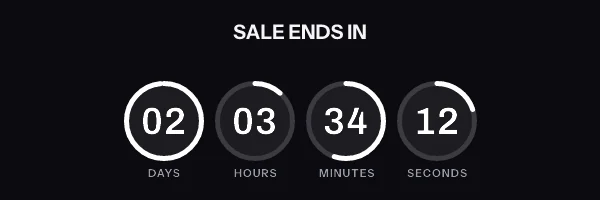
A product launch email with a live countdown in it. The timer is a real render from EmailTimer.App.
What creates the urgency
Limited first run, early access, and the pull of a date everyone knows.
The timing model for this campaign is one launch moment, with a before and an after. You choose it once, when you build the image, and the engine works out the rest for every subscriber who opens.
Compare the timing modelsHow we would set this one up
- Timer style
- A ring or bold blocks, sized to be the thing you notice first
- The deadline
- The launch moment itself, for example 2026-10-15T16:00:00Z
- What goes in the image
-
- The launch name and the date, in words beside the digits
- The countdown to the drop
- A separate VIP image, if tiers see different things, sent to that segment
- When it expires
- Becomes "now live, shop the collection" at the launch second, with no second send.
What to get right in a product launch countdown
-
Set the post-launch graphic before the teaser goes out. The same email then works as an announcement, and anyone who opens late lands on a live product rather than a countdown to something that already happened.
-
Stagger access with a separate image per tier, each with its own deadline, sent to its own segment. One email with a different deadline per person needs one signed address per subscriber, which is the Growth plan or above.
-
Say the timezone in the copy next to the timer. The image does the maths, but people still want to see the words.
The product launch countdown timer snippet
One image tag, wrapped in a link. Drop it into an HTML block in your campaign builder. The merge tags below are the generic form. The exact syntax for Braze and Iterable is on each platform's own page, and the integration pages cover the rest.
This campaign needs one image address for the whole send. One launch instant for everybody, so one signed address works for the entire send, and it flips to the launch graphic on its own.
Notice where the merge tags are. They are in the link and the alt text, and never inside the image address itself. The address is signed, and the signature covers all of it, so a tag your platform fills in afterwards breaks the signature and every subscriber quietly gets the fallback graphic instead of the timer.
<a href="https://yourstore.com/offer?code={{ coupon_code }}" target="_blank" rel="noopener">
  <img src="https://img.emailtimer.app/i/k7mQ2pXd.gif?w=w_8ha3fq&v=3&sig=YOUR_SIGNATURE" alt="{{ first_name }}, your offer ends tonight" width="600" height="200" border="0" style="display:block; width:100%; max-width:600px; height:auto; border:0;" />
</a>
What each inbox does with a product launch countdown
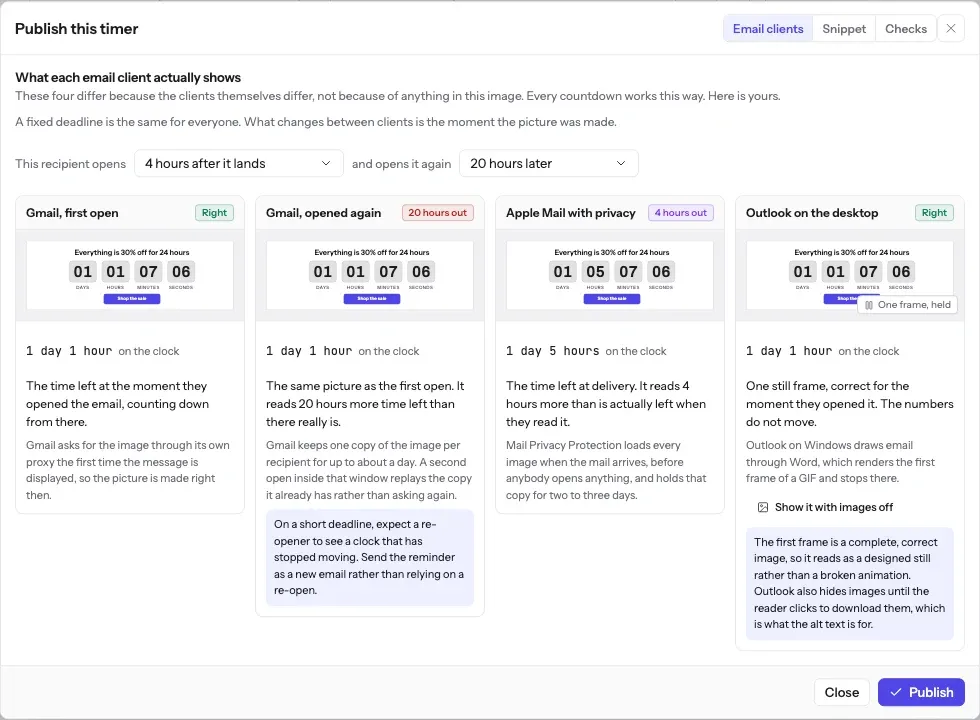
Everybody is counting to the same instant, so a launch countdown is accurate in every client, whatever caching that client does before the message is opened.
The full account of what each client does, including how long Apple Mail holds a pre-fetched image and why Outlook on Windows never animates, is in Countdown timers in Apple Mail. The timing model this campaign uses is one of six, compared side by side in email countdown timer types.
What each client is documented to do
The Apple and Gmail rows rest on Apple's and Google's published documentation and on third-party testing. Neither company publishes a cache lifetime: Apple documents the prefetch, Google documents the proxy, and the two to three days is FreshInbox's 2021 testing. The Outlook and Yahoo rows are what we expect those clients to do, with no vendor document behind them. No row comes from a test by us yet, and we will publish dated screenshots when we have them. Sources: Apple on Mail Privacy Protection, Google on the Gmail image proxy, FreshInbox on Mail Privacy Protection image caching.
The playbook
Counting down weeks before a launch
A launch announced six weeks ahead needs a countdown that reads 42 days in the first teaser, and that is no problem for the clock. The launch is one fixed instant, so a teaser sent six weeks out counts to the same second as the reminder sent that morning.
It can be a problem for the tool. The free countdown timer generator takes a deadline up to 90 days ahead, and a timer published from an account is not held to that limit. Other tools cap a free countdown sooner. The MailTimers pricing page says "Max 30 days for Free plan", which rules out a six-week teaser, as the MailTimers comparison sets out.
Six weeks out, a moving seconds column says less than the date does. Write the launch date in words beside the timer in the early teasers, and let the countdown carry the urgency in the last few days, when the hours are the news.
Before you send
Questions about product launch emails
Including the parts that do not work perfectly, because you will find those out either way.
How does one image count down and then become the launch announcement?
The same URL renders differently either side of the launch instant. Before it, the image is a countdown. At the launch second it becomes the graphic you chose as the expired state. Nobody has to send a second email, and an email opened at 16:01 does not still promise something that already happened.
Is that switch instant for everyone?
For anyone whose client fetches the image after the launch moment, yes. For an Apple Mail subscriber whose client pre-fetched at delivery, the cached copy can hold the countdown for a few hours past launch. If a clean switch matters more than the countdown does, send the reminder close to the launch rather than days before.
Should I send a launch email as well as the countdown one?
Usually yes. The flipping image means a pre-launch email keeps working after launch, which is a safety net rather than a substitute for the announcement send.
Can early access customers see a different image from everyone else?
Yes, in two ways. The simple one is two images, one for the early-access segment and one for everybody else. The other is one template with a conditional layer that is drawn only when a subscriber's tier says it should be, which needs that tier on a recipient list and one signed address per subscriber, on the Growth plan or above. A merge tag inside the image address cannot do it, because the address is signed.
Campaigns that pair with a product launch countdown
Put a product launch countdown in your next send
Free for 5,000 opens a month, $19 for 250,000, and no developer needed at any point.