A MailTimers alternative that is still being worked on
By Danish Mohammed, founder. 8 min read
MailTimers hands out 100,000 free views a month, which is ten times what Sendtric gives away and five times what MotionMail does. Three things in the same pricing page take most of that back. The free timer carries MailTimers branding, the free countdown is capped at 30 days, and evergreen timers are withheld from the free plan entirely.
The fourth thing is not on the pricing page. Every URL in the site’s sitemap carries the same last-modified date, and that date is 20 June 2024.
MailTimers pricing and limits, checked on 17 September 2026
The per-tier prices on the pricing page are injected by Paddle after the page loads and never appear in the served HTML. Two numbers do render server-side. The page’s own structured data declares a lowPrice of 9.99 and a highPrice of 199.99 in US dollars, and the FAQ says premium plans start “at just $7.99”. The $7.99 is the annual rate, since the page offers “Annually save 20%”. Treat any per-tier figure you find on a directory site as somebody’s undated screenshot.
| MailTimers | EmailTimer.App | |
|---|---|---|
| Free tier | Free, 100,000 views a month, branded | Free, 5,000 image opens a month, no watermark |
| Entry paid plan | Startup, 150,000 views a month. Structured data puts the range at $9.99 to $199.99, FAQ says “starting at just $7.99” annually | Starter $19 or Rs 1,599 for 250,000 opens |
| Plan ladder, monthly views | Free 100,000, Startup 150,000, Startup + 450,000, Business 1,200,000, Corporation 3,600,000, Holding 10,000,000 | Free 5,000, Starter 250,000, Growth 1,000,000, Agency 5,000,000 |
| Longest countdown on the free plan | “Max 30 days for Free plan” | 9,999 days on the largest unit, about 27 years, on every plan |
| Evergreen | “Need Evergreen Timer? They are available only in premium plans” | Six timing models on every plan, including evergreen from first open and evergreen from send |
| Background images | “They are available only in Startup + plan and above” | Background layers on every plan. Conditional layers and your own fonts from Starter, $19 |
| Motion styles | “Need Motion Animated timers? They are available only in Business plan and above” | Digital and underline on the free plan, all eight timer families from Starter, $19 |
| Branding removal | A gated row on the pricing table | Nothing to remove inside the allowance |
| Going over | “the timers will continue to work and we will contact you to suggest a plan that is more suitable for you, or we can charge you for additional views” | Images keep rendering. Past 110 percent a small corner watermark appears until you move up |
| Invoicing | “We offer invoicing for annual plans, except for the Startup plan” | Invoices on every paid plan, in dollars or rupees |
| Personalized images | Not offered | Merge values drawn into the same image as the countdown |
| Last visible change to the site | Every sitemap URL stamped 20 June 2024 | Changelog dated from the first commit on 24 August 2026 |
What MailTimers does well
100,000 free views is the largest free allowance in the category that comes with a number attached to it. Two others, CountdownMail and CleverTimer, advertise free views with no limit at all. For a single fixed-date broadcast to a mid-sized list, 100,000 is likely all you ever need.
“Local Time Zone Detection” and “Adobe Photoshop Timers” both appear as feature rows, which is more ambition than most tools at this price show. Photoshop import in particular is rare, and it is the right idea: a designer’s artwork should survive the trip into the timer.
The pricing page is unusually clear about what an impression is. It says one is “counted every time an email containing your timer is opened”, and that a second open by the same recipient is counted again. Most vendors leave that to your imagination.
Where it falls short
The 30 day cap on the free plan quietly rules out the campaigns people most want a countdown for. A product launch announced six weeks ahead needs a longer clock than the free plan will build. So does an early-bird price that closes at the end of a quarter. What you get instead is an upgrade prompt.
Evergreen is a paid feature, and evergreen is the thing that makes a timer worth having in an automation. Abandoned cart and welcome flows are the cheapest campaigns to run and the ones where a per-recipient clock earns its keep. Pricing them above a fixed-date broadcast is upside down.
The impression definition has a hole in it. The page states that “Unopened emails do not count as impressions.” Apple’s own Mail guide says that with Protect Mail Activity on, “remote content is privately downloaded in the background when you receive a message (instead of when you view it)”. So an image in an unopened message is fetched anyway on a large share of modern inboxes. Anyone forecasting view consumption from that sentence will forecast low.
The site has not moved in over two years. All 429 entries in the sitemap carry the identical lastmod of 2024-06-20T15:47:21+00:00, and the 429 is ten translated copies of a 38-page set stacked on 49 English URLs. The footer reads “Copyright Mailtimers LTD” with no year at all. The FAQ still vouches for its payment processor with a GoDaddy site seal and “Verified by Visa and MasterCard SecureCode”.
None of that means the images have stopped rendering. It does mean nobody has shipped a fix, a doc or a price change in 26 months, and your email depends on that service answering every fetch.
There is no analytics row and no API row anywhere on the pricing page. If you need to know how many people saw the timer, or to create one from code, this is not the tool.
What EmailTimer.App does differently
The countdown length is not a tier. The largest unit runs to 9,999 days and then holds at all nines, so a launch announced in March for a date in November is a normal build on the free plan.
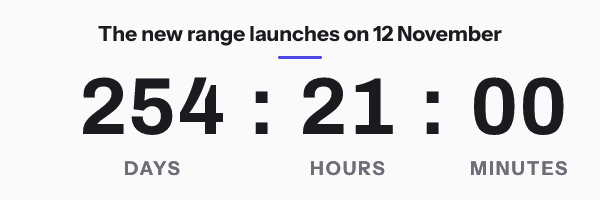
Every timing model ships on every plan. Fixed date, a per-recipient deadline from a merge tag, evergreen from first open, evergreen from send, count-up and a recurring weekly window are all described in the timer types guide.
The Photoshop route is documented rather than listed. Open the template, put your artwork behind the safe area, name the layers, and the import turns the PSD into a live timer with the designer’s pixels kept byte for byte. The rules are in the PSD guide.
Client behaviour is written down before the sale. Apple Mail fetches at delivery, so the timer reads the time remaining at that moment. The Gmail proxy caches per recipient per URL, and Google publishes no lifetime for it. Outlook on Windows draws only the first frame, so frame one has to be correct on its own. The email client table covers each case, and that is documented behaviour rather than a photographed inbox test.
The site has a dated changelog and a public status page, because a service that renders images into mail you cannot recall should be checkable. Prices are on the pricing page, in dollars and rupees.
When MailTimers is the better choice
Take MailTimers if you want the largest free allowance that is not unlimited, the branding is acceptable, and the deadline is inside 30 days. 100,000 branded views beats 5,000 clean ones on pure arithmetic, and a flash sale next Friday fits the cap comfortably.
Take MailTimers if local time zone detection is the specific feature you are buying and you have tested that it does what you expect. Nothing here detects a recipient’s time zone from the image request, and I would rather say that than imply otherwise.
If neither of those applies, the staleness is the deciding factor. Pick a vendor who has changed something this year.
How to move
The swap is an attribute edit. Both services return an image from a URL in an <img> tag.
- Write down the deadline in UTC, the image width in pixels, the font, and whether the current timer is evergreen or fixed.
- Rebuild it here at the same width. Width is the migration risk: an image 40 pixels wider reflows a two-column table in Outlook.
- If the old timer was capped at 30 days by the free plan and you shortened the campaign to fit, set the real deadline now.
- Replace the
srcvalue inside the existing<img>. Leave the width attribute, the alt text and any link wrapper exactly as they are. - For an automation, pick the matching evergreen model and pass the recipient identifier your platform already has. The per-platform merge tag is in the snippet on each integration page.
- Check five things before scheduling: frame one on its own, the expired state, the dark mode background, the alt text, and the render in your platform’s own preview.
- Leave the MailTimers account alive until the last campaign embedding those URLs has stopped sending. Delivered mail cannot be edited, and a closed account turns every one of those timers into a broken image.
Questions and answers
What does MailTimers cost?
The pricing page does not serve its per-tier prices in HTML. Its structured data declares a range of $9.99 to $199.99, and its FAQ says premium plans start “at just $7.99”, which is the annual rate against the page’s stated 20 percent annual discount. Read the live page before you buy.
Is the MailTimers free plan watermark-free?
No. Branding removal is a gated row on the pricing table, so the free timer carries MailTimers branding. The free plan here carries no watermark inside its allowance.
Why can I only set a 30 day countdown?
That is the free plan cap, stated on the pricing page as “Max 30 days for Free plan”. Longer countdowns require a paid plan there. Here the largest unit runs to 9,999 days on every plan, including the free one.
Is MailTimers still maintained?
Its images still render. Its site has not changed: all 429 sitemap URLs carry the same last-modified timestamp of 20 June 2024, and the footer has no copyright year. Decide how much that matters for a service your delivered email depends on.
Will my view count really exclude unopened emails?
Its FAQ says unopened emails do not count. Apple documents the opposite habit: with Protect Mail Activity on, remote content is downloaded when a message arrives rather than when it is viewed. A share of your images are fetched before anyone opens anything. Budget for that on any list with a meaningful Apple Mail share, and see the Apple Mail page.
Next: the CountdownMail alternative for the unlimited-but-branded trade, and the honest roundup for all twelve tools in one table. The older head-to-head page is at EmailTimer.App vs MailTimers.
Prices checked on 17 September 2026. Vendors change their prices without announcing it, so check the figure you care about before you act on it.
Sources
- MailTimers plans and prices, read on 17 September 2026
- MailTimers sitemap, read on 17 September 2026
- Protect email privacy in Mail on Mac (Apple Support)
Related
Put a countdown in the campaign you are writing now
The free plan covers 5,000 opens a month with no card. Starter is $19 a month for 250,000.