Cart abandonment emails
Cart recovery emails that give the shopper a reason to finish now
A shopper who walks away from a full cart has not said no. They have said not yet. A reservation with a visible clock turns not yet into a decision, and it gives your flow something to say that is not another reminder.
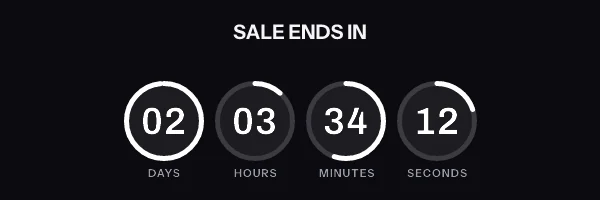
A cart abandonment email with a live countdown in it. The timer is a real render from EmailTimer.App.
What creates the urgency
Their cart is held, and the hold has an end that they can see.
The timing model for this campaign is a deadline per shopper. You choose it once, when you build the image, and the engine works out the rest for every subscriber who opens.
Compare the timing modelsHow we would set this one up
- Timer style
- A quiet ring or a draining bar, so it reads as helpful rather than pushy
- The deadline
- The abandonment event timestamp plus four hours
- What goes in the image
-
- The item they left, by name or by picture
- Their first name
- The recovery code, already applied
- The countdown to the end of the hold
- When it expires
- Becomes "your hold has ended, these sell quickly" once the window closes.
What to get right in a cart abandonment countdown
-
Send the first recovery email one to two hours after they leave. Any later and the cart has stopped being a live decision.
-
Pass the real deadline from your ecommerce event into the image, so the clock in the email and the hold in your store agree with each other.
-
Show the item and the price in the same image as the timer. A cart email that does not show the cart is asking the shopper to remember.
The cart abandonment countdown timer snippet
One image tag, wrapped in a link. Drop it into an HTML block in your campaign builder. The merge tags below are the generic form. The exact syntax for Klaviyo, Omnisend and ActiveCampaign is on each platform's own page, and the integration pages cover the rest.
This campaign needs one image address per subscriber. The hold ends four hours after that shopper abandoned, so the deadline is different for every person. That has to be baked into a signed address per recipient, which means the Growth plan or above.
Notice where the merge tags are. They are in the link and the alt text, and never inside the image address itself. The address is signed, and the signature covers all of it, so a tag your platform fills in afterwards breaks the signature and every subscriber quietly gets the fallback graphic instead of the timer.
<a href="https://yourstore.com/offer?code={{ coupon_code }}" target="_blank" rel="noopener">
  <img src="{{ et_image_url }}" alt="{{ first_name }}, your offer ends tonight" width="600" height="200" border="0" style="display:block; width:100%; max-width:600px; height:auto; border:0;" />
</a>
What each inbox does with a cart abandonment countdown
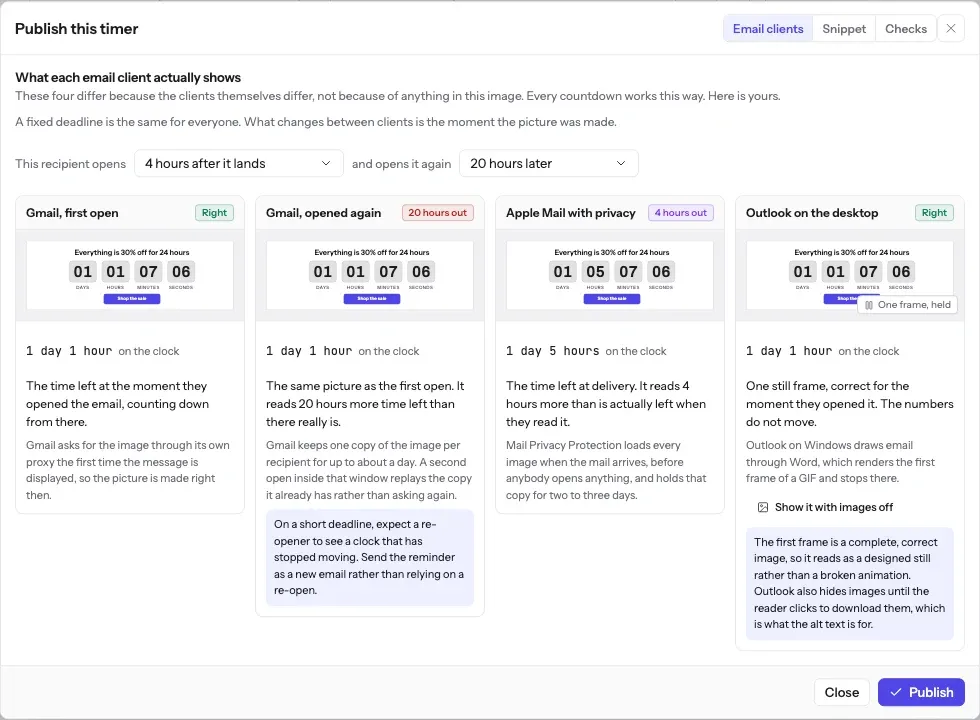
Automated recovery emails are usually opened within an hour or two of delivery, which is well inside every caching window. If Apple Mail collects the image at delivery, the difference between what it collected and what is true at open is a matter of minutes.
The full account of what each client does, including how long Apple Mail holds a pre-fetched image and why Outlook on Windows never animates, is in Countdown timers in Apple Mail. The timing model this campaign uses is one of six, compared side by side in email countdown timer types.
What each client is documented to do
The Apple and Gmail rows rest on Apple's and Google's published documentation and on third-party testing. Neither company publishes a cache lifetime: Apple documents the prefetch, Google documents the proxy, and the two to three days is FreshInbox's 2021 testing. The Outlook and Yahoo rows are what we expect those clients to do, with no vendor document behind them. No row comes from a test by us yet, and we will publish dated screenshots when we have them. Sources: Apple on Mail Privacy Protection, Google on the Gmail image proxy, FreshInbox on Mail Privacy Protection image caching.
The playbook
The hold on the cart has to be real
A countdown in a cart email tells the shopper their items or their price are held until it runs out, so send one only when that is true. The FTC's 2022 staff report on dark patterns, Bringing Dark Patterns to Light, names a "Baseless Countdown Timer" and describes it as "showing a fake countdown clock that just goes away or resets when it times out". A code that still works the next day, or a flow that starts the clock again on every re-send, is that timer.
So expire the code in your store when the clock runs out, not only in the image. A hold that starts at each shopper's own abandonment is a per-recipient deadline, and the guide to evergreen and per-recipient timers sets it beside the other timing models and what a cache does to each. To draw the items themselves beside the clock, product and cart images covers what one image can show per shopper. The same rule holds for any dated reward window, such as a birthday gift that lasts a week.
The free countdown timer generator cannot hold a cart per shopper, because it makes one fixed deadline for a whole send. It is still a quick way to choose the timer style before the flow is built.
Before you send
Questions about cart abandonment emails
Including the parts that do not work perfectly, because you will find those out either way.
The deadline is different for every shopper. Does caching break that?
It can, and this is the honest weak spot. A per-shopper hold is computed from that person's abandonment event, so the image is correct when it is first fetched. Apple Mail fetches at delivery, which for a cart flow is usually within a minute of the trigger, so the countdown starts close to right. Gmail caches per recipient, for a lifetime Google does not publish, so a second open later in the window can be served from the cached copy and show a stale figure. Use a hold long enough that being off by an hour does not matter, which is why four hours works better than forty five minutes.
What deadline should I actually set?
Long enough to survive a cache and short enough to mean something. Four hours is the common answer for a first recovery email. Under an hour, caching error becomes a large fraction of the window. Over twenty four hours, the hold stops reading as a hold.
Can the image show the actual items in their cart?
It can show a product image you have uploaded, chosen by a value on that shopper's row, plus their name, the number of items and their code. Those values come from the shopper's own signed address, not from merge tags inside it. It is one image, so it renders as one block rather than as a table that Outlook may reflow.
What happens when the hold expires but they open anyway?
The image becomes your hold has ended graphic. The email keeps working as a reminder rather than showing a countdown stuck at 00:00:00.
Does this need a developer to wire up?
For one part of it, usually yes. A hold that ends four hours after each shopper abandons needs a signed image address made for that shopper when they abandon, and that is a call to the API from your store or your flow rather than a merge tag, because the address is signed. Once the address is in a contact field, the snippet is one image tag whose source is that field, and the integration pages give the exact field syntax for each platform.
Campaigns that pair with a cart abandonment countdown
Read before you build it
Put a cart abandonment countdown in your next send
Free for 5,000 opens a month, $19 for 250,000, and no developer needed at any point.