

Countdown timer GIFs that are right at every open
A countdown timer GIF is an animated image in your email that shows the time left to a deadline. EmailTimer.app draws it at the moment each subscriber opens the email, so the numbers are correct then, not when you sent it.

What a countdown timer GIF is, and how this one stays right
An email cannot run code, so a timer in an email is a picture. Most tools draw that picture once and the countdown is only right on the day it was made. EmailTimer.app works the other way: the image in your email is an address, and each time an inbox asks for it the image service works out the time left from the deadline and the clock at that moment, then draws a GIF of the next 20 to 60 seconds, one frame per second. Open the email at nine and it reads one thing; open it at three and it reads another.
Because the GIF is made at open, the deadline lives in the template rather than in a file you exported. Change it and republish, and the next open draws the new time. How each open is handled, step by step, and the full guide to countdown timers in email go deeper.
Eight timer styles, drawn by the engine
Each style below is a real render at the size an email sends. Every one can show any mix of days, hours, minutes and seconds, in your colours and in any of the catalogue's typefaces.


The labels come in 44 languages, and Arabic, Hebrew, Persian and Urdu are set right to left. A timer can keep one language, or take it from each link so every reader gets their own. Need the timer on artwork your designer already made? Import a Photoshop file and the numbers animate on top of it.
Six ways to set the deadline
Not every campaign has one deadline. Pick the model when you build the timer.
- A fixed date and time
- Everyone counts down to the same second. The deadline can also fall at its wall-clock time in each reader's own time zone.
- A deadline per subscriber
- Each link carries its own end time, so a cart hold or a trial ends when that person's ends.
- Evergreen from first open
- The clock starts the first time the link is fetched and runs for the length you set.
- Evergreen from send
- The clock starts at the send time written into the link, so a whole batch shares one window.
- Counting up
- Time since a launch, an anniversary or a streak, drawn by the same engine running the other way.
- A recurring window
- A deadline that comes back every week or every month at the same time in the zone you choose.
Which timer type fits which campaign walks through all six, and the evergreen timer guide covers the two that start from an open or a send.
Animation, endings and the details that matter on send day
A timer can blink its colons, its seconds or every digit, or switch the digits to a second colour, every one to ten frames, all the time or only in the final hour. The first frame is never changed by an animation, so the still frame Outlook on Windows shows is always clean.
When the countdown runs out, the GIF stops counting. From the deadline on, the image shows the ending you chose before sending: an image of your own, such as "The sale has ended, here is what is next", or the timer resting at zero. A subscriber who opens on Monday reads that the offer is over instead of a clock stuck at nothing.
The link can end with the clock. In the publish dialog, "After the timer ends, links to" takes a second address, and a click on the image goes to your sale before the deadline and to the second address, such as the next offer or a waiting list, from the deadline on. The switch uses the same deadline the image draws, so an evergreen or per-subscriber timer switches each reader's link when their own clock runs out. Clicks to both addresses are counted in the template's click stats.
Where clicks go is part of the published version. A snippet pinned to a version keeps that version's two addresses for good. A snippet that follows the latest version takes new addresses when you republish, and sent emails pick them up within about a minute.
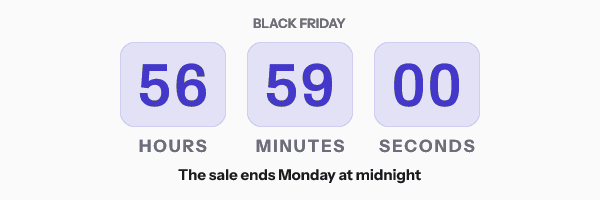
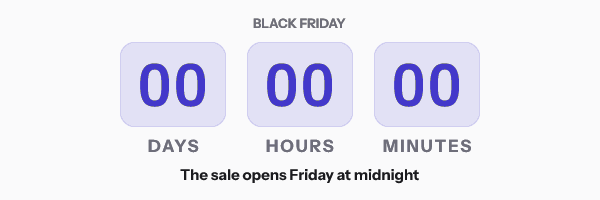
How to make a countdown timer GIF for email
- Pick a design. Start from a gallery design or a blank canvas, and choose one of the eight style families for the timer layer.
- Set the deadline. Choose the timing model in the Timer panel, or let the deadline wizard ask what kind of campaign it is.
- Style it. Pick the units, the language of the labels, your colours and a typeface from the catalogue, and an animation if you want one.
- Choose the ending. Decide what an open after the deadline shows: an image you upload, or the timer resting at zero.
- Publish and paste. Publish, copy the snippet in your platform's syntax, and paste it into the email like any other image.
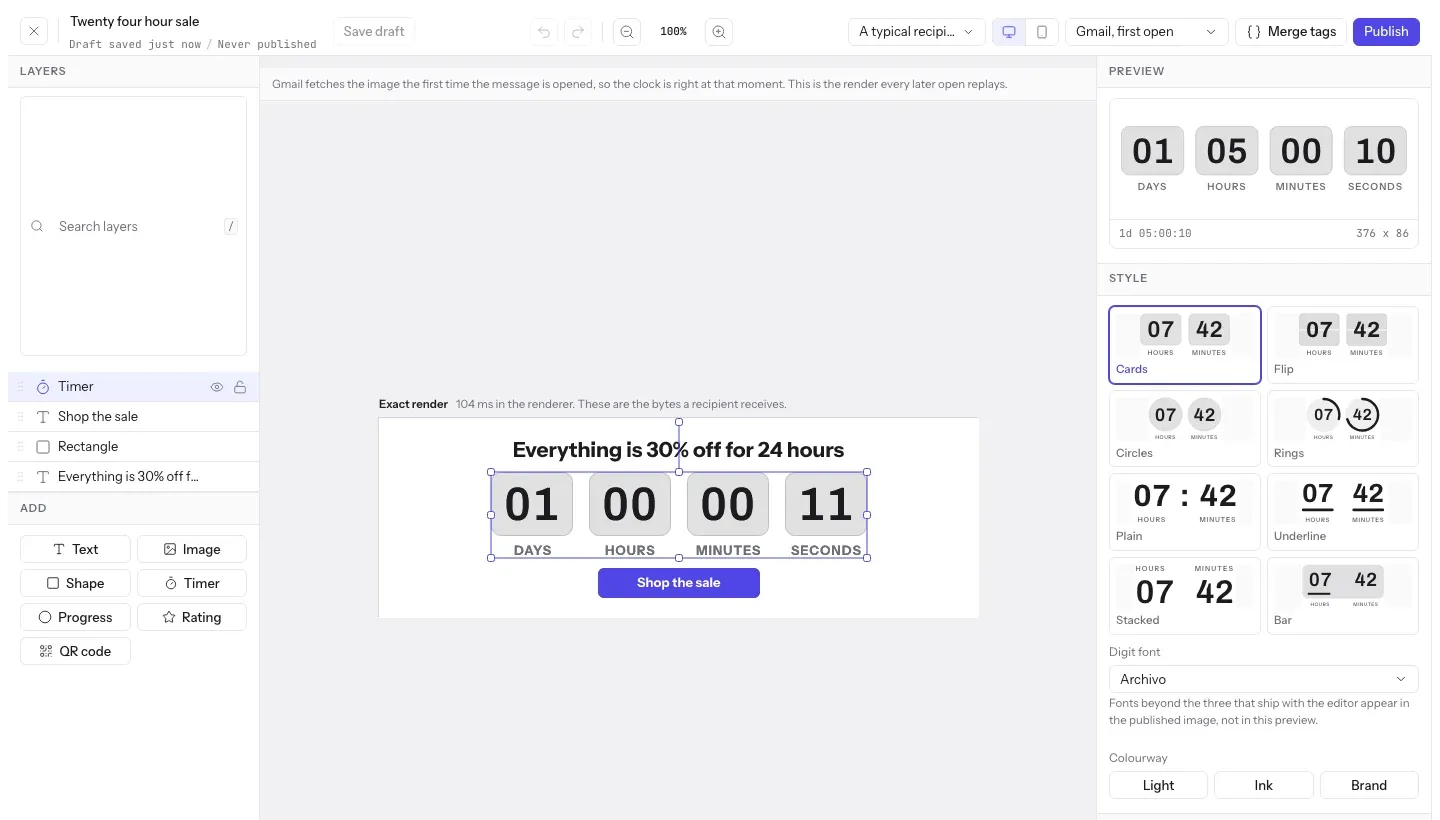
In a hurry? The free countdown timer generator makes a timer in the browser without an account. For a deadline that belongs in a flow, see the cart abandonment and flash sale playbooks.
Which plan it is on
Every plan includes countdown timers. Free includes the plain and underline styles, 5,000 opens a month and three live images; Starter at $24 a month adds every other style, including flip, rings and bar, with 250,000 opens. Growth adds the recipient lists and API that give each subscriber their own deadline.
Compare the plansWorks with your email platform
Paste the image into any platform that sends HTML email. These guides show the merge tags and the steps for each one.
What it does not do
- Outlook on Windows shows the first frame only. The time on it is right; it just does not move.
- Apple Mail Privacy Protection fetches the image at delivery and keeps that copy for two to three days, so an evergreen timer started "from first open" starts from delivery for those readers.
- Gmail keeps its own copy of each image for about a day per recipient, so a reader who reopens the email may see the time from their first open.
- An evergreen timer keys its clock to the whole link. One link shared by a whole send is one clock, started by the first person who opens it. A clock for each subscriber needs a link for each subscriber, from a recipient list or the API on Growth.
- A deadline per subscriber needs a deadline value in each link, which today means a recipient list or the API on Growth and Agency.
- There is no vertical layout: every style sets its units in a row.
Frequently asked questions
What is a countdown timer GIF?
It is an animated GIF image in an email that shows the time left to a deadline. EmailTimer.app draws it when the email is opened, so the numbers are right at that moment, and it animates one frame per second for 20 to 60 frames before looping.
Does a countdown timer GIF work in Outlook?
Outlook on Windows shows only the first frame of any GIF, so the reader sees the correct time left as a still image. Outlook on the web, on a Mac and on phones plays the animation. Frame 1 is never changed by an animation setting, so the still frame is always readable.
Does the timer loop?
Yes. Every timer loops: after its last frame it starts again from the first, for as long as the email stays open. The frame count is between 20 and 60, at one frame a second, and 30 by default.
How many timer styles are there?
Eight style families: cards, flip, circles, rings, plain, underline, stacked and bar. Each can show any mix of days, hours, minutes and seconds, in 44 languages, including Arabic, Hebrew, Persian and Urdu set right to left.
Can I make a countdown timer GIF for free?
Yes. The free countdown timer generator makes one without an account, good for 500 opens, or 1,000 once you sign in and claim it. The free plan in the dashboard covers 5,000 opens a month across up to three live images.
What happens when the countdown reaches zero?
From the deadline on, the image shows the ending you chose before sending: an image you upload, such as "This offer has ended", or the timer resting at zero. On the free plan the ended frame carries a small "Powered by EmailTimer.app" line.
Can the timer's link change when the countdown ends?
Yes. Set "After the timer ends, links to" in the publish dialog and a click on the image goes to your first link before the deadline and to the second from the deadline on, worked out from the same deadline the image draws, per subscriber too. The links belong to the published version: a snippet pinned to a version keeps that version's links, and a snippet that follows the latest version takes new ones when you republish.
Related features
- Dynamic Content Rules that change the image per reader.
- Update After Send Change an image that is already delivered.
- Personalized Images Names and codes drawn in at open.
- Photoshop Import Upload a .psd, keep your own artwork.
- Brand Fonts Upload your fonts, or pick from 1,900+.
- HTML Countdown Timer Copy, paste, and it runs on your site.
Try it on the campaign you are building this week
The free plan covers 5,000 opens a month, and Starter is $24 for 250,000.