A CountdownMail alternative without the branding
By Danish Mohammed, founder. , updated 8 min read
CountdownMail gives away more raw volume than anyone else in the category. The free plan says “Unlimited views” on the pricing page, and the API sits on that plan rather than behind a paywall. The catch is on the same site, in the FAQ: “Branding is shown on the Free plan. Any paid plan removes it.”
That single sentence is why people go looking. A free timer that stamps someone else’s name under your offer is a sample, and you find that out after you have built the campaign around it.
CountdownMail pricing and limits, checked on 17 September 2026
A warning about the numbers before the table. The per-tier prices on the pricing page are injected by Paddle when the page loads, so they do not appear in the HTML the server sends. Any figure you read on a software directory for CountdownMail was copied from somebody’s screenshot on an unknown date. The only price the page itself serves is its meta description: “Paid plans starting from $7 a month.” Plan names, view allowances and the feature matrix do render server-side, so those are quoted below.
| CountdownMail | EmailTimer.App | |
|---|---|---|
| Free tier | Free, “Unlimited views”, branding shown | Free, 5,000 image opens a month, no watermark |
| Entry paid plan | “Paid plans starting from $7 a month”, Starter carries 100,000 views | Starter $19 or Rs 1,599 for 250,000 opens |
| Published plan ladder | Free unlimited, Starter 100,000, Boost 500,000, Growth 1,000,000, Pro 3,000,000, Enterprise 10,000,000 views | Free 5,000, Starter 250,000, Growth 1,000,000, Agency 5,000,000 opens |
| Branding | “Branding is shown on the Free plan. Any paid plan removes it” | No watermark on the free plan inside its allowance. Past 110 percent of any plan a small corner watermark appears until you move up |
| What counts as a view | “A credit is counted when the timer image is loaded (for example, when someone opens an email and the timer is displayed)” | An open is one fetch of the image, counted the same way |
| Going over | Extra credits billed at the plan rate, listed as $0.07 per 1,000 on Starter, $0.04 on Boost and Growth, $0.02 on Pro and Enterprise | No per-thousand overage bill. Images keep rendering, the watermark is the signal |
| Animation length | “Animation Duration” reads 60 sec on every plan, free and paid | Frame budget is set per timer, and the expired frame takes over after the deadline |
| API | Listed on every plan, rate limited at 60 requests a minute on Free | Included from Growth, $49 |
| Analytics retention | 2 yr on every plan, free included | Per-template open counts in the dashboard |
| Apple Mail handling | An “Apple Mail Fix” switch that hides the timer, replacing it with a 1px transparent image for those recipients | The timer still renders for Apple Mail readers, accurate as of the prefetch, with the trade explained before you send |
| Personalized images | Not on the pricing page | Merge values drawn into the same image as the countdown, every plan |
What CountdownMail does well
The free tier is genuinely generous on volume. Nobody else publishes the word “Unlimited” next to a zero-dollar plan, and for a first send to a list of 40,000 that removes the one worry that stops people testing.
The API on the free plan is the more unusual decision. The compare table lists API access on every tier, rate limited to 60 requests a minute at the bottom. Sendtric sells its API as a separate product from $149 a month, and NiftyImages puts its developer API on an Enterprise tier that publishes no price at all, read on 23 September 2026. A developer who wants to mint a timer from a script can do it on CountdownMail for nothing.
Two years of analytics retention on a free account is also more than most paid plans elsewhere offer.
The help centre is honest in a way the marketing pages are not. On Apple, it says outright that “images can be cached, so the timer may not refresh correctly and can show an incorrect time” on iOS 15 and later. On Microsoft, it says “Some versions of Outlook (especially desktop) don’t fully support animated GIFs and may show only the first frame”. Very few vendors write either sentence down anywhere.
Where it falls short
The branding is permanent on the free plan. The pricing card does say so, after a fashion: “Branding removed” is printed in the Free column with a line struck through it, along with “Dynamic links” and “Credits rollover”. That tells you a feature is withheld without telling you what appears in its place. The FAQ is the page that says it in words.
The prices do not exist in the page source. You cannot read them with images off, a screen reader may not reach them, and no archive of the page will preserve them. For a product whose whole pitch is a number of views per dollar, hiding the dollar behind a script is a strange choice. It also means every comparison table on the web that quotes CountdownMail’s tiers is quoting a memory.
The animation caps at 60 seconds on every plan, including Enterprise. That is the same ceiling documented across the category, and it decides what a timer can show. A seconds display that stops moving after a minute reads as broken to anyone who leaves the message open, which is why a minutes-and-hours display is usually the safer build. The cross-vendor version of this is in GIF frame limits in email.
The Apple Mail feature is a hide, not a fix. It is named “Apple Mail Fix” and described as a way to “hide timers for Apple Mail users on iOS 15+ to prevent confusion from caching issues when reopening timers”. With it on, the timer is “replaced with a 1px transparent image for those recipients”. On a list where Apple Mail is a third of opens, that turns a third of your sends into an email with a hole in the layout.
Paid plans bill extra credits at a per-thousand rate once the allowance runs out, starting at $0.07 per 1,000 on Starter. A campaign that goes better than expected arrives as a line on next month’s invoice.
What EmailTimer.App does differently
The free plan carries no watermark. It is 5,000 opens a month rather than unlimited, and I would rather publish a small honest number than a large one with a stranger’s logo attached to your offer.
Going over does not generate an invoice. Past 110 percent of the plan’s allowance, new renders carry a small corner watermark until you move to a bigger plan, and every image keeps returning HTTP 200 the whole time. A delivered email cannot be recalled, so a broken image is never the right answer to a billing event.
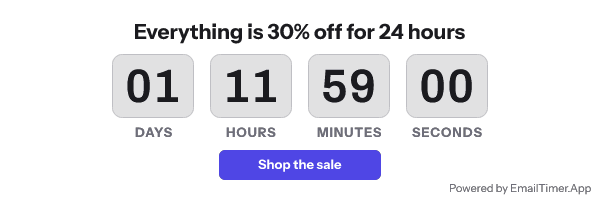
Apple Mail readers get a timer rather than a gap. The image is fetched around delivery, so it shows the time remaining at that moment, and a fixed UTC deadline stays arithmetically correct. The publish dialog shows that case before you send, and the Apple Mail page explains the mechanism in full.
The countdown and the recipient’s own data come out of one render. A first name, a voucher code and a clock arrive as a single image URL on any plan, including the free one.
Prices are in the HTML, in dollars and rupees, on the pricing page. You can read them with a screen reader, save them, and hold me to them.
When CountdownMail is the better choice
Take CountdownMail if the branding does not bother you and the volume is large. An unlimited free tier beats any paid plan on cost per view, and for an internal newsletter or a nonprofit send, a badge under the clock costs nothing.
Take CountdownMail if you want API access without a subscription. It is on the free plan at 60 requests a minute, and that is the cheapest programmatic timer in this market by a wide margin.
Take CountdownMail if two years of retained analytics matters more than a badge under the clock. Free accounts here keep per-template counts, not a two-year history.
How to move
Both services hand you an image URL inside an <img> tag, so the template does not change shape.
- Note the deadline in UTC, the pixel width of the current image, and whether the timer shows seconds. Width is the one that causes damage: a timer 40 pixels wider reflows a two-column table in Outlook.
- Build the equivalent here at the same width. If the CountdownMail timer ran a 60 second animation on a seconds display, decide now whether seconds are worth keeping for an audience that mostly reads in Outlook.
- If the “Apple Mail Fix” switch was on, turn the equivalent thinking off. Apple Mail readers will now see a real timer. Check the design at the delivery moment rather than the open moment.
- Replace the
srcvalue inside the existing<img>. Keep the width attribute, the alt text and any link wrapper as they are. - Set the expired image before the first send. The timer types guide covers the expired frame and the six timing models.
- Leave the CountdownMail timer live until every campaign that embeds it has stopped sending. Cancelling the account turns those images into broken pictures in mail that is already delivered.
Questions and answers
Is CountdownMail’s free plan really unlimited?
On volume, yes. The credits row for the Free plan reads “Unlimited”. The FAQ then says branding is shown on that plan, so what is unlimited is branded views.
How much does CountdownMail cost?
Its pricing page only serves one number in the HTML: “Paid plans starting from $7 a month.” The per-tier prices load from Paddle after the page renders, so I will not quote a figure I cannot show you in the source. Check the page yourself before you buy.
Does CountdownMail work in Apple Mail?
Its own help centre says images can be cached on iOS 15 and later, so the timer “may not refresh correctly and can show an incorrect time”. Its answer is a switch that replaces the timer with a 1px transparent image for those readers. That is a considered response to a real problem, and it means Apple Mail readers see nothing.
Why does the timer stop after a minute?
The pricing page lists an animation duration of 60 seconds on every plan. Once the animation ends, the last frame stays on screen. The same ceiling shows up across the category and is covered in GIF frame limits in email.
Can I keep both running while I test?
Yes. Send the next campaign with an image URL from here and leave the CountdownMail timers untouched until the last send that uses them has gone out.
Next: the MailTimers alternative, which gives 100,000 free views with the same branding trade, and the honest roundup if you want all twelve tools in one table. The older head-to-head page is at EmailTimer.App vs CountdownMail.
Prices checked on 17 September 2026. Vendors change their prices without announcing it, so check the figure you care about before you act on it.
Sources
- CountdownMail plans and pricing, read on 17 September 2026
- CountdownMail FAQ, read on 17 September 2026
- CountdownMail API documentation, read on 17 September 2026
Related
Put a countdown in the campaign you are writing now
The free plan covers 5,000 opens a month with no card. Starter is $19 a month for 250,000.