A Stripo countdown timer alternative
By Danish Mohammed, founder. 8 min read
Stripo is a good email builder with a countdown timer bolted into it, and the timer is metered in a way that catches people out. Every recipient open consumes a timer open, opening the template in the editor consumes one too, and when the monthly allowance runs out Stripo replaces the timer GIF with a single-pixel image. Buying more opens does not repair the emails that have already been read, because Gmail has cached the blank pixel, and Stripo’s own help centre says so.
Stripo timer pricing and limits, checked on 16 September 2026
Figures from Stripo’s pricing page and its help article on timer opens. The opens column is the timer allowance, not the number of emails you may build.
| Stripo timer block | EmailTimer.App | |
|---|---|---|
| Free tier | $0 with 1,000 timer opens a month | $0 for 5,000 image opens a month |
| Entry paid plan | Basic $20 a month, or $200 a year, for 100,000 timer opens | Starter $19 for 250,000 opens |
| What the free tier withholds | 1,000 opens is the constraint. Editing the template in the builder spends them too | Brand font uploads, the flip, ring and progress-bar styles, conditional layers, more than 3 live images at once |
| Watermark or branding | No watermark. When opens run out, “GIF pictures with a timer will be replaced with a single-pixel image” | No watermark on the free plan inside its allowance. Past 110 percent of any plan’s allowance, new renders carry a small watermark until you move up. Images never stop rendering |
| Evergreen per-recipient timers | Not published for the timer block | Six timing models on every plan, including evergreen from first open and evergreen from send |
| Personalized images | Not part of the timer block | Timers and personalized images out of one engine, in the same image if you want both |
| API | Not published for timer generation | Included from Growth, $49 |
| Custom fonts | Available in the editor for the design | Your own .woff2 or .ttf from Starter, $19 |
| Longest countdown | Not published | 9,999 days on the largest unit, about 27 years, then the value holds at all nines |
| Support | Help centre and chat, by plan | One person, who wrote the code, replying within one business day |
Stripo’s published range, checked on 16 September 2026: Free $0 with 1,000 timer opens, Basic $20 a month or $200 a year with 100,000, Medium $45 or $450 with 200,000, Pro $125 or $1,250 with 500,000. Above those sits an unpriced Prime tier on a sales call. Extra timer opens cost $15 per 200,000, a figure that appears in the help article rather than on the pricing page, and they are sold to paid subscriptions only. The range here, in dollars and rupees, is on the pricing page.
What Stripo does well
Stripo is a serious email builder. Drag-and-drop editing, a large template library, modules, AMP support and export into most sending platforms are all genuinely good, and the timer is one block among many rather than the whole product.
If you are already building every campaign in Stripo, the timer is one block away. No second tool, no second invoice, no second login, and the timer inherits the styling of the email around it.
The help centre is honest about the metering. The article quoted throughout this page spells out what consumes an open and what happens when they run out, which is more than several dedicated timer vendors publish about their own limits.
Where it falls short
Editing the email spends your recipients’ allowance. Stripo’s help centre states: “Each time when you open an email\template that contains a timer block in the editor Stripo reduces 1 monthly opens.” A designer iterating on a layout for an afternoon is burning the budget that was meant for the send.
The failure mode is a blank image, not a stopped clock. “When available opens are out, GIF pictures with a timer will be replaced with a single-pixel image.” A recipient does not see an expired timer or a static fallback. The hero of your promotion becomes nothing, and the layout closes up around the hole.
Paying does not undo it. The same article explains that once Gmail has cached the replacement pixel, “even after purchasing extra timer views, the timer will NOT work in already opened emails.” Every other allowance in this category is a tap you can turn back on. This one is not, for the recipients who already opened.
The free tier is 1,000 opens. That is a list of a few hundred people, once, and the editor is taking a bite out of it while you work.
There is no standalone timer generator. stripo.email/countdown-timer/ returns a 404, checked on 16 September 2026, so the timer is not available without building the email inside Stripo.
What EmailTimer.App does differently
The image never stops rendering. The one rule the img endpoint cannot break is that it always answers with a valid image. Go over your plan mid-campaign and the timers keep drawing. You get an email at 80 percent of the allowance and again at 100 percent. Past 110 percent, new renders carry a small watermark until you move up a plan. A send already in flight cannot be recalled, so a blank image is not an option here.
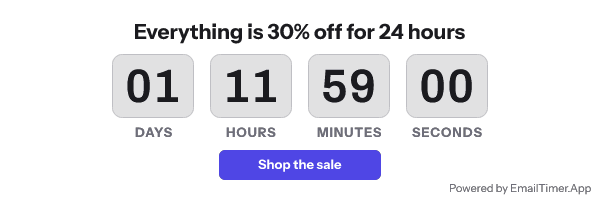
Working in the editor costs nothing. Previews are rendered by the same engine that serves the inbox, and they do not draw down the allowance. Only a real fetch by a real inbox counts as an open.
The allowance is larger at every rung. $19 buys 250,000 opens here against $20 for 100,000 at Stripo Basic, which is $0.076 a thousand against $0.20. $49 buys 1,000,000 here against $125 for 500,000 at Stripo Pro, which is $0.049 a thousand against $0.25.
You keep your builder. This is an image URL inside an <img> tag, so it drops into Stripo, into your platform’s own editor, or into hand-written HTML. Nothing about moving the timer means moving the email design work. The mechanism is explained in the guide to countdown timers in email.
Timing models are not tiers. Fixed date, per-recipient deadline, evergreen from first open, evergreen from send, count-up and a recurring weekly window are on every plan, including the free one, and are documented in the timer types guide.
Client behaviour is written down. Apple Mail pre-fetches at delivery, and testing reports it holds images two to three days. Gmail’s proxy caches per recipient per URL for a length Google does not publish. Outlook on Windows draws only frame one. The editor previews each of those before you send. That table is documented behaviour rather than a photographed inbox test, and the page says so.
When Stripo is the better choice
Keep the Stripo timer if you build everything in Stripo, your sends are small, and the timer appears a few times a year. One block inside a tool you already pay for beats a second subscription, and 100,000 opens on the $20 Basic plan covers a list of 50,000 twice over.
Keep it if your team needs the builder more than it needs the timer. Stripo’s editor, module library and AMP support have no equivalent here, and nothing on this page is a replacement for them.
Keep it if you are inside the allowance with room to spare and nobody is editing templates all day. The metering only bites at the edges, and if you are nowhere near the edge it is a theoretical problem.
If the budget is zero and the timer is a one-off, CleverTimer is free with no account and no branding. That and the rest of the cheap options are in the roundup.
How to move
You are replacing one block, not the email.
- Open the campaign in Stripo and note the timer’s pixel width, its deadline in UTC, and the font and colours it uses. Do this once, because opening the template costs you a timer open.
- Build the same timer here at the same width, with the same font uploaded if it is a brand face.
- In Stripo, delete the timer block and put an image block in its place. Paste the image URL from here as the image source, set the same width, and write real alt text, for example “3 days left in the sale”.
- If the block was linked, re-apply the link to the image. A timer that is not clickable is a wasted 600 pixels.
- Export or send a test into Gmail and into Outlook on Windows. Check frame one as a still, the expired state, and how the image behaves on a dark background.
- Do not cancel anything that would break delivered mail. Stripo’s timer images stop when the allowance stops, so if past campaigns still matter, keep the allowance funded until they do not.
Questions and answers
Why did my Stripo timer turn into a blank space?
Because the monthly timer opens ran out, and Stripo replaces the GIF with a single-pixel image at that point. Its help centre also says buying extra views will not restore the timer in emails that have already been opened, because the blank pixel is cached.
Does editing an email in Stripo really use up timer views?
Yes. Its help article states that each time you open an email or template containing a timer block in the editor, one monthly open is deducted.
How much are extra Stripo timer opens?
$15 per 200,000, sold to paid subscriptions only. For comparison, 250,000 opens here is $19 a month with the timers included.
Can I use EmailTimer.App inside Stripo?
Yes. Put an image block where the timer block was and point it at the image URL from here. Stripo stays your builder, and the timer stops being metered by the builder.
What happens here when I run out of opens?
The images keep rendering. You get warning mail at 80 percent and 100 percent, and past 110 percent new renders carry a small watermark until you upgrade. No recipient ever gets a blank image.
Next: the Sendtric alternative if you want a dedicated timer tool at the cheap end, and the NiftyImages alternative if you need personalized images as well as a clock.
Prices checked on 16 September 2026. Vendors change their prices without announcing it, so check the figure you care about before you act on it.
Sources
- Stripo pricing, read on 16 September 2026
- Stripo help: what do you mean by timer block monthly opens, read on 16 September 2026
- Stripo homepage, read on 16 September 2026
Related
Put a countdown in the campaign you are writing now
The free plan covers 5,000 opens a month with no card. Starter is $19 a month for 250,000.