Countdown timers and personalized images for SAP Hybris marketing email
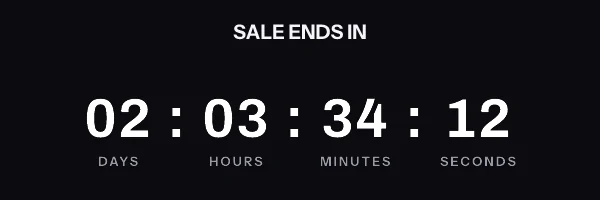
Your subscribers see how long is left on the offer, counted from the moment they open the message, and it goes into the SAP Hybris campaign you have already built. One snippet, in the merge syntax SAP Hybris already uses.
SAP Hybris merge syntax
The tags you already use, around the image
The same merge fields that put a subscriber's name in your subject line go in the link and the alt text around the image, where SAP Hybris fills them in as it sends. They never go inside the image address, for the reason in the warning further down. A name or a deadline drawn inside the image itself comes from an address signed for each subscriber, held in a contact field.
Worth checking in your own account. The ESL token form is documented, but field IDs are specific to your account. Confirm yours under Management, Field Editor before you send.
- First name
- {{ contact.1 }}
- Coupon code
- {{ contact.COUPON_FIELD_ID }}
- Deadline
- {{ contact.DEADLINE_FIELD_ID }}
- Email address
- {{ contact.3 }}
Checked against SAP Hybris's own documentation: Contact database data, personalization placeholders (SAP Engagement Cloud ESL), read on 17 September 2026.
The snippet to paste into SAP Hybris
Put it in html editor, or a block in the template editor. There are two shapes, and which one you want depends on whether every subscriber gets the same deadline or their own. The editor generates whichever you pick, already filled in with your ids.
One image for the whole send
On every plan, including the free one. Everybody requests the same address, and the clock is worked out at the moment each person opens, which is what lets one address show a different time to every reader. The name and the code go in the link and the alt text.
<a href="https://yourstore.com/sale?code={{ contact.COUPON_FIELD_ID }}" target="_blank" rel="noopener">
  <img src="https://img.emailtimer.app/i/k7mQ2pXd.gif?w=w_8ha3fq&v=3&sig=YOUR_SIGNATURE" alt="{{ contact.1 }}, your 25% off ends at midnight tonight" width="600" height="200" border="0" style="display:block; width:100%; max-width:600px; height:auto; border:0;" />
</a>
A different image for each subscriber
On Growth and Agency. Generate one signed address per subscriber, import the column into
SAP Hybris as a contact field called
ET_IMAGE_URL,
and point the snippet at that field. This is the only way a deadline that differs per subscriber can
work, because the deadline is inside the signature too. A contact whose field is empty gets no
image, so check the field is filled across the whole segment before you send.
<a href="https://yourstore.com/sale?code={{ contact.COUPON_FIELD_ID }}" target="_blank" rel="noopener">
  <img src="{{ contact.ET_IMAGE_URL }}" alt="{{ contact.1 }}, your 25% off ends at midnight tonight" width="600" height="200" border="0" style="display:block; width:100%; max-width:600px; height:auto; border:0;" />
</a>
The addresses come from the batch endpoint in the REST API, or from a CSV export if you would rather not write code.
Setting it up in SAP Hybris
Four steps, and the longest one is deciding what the timer should look like.
-
1
Build the image in EmailTimer.App
Set the timer style and the deadline, and decide which contact fields you want drawn into the graphic.
-
2
Look up your field IDs
ESL tokens reference contact fields by a numeric ID rather than by name, and those IDs are specific to your account. Open Management, then Field Editor, and note the ID for each field you plan to use.
-
3
Paste the snippet into the template
Drop the image tag into the HTML editor, or into an HTML block in the template editor, where the banner would normally sit.
-
4
Check the token against the editor
Insert the same field as a token through the interface, click it, and open the personalization dialog. It shows you the ESL code for that token, which is the quickest way to confirm the ID you pasted is the right one.
Things that only matter in SAP Hybris
SAP Hybris is the name most teams still use for SAP’s customer engagement stack, and it is what people search for. The products it became are split: commerce sits in SAP Commerce Cloud, and the marketing email you are personalizing here lives in SAP Engagement Cloud, formerly Emarsys. Personalization there is written in ESL, where a contact field is a token of the form {{ contact.ID }} and the ID comes from your own Field Editor.
Before procurement asks
You will have to explain this to someone in security
Running SAP Hybris usually means a review before anything new goes near a send. The short version you can forward: an image URL goes in the template, the values it carries are the merge fields you choose, and no script runs anywhere. Nothing is installed inside SAP Hybris and no data leaves your platform except what you put in that URL.
The Agency plan adds white-label image domains, so the URL your subscribers see reads as your own brand rather than ours, along with a separate workspace per brand or region and control over what each person on the team can touch. There is no dedicated IP option and no written uptime commitment; what the service does when something fails is on the status page.
What your SAP Hybris subscribers will actually see
Large SAP estates often send through several regions. A fixed deadline is calculated against the deadline itself rather than against send time, so a subscriber in one region sees the same correct countdown as a subscriber in another.
What each client is documented to do
The Apple and Gmail rows rest on Apple's and Google's published documentation and on third-party testing. Neither company publishes a cache lifetime: Apple documents the prefetch, Google documents the proxy, and the two to three days is FreshInbox's 2021 testing. The Outlook and Yahoo rows are what we expect those clients to do, with no vendor document behind them. No row comes from a test by us yet, and we will publish dated screenshots when we have them. Sources: Apple on Mail Privacy Protection, Google on the Gmail image proxy, FreshInbox on Mail Privacy Protection image caching.
SAP Hybris questions
Before you put a timer in SAP Hybris
Where do SAP Hybris merge tags go in the snippet?
In the link and the alt text, where SAP Hybris fills them in as it sends. Never inside the image address, which is signed, so a value filled in after signing breaks the image for the whole send. On this page the four common ones are {{ contact.1 }} for a first name, {{ contact.COUPON_FIELD_ID }} for a code, {{ contact.DEADLINE_FIELD_ID }} for a deadline and {{ contact.3 }} for the address. A name, a code or a deadline drawn inside the image itself comes from an address signed for each subscriber and held in a contact field, {{ contact.ET_IMAGE_URL }}. SAP Hybris is the name most teams still use for SAP’s customer engagement stack, and it is what people search for. The products it became are split: commerce sits in SAP Commerce Cloud, and the marketing email you are personalizing here lives in SAP Engagement Cloud, formerly Emarsys. Personalization there is written in ESL, where a contact field is a token of the form {{ contact.ID }} and the ID comes from your own Field Editor.
Where does the snippet go in SAP Hybris?
Into a html editor, or a block in the template editor. Drop the image tag into the HTML editor, or into an HTML block in the template editor, where the banner would normally sit. Nothing is installed in your SAP Hybris account and no permissions are granted to us, because the timer is an ordinary image tag pointing at a URL.
Will the countdown be accurate for my SAP Hybris subscribers?
Large SAP estates often send through several regions. A fixed deadline is calculated against the deadline itself rather than against send time, so a subscriber in one region sees the same correct countdown as a subscriber in another. The general rule holds whichever platform you send from: a fixed deadline survives image caching intact, because the image counts toward a real timestamp, while an evergreen timer that starts at open time degrades when a client pre-fetches or caches. Apple Mail Privacy Protection fetches at delivery and testing reports it holds the image for two to three days, Gmail caches per recipient for a lifetime Google does not publish, and Outlook on Windows shows the first frame only.
Is this the exact syntax my SAP Hybris account uses?
The ESL token form is documented, but field IDs are specific to your account. Confirm yours under Management, Field Editor before you send.
Campaigns to build in SAP Hybris
Each playbook says which timing model the campaign needs, which snippet it takes, and what to get right before you send it.
Setting this up on another platform
The snippet is the same everywhere. Only the merge syntax changes, and each page below carries the exact syntax that platform expects.
Put a timer in your next SAP Hybris send
Free for 5,000 opens a month, $19 for 250,000, and the snippet above is the whole integration.