
Most Black Friday email ideas are about the words: the subject line, the discount, the order of the sends. These twelve are about the pictures, and specifically pictures that are drawn when the email is opened rather than when it is sent. Black Friday 2026 is Friday 27 November and Cyber Monday is 30 November, so a message sent on Tuesday is read across five very different days. A live image is the only part of an email that can tell each of those readers something true about the day they open it.
Every idea below is a layer in an EmailTimer.app template. Each one says what the reader sees, how it is set up, and which plan it needs, because a good idea you cannot send by Thursday is not a good idea this year.
The quick list
| Idea | What the reader sees | Plan |
|---|---|---|
| 1. A countdown per phase | Days to the opening, then hours to the close | Every plan |
| 2. A clock that hands off to Cyber Monday | The weekend timer turns into the Monday one | Every plan |
| 3. A single-use code with its own deadline | Their code, a QR of it, and when it ends | Growth or Agency |
| 4. Stock that is true on the day | “Fewer than 20 left in size M” | Every plan |
| 5. An opens counter | “3,412 people have opened this offer” | Every plan |
| 6. A poll that picks the next deal | Live shares for each answer | Every plan |
| 7. Weather for the shopping weekend | Today’s forecast beside the coat offer | Every plan |
| 8. A QR code for the store | A voucher to scan at the till | Starter and above |
| 9. A month of dates | The sale days and shipping cut-offs marked | Every plan |
| 10. A hidden message for when things break | Nothing, until you switch it on | Every plan |
| 11. An A/B test that runs after the send | One of two hero images, the winner by clicks | Every plan |
| 12. A link that changes at the deadline | The sale page before, the next offer after | Every plan |
Plans and their monthly opens are on pricing. The free plan covers 5,000 opens a month.
Ideas that keep the deadline honest
1. A countdown for each phase of the weekend
A Black Friday series has three moments: the teaser counting to the opening, the live sale counting to the close, and the final hours. Each wants a different clock. The teaser reads best in days and hours with no seconds, and the final send reads best in hours and minutes, big and plain. Black Friday countdown timers walks through all three with the settings for each, in phase by phase presets.
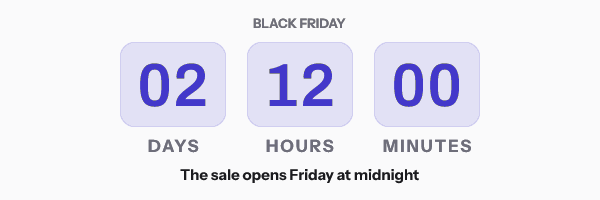
A fixed deadline is the right model for all three, because the sale opens and closes at one instant for the whole list. Apple says Protect Mail Activity “downloads remote content in the background by default”, so an image may be fetched when the message arrives rather than when it is read. A clock counting to a fixed instant is still counting to the right instant whenever it was fetched. Build any of them free in the countdown timer generator: a timer made there works for 500 opens without an account and 1,000 once you sign in, so for a real list, build it in an account.
2. A clock that hands off to Cyber Monday
The setting that saves the most work on this weekend is When it expires. Point it at the next phase’s image and one template carries the whole run: the teaser turns into the live sale at midnight on Friday, and the live sale turns into the closed graphic, or into the Cyber Monday offer, when the weekend ends. Nobody who opens Tuesday’s teaser on Saturday sees a countdown to something that already started.
If Cyber Monday is a separate sale, give it a separate deadline and let the weekend timer hand off to it. If the Friday sale simply carries on through Monday, say so from the first send. The FTC’s 2022 staff report names a “Baseless Countdown Timer”, one that “just goes away or resets when it times out”, as a deceptive design practice, and the rules in the EU and UK say much the same. They are collected on fake countdown timers.
3. A single-use code that ends on its own date
Give each shopper their own code, drawn in your design, with a QR of the same code for the till and a timer to that shopper’s own end date. The codes come from your store, and your list pairs each code with a person in a row: first_name, code, deadline. Each row becomes one signed image address.
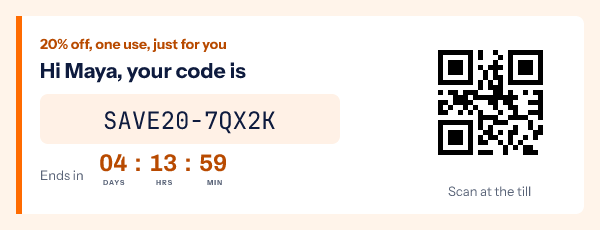
Put the code in the email as text too. The W3C asks that “text is used to convey information rather than images of text” where text can do the job, and a code someone has to type at checkout is that kind of information. Per-recipient image addresses come with Growth and Agency. The whole method, including what to show a shopper whose row has no code, is in unique coupon code emails.
Ideas that show what is happening right now
4. Stock that is still true when the email is read
“17 left” is true for an hour. “Fewer than 20 left” is true for a day, and on a weekend when a Tuesday send is read on Saturday, that is the version to draw. Pass the count your platform already holds, round it in the copy, and add a rule that hides the layer when the number drops below a threshold, so nobody is told to hurry for something that is gone.
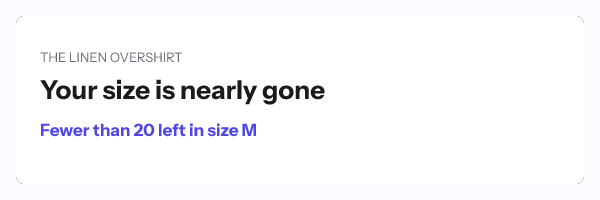
For a doorbuster with a count that really moves, keep the count in a data store: a table in your workspace, filled in the dashboard, from a CSV or through its own API. The image looks the row up each time it is fetched, and a missing row or a slow answer draws a fallback rather than an error. How that works, and what Gmail and Apple Mail caching does to it, is on live data.
5. An opens counter that says the offer is popular
A social proof counter draws a live number into the image, such as how many times an offer has been opened. It can count the opens of a template, or the votes in a poll, with a starting number added and a minimum below which it shows your own words instead.
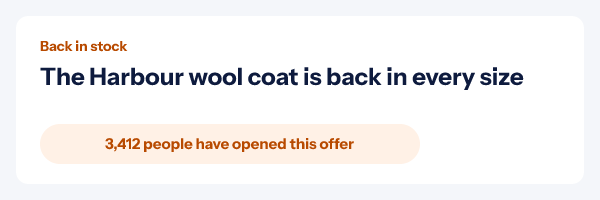
Word the line for what it counts. An open is a fetch of the image, so one person opening twice can count twice: “people have opened this offer” is fair, “people have bought” is not. The details are on social proof counters.
6. A poll that picks the next deal
Ask the list to choose: which product goes on sale at midnight, which colour comes back, which category gets the Cyber Monday price. A choice poll takes two to six answers in your own words. Each answer is an ordinary link, so it works in Gmail, Apple Mail and Outlook without AMP, and the live shares are drawn into the image for the next person who opens.
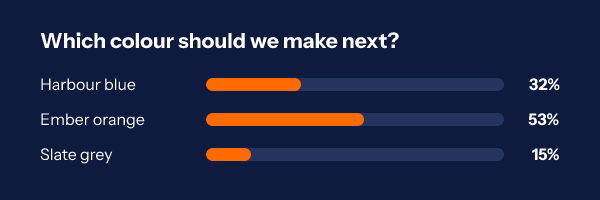
Each answer can send the voter to its own page, so a vote for “coats” can land on the coats sale. Fill in the contact id field when you copy the snippet and each person’s first click counts while later clicks are ignored. Polls are on every plan, and a CSV of every vote is one button in the editor. More on email polls.
7. Weather for the shopping weekend
A cold weekend sells coats, and a wet one sells delivery. The weather widget draws the forecast into the image when it is opened: current conditions, today, or two to five days ahead, for a fixed place, for a field such as the contact’s city, or for where the reader opened it.
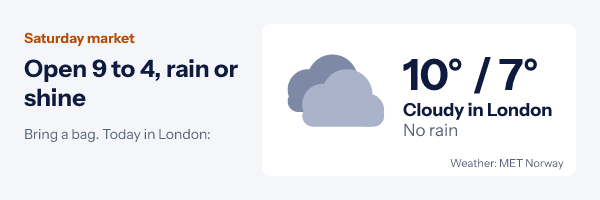
Use the contact’s city where you have it. Gmail, Yahoo and Apple Mail with Mail Privacy Protection fetch images from their own servers, so “where the reader opened it” sees the proxy’s location in those apps and the layer falls back to your fixed place. The weather widget is on every plan. Settings and limits are on weather in email.
8. A QR code that brings the email into the store
For a retailer with shops, a QR voucher in the email turns the weekend’s emails into footfall. The code is part of an ordinary image, styled in your colours, and it holds a short link you can point somewhere new after sending: to the Black Friday page until Sunday night, then to the Cyber Monday page, on a date you set.
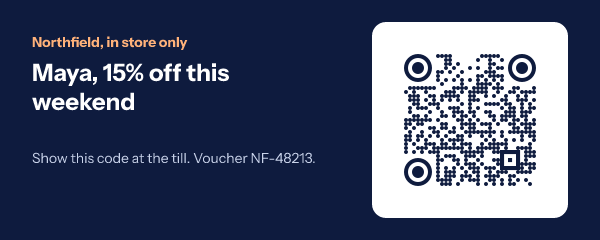
Each dynamic code shows its scans per day, and a paused code shows a short notice instead of redirecting. QR codes come with Starter and the plans above it, and a different code per person needs Growth or Agency. More on dynamic QR codes in email.
9. A month with the sale days and cut-offs marked
The question after Cyber Monday is “will it arrive in time”. A calendar layer draws one month with two sets of marked dates, such as the sale days in one colour and the last shipping days in another, or dates from each contact’s own order.
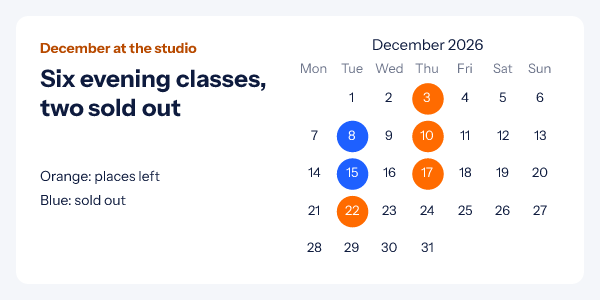
Pair it with a countdown to the first cut-off, which is the clock that sells in the first two weeks of December. That phase is laid out in holiday campaign countdowns, and calendars are covered on calendar in email.
Ideas for when the weekend does not go to plan
10. A hidden message you can switch on after the send
Put a critical message in every email of the weekend. While it is off it is a transparent 1 by 1 pixel, so nobody sees it. If checkout breaks, a carrier runs late or the hero product sells out, switch it on from the dashboard and it appears in every email already delivered, within about two minutes at the next fetch.
The same idea covers mistakes: an image set to follow the latest version shows the newest published design, so a wrong date or price in the image is corrected in sent emails within about a minute. Gmail and Apple Mail keep their own copy for a while, so plan on most readers, not all. More on editing an email after sending.
11. An A/B test that keeps running after the send
Two hero images, one split, and a winner chosen by clicks. The split happens when the image is opened, not when it is sent, so a test can start on Tuesday’s teaser and let the better version carry the rest of the week.
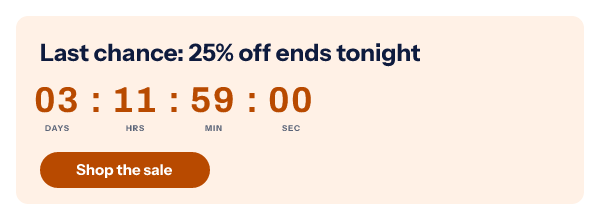
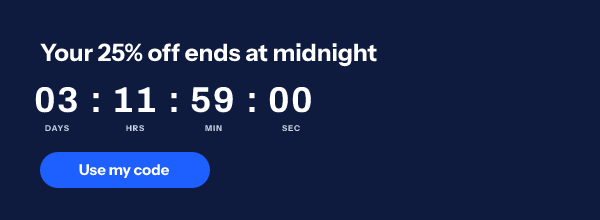
Clicks are counted on the image itself and kept with the version that was drawn. They are not unique and security scanners are counted too, so read them as a comparison between versions, not a headcount. Split tests are on every plan. More on click tracking and A/B tests.
12. A link that changes when the countdown ends
A click on a timer after the sale closes should not land on a sale page that says the sale is over. Set After the timer ends, links to in the publish dialog, and clicks go to the sale before the deadline and to the next thing after it: the Cyber Monday page, the full-price range, or a sign-up for next year’s early access. Both destinations are counted in the same click stats.
A Black Friday send plan that uses them
- Ten to fourteen days out: the teaser with idea 1 and idea 10 switched off but in place.
- Three to five days out: the second teaser with a poll (idea 6) asking which deal drops first.
- Friday, within the hour of the opening: the launch, with the live countdown, the opens counter (idea 5) and the single-use codes (idea 3) if you run them.
- Saturday morning: the mid-sale send, with stock that rounds honestly (idea 4) and the weather beside the cold-weather range (idea 7).
- Cyber Monday morning: the handoff (idea 2), with the store QR pointed at the Monday offer (idea 8).
- Cyber Monday, six to eight hours out: the final hours, plain and big, with the link set to change at the close (idea 12).
- The first week of December: the shipping calendar (idea 9) and a countdown to the first cut-off.
Every one of these is an image tag with your platform’s merge tags in it, copied from the editor for Klaviyo, Mailchimp, Shopify Email and the rest. Subject lines for the same sends are in sale email subject lines, and the timer itself starts on the email countdown timer home page.
Questions and answers
What should a Black Friday email include?
The offer and its end date in text, one clear button, and something that shows the reader the deadline is real: usually a countdown to the close, written out in words beside it for anyone whose images are off. Everything else in this guide is optional, and the best Black Friday emails use one or two of these ideas, not twelve.
When should I send Black Friday emails?
A teaser ten to fourteen days before, a second teaser a few days before, the launch within the hour of the opening, a Saturday reminder, and a final-hours send on the last day. The phase by phase version, with the timer settings for each send, is in Black Friday countdown timers.
Do live images work in Gmail, Outlook and Apple Mail?
They are ordinary images, so they show wherever images show. Gmail and Apple Mail fetch them through their own servers, which can make a value a little older than the moment of reading, and older Outlook versions on Windows show the first frame of an animated GIF. Every EmailTimer.app GIF has a finished first frame for that reason. Version by version detail is on the email client table.
How much does it cost to send these over Black Friday?
Each image fetch is one open against your monthly allowance. The free plan covers 5,000 opens a month, and Starter is $24 a month. Check your headroom before the weekend, because it is when a year’s traffic arrives in four days. Plans are on pricing.
Sources
- Bringing Dark Patterns to Light (FTC Staff Report, September 2022)
- Mail Privacy Protection and Privacy (Apple Legal)
- How to add a countdown timer to an email (Klaviyo Help Center)
- Understanding Success Criterion 1.4.5, Images of Text (W3C WAI)
- Locationforecast API (MET Norway)
- Photo by Gustavo Fring on Pexels
Related
Put a countdown in the campaign you are writing now
The free plan covers 5,000 opens a month with no card. Starter is $24 a month for 250,000.