Email image size for every slot in the layout
By Danish Mohammed. 6 min read
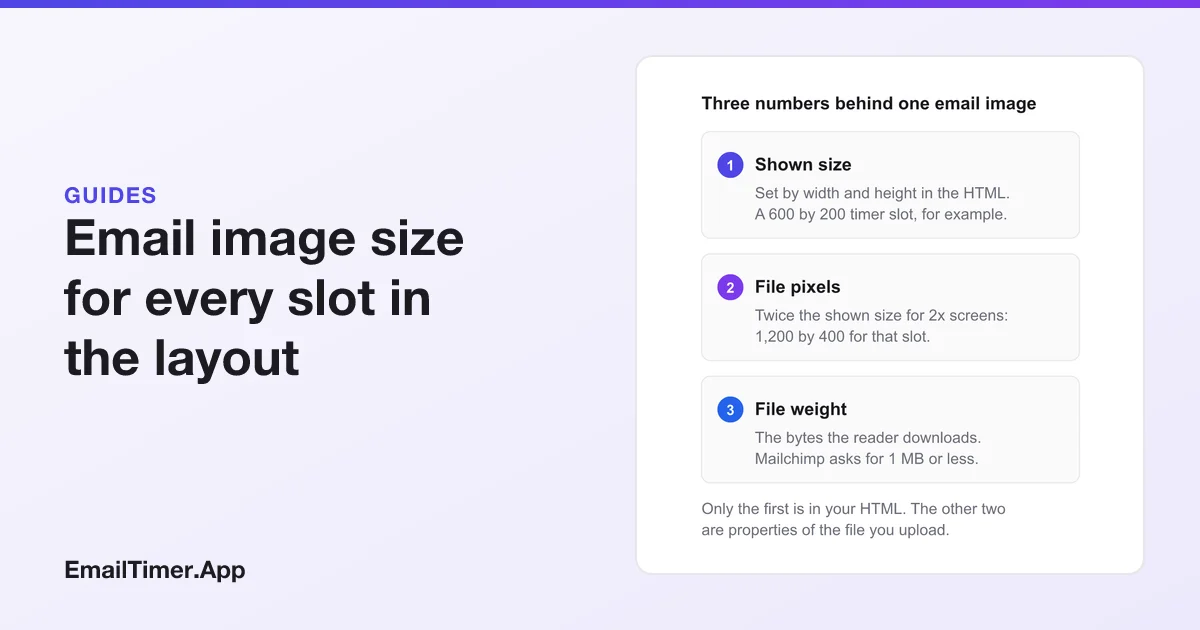
Email image size starts with the email width: most templates are 600 pixels wide, so a full-width image is 600 pixels or less, minus any padding. Save each file at twice its shown width, 1,200 pixels for a full-width hero, so it stays sharp on high-density screens, and keep each file under 1 MB. Smaller slots follow from the column math below.
Every image in an email has three sizes, and confusing them is the usual reason an image looks blurry, breaks a layout on a phone or takes too long to load. This page separates them, then gives the width for each common slot.
The three sizes of an email image
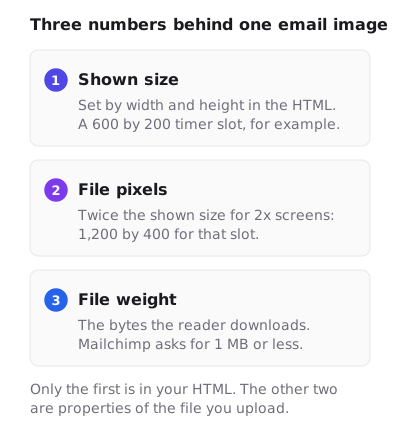
- Shown size. The
widthandheightattributes in the HTML. This is how big the image looks on a desktop screen, and it is the number every slot below refers to. - File pixels. The image’s real dimensions. For a sharp result on a 2x screen, twice the shown size.
- File weight. The bytes the reader downloads. It follows from the pixels, the format and how much detail is in the picture.
What is the standard email width?
There is no standard written by a mail client, but 600 pixels is the figure most templates use. Mailchimp’s help says “Mailchimp templates are generally designed for a maximum width of 600 pixels,” and its mobile page gives the reason: “To work with most email clients, Mailchimp templates are no wider than 600px.”
That outer width is not the space for images. Padding comes off it first. Mailchimp’s example is a header with 10 pixels of padding on each side, which should be 580 pixels wide rather than 600. If your builder uses a different column width, start from that number instead.
Image sizes for each slot
Taking a 600 pixel template with 10 pixels of padding each side, and 20 pixels between columns, the slots work out like this. The column math is arithmetic on that example layout, so change the inputs to match your template.
| Slot | Shown width | File width for 2x screens | How the width is worked out |
|---|---|---|---|
| Full-width hero or banner | 580 px | 1,160 px | 600 minus 10 padding each side |
| Edge-to-edge hero, no padding | 600 px | 1,200 px | The full template width |
| Two-column image | 280 px | 560 px | (580 minus one 20 gutter) divided by 2 |
| Three-column image | 180 px | 360 px | (580 minus two 20 gutters) divided by 3 |
| Logo in the header | as drawn, often 120 to 200 px | twice that | Set by the logo’s shape, not the column |
| Countdown timer | 600 px | 1,200 px | EmailTimer.App’s 600 by 200 and 600 by 300 sizes |
Height is free in every row. Choose it from the content, then set it in the height attribute at half the file’s pixel height.
On a phone, every one of these shrinks by the same ratio if the template is responsive. A 580 pixel hero shown 340 pixels wide is drawn at about 59 percent, and so is every line of text inside it. Two- and three-column images are usually stacked to full width on a phone by the template’s media query, which Gmail supports: its CSS page says “Gmail supports queries against screen width, orientation, and resolution.” A stacked 180 pixel image then stretches past its own size, which is one more reason to upload it at 2x.
What is an email hero image?
The hero is the large image at the top of the email that carries the main message, usually full width under the logo. It follows the first two rows of the table: 580 or 600 pixels shown, 1,160 or 1,200 pixels in the file. A hero is a photograph more often than a banner is, which makes it the heaviest file in most emails, so it is the one to compress hardest.
Why images look blurry on phones
A 2x screen draws two physical pixels for every pixel your HTML asks for. Apple’s Human Interface Guidelines describe this as a scale factor, and add: “Because of higher pixel densities, high-resolution displays demand images with more pixels.” Litmus states the email version: images “need to be twice as large”, then shown at their intended size through width and height.
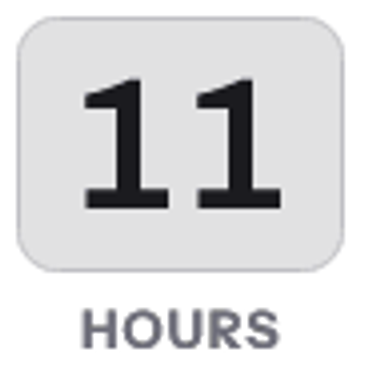
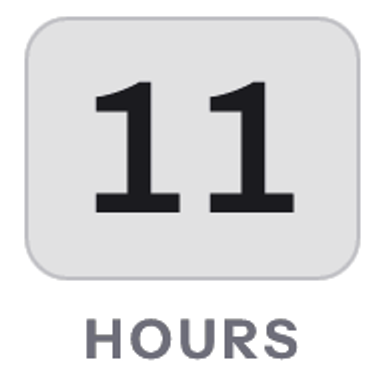
The difference is largest for text and thin lines, and smallest for soft photographs. A product photo at 1x can pass. A headline or a price drawn into an image at 1x looks fuzzy next to the live text around it.
How heavy should an email image be?
Mailchimp’s guidance is: “We recommend a maximum file size of 1MB for images.” Treat that as a ceiling, not a target. The reader downloads every image before it shows, often on a phone connection, and the whole email carries several.
Doubling the pixels does not double the bytes evenly. When I rendered four countdown timer designs at 600 by 200 and again at 1,200 by 400 on 17 September 2026, each 2x file came out between 2.08 and 2.14 times the 1x weight, and the design style mattered more than the scale. Retina countdown timers has the table. For an animated GIF, frame count is the other lever, and GIF frame limits in email shows where it starts to bite.
Image weight does not cause Gmail’s “Message clipped” cut-off. Al Iverson’s testing at Spam Resource found that the commonly cited 102 KB limit “would apply to the HTML part only”. Images load from their own addresses, so a heavy picture makes the email slow, not clipped.
Formats: Mailchimp accepts JPG, GIF and PNG, and asks for RGB color rather than CMYK. JPG suits photographs, PNG suits flat graphics and text, and GIF is the format for animation. The dpi value stored in a file makes no difference: Mailchimp notes “72 dpi is generally sufficient for the web, but isn’t required”, because the HTML sets the size in pixels.
The HTML that sets the size
<img src="https://example.com/hero-1160.jpg"
     width="580" height="290"
     alt="New autumn coats, now in store"
     style="display:block; width:100%; max-width:580px; height:auto; border:0;">
The attributes are the shown size, half the file’s pixels, and they matter most in classic Outlook for Windows. Microsoft’s documentation for the Word engine that Outlook 2007 adopted lists max-width among the CSS properties it does not support, so there the width attribute is the only thing holding a 1,160 pixel file to 580. Clients with a browser engine read the inline style instead: max-width stops the image growing past its slot, and width:100% with height:auto lets it shrink on a narrow screen.
The attributes also keep a box open when images are blocked, so the layout holds and the alt text has somewhere to show. Countdown timer HTML for email explains each attribute in more detail.
Check a file before you send it
For an animated image, the email-safe GIF checker reads the file in your browser without uploading it and reports its dimensions, frame count, loop setting and weight. If the dimensions are not twice the slot you plan to put it in, resize before you send. Countdown timers on phones covers the other limits of small screens.
Questions and answers
What is the best image size for email?
For a full-width image in a 600 pixel template: 600 pixels wide, or 580 with 10 pixels of padding each side, saved at 1,200 or 1,160 pixels for sharp phones. Keep each file under 1 MB.
How wide is an email?
Most email templates are 600 pixels wide. Mailchimp designs its templates for that maximum so they work in most email clients. Check your own builder, since some use other widths.
Should email images be 72 dpi?
It does not matter. The HTML sets the size in pixels, and Mailchimp notes that 72 dpi is sufficient but not required.
Why does my email image look blurry?
Most often the file has the same pixel width as its slot, and a high-density screen stretches it. Upload it at twice the shown width and set the shown width in the width attribute.
Do big images make Gmail clip my email?
No. Clipping depends on the size of the HTML. Images are fetched separately, so a large image slows the email down without clipping it.
Sources
- About Template Images (Mailchimp Help), read on 29 October 2026
- Edit and Test Mobile Styles in Your Email Campaign (Mailchimp Help), read on 29 October 2026
- Images (Apple Human Interface Guidelines), read on 29 October 2026
- CSS support (Gmail, Google for Developers), read on 29 October 2026
- Word 2007 HTML and CSS Rendering Capabilities in Outlook 2007, Part 1 of 2 (Microsoft Learn, August 2006), read on 29 October 2026
- What is Gmail clipping and what to do? (Al Iverson, Spam Resource, 12 January 2022), read on 29 October 2026
- Understanding Retina Images in HTML Email (Litmus, 8 January 2019), read on 17 September 2026
Related
Put a countdown in the campaign you are writing now
The free plan covers 5,000 opens a month with no card. Starter is $19 a month for 250,000.