Is your GIF email-safe?
By Danish Mohammed, founder. 4 min read
Check a GIF you already have
Choose a GIF and this reads it and says what is in it: the canvas, the frame count, the delays, the loop setting and the file size. It runs in your browser. The file is not uploaded, not to this site and not to anywhere else, and nothing about it is stored.
Any animated or still GIF. Files of other kinds are refused with a reason.
What is in the file
What that means
The ceilings sending platforms publish, and what happens when a timer passes one, are set out in why your timer stops after a minute.
Which versions of Outlook animate and which draw one frame is set out in countdown timers in Outlook.
Drop a GIF above and the checker reads four numbers out of the file. Each decides something different about how the picture behaves inside a message, and none is visible by watching the animation in a browser.
File size
The first number is the whole file in kilobytes.
Weight costs you twice. A heavy image is slow on a phone on mobile data, and the reader has moved on before the countdown appears. It also shifts the ratio of text to images, which is one of the things spam filters look at.
Under 400 KB is a reasonable target for a 600 by 200 timer at a sensible frame count. The figure rises with canvas area, so a retina asset at twice the dimensions needs fewer frames rather than better quality.
Frame count
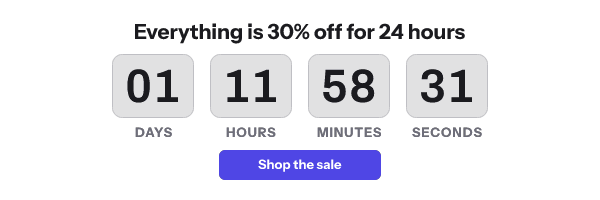
The second number is how many frames the file contains, which at one frame per second is how many seconds of motion you have.
Every vendor in this category caps this, and the caps are not on the pricing pages. Customer.io’s documentation is the plainest: “The countdown timer GIF cannot contain more than 60 frames.” MotionMail’s knowledge base gives both the number and the reason: “we optimize the size of our timer images by limiting the duration to 45 seconds”. MailerLite’s block “will play on a 90-second loop”. The full set, with what each one does when it reaches the ceiling, is in why your timer stops after a minute.
The number matters because of what the reader concludes. A timer showing a seconds column runs out of frames within a minute, and a seconds column that has stopped moving reads as broken. A timer showing days and hours is still correct long after the motion ends.
So the frame count is a question about the smallest unit on the face. Show the smallest unit that will change during the animation, and no smaller.
Whether the first frame stands alone
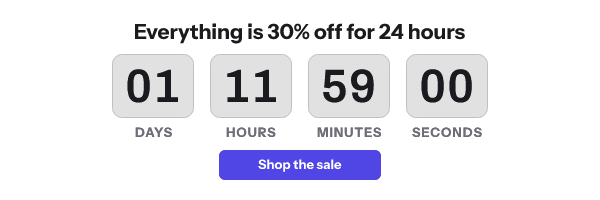
The third check opens frame one and shows it to you on its own.
Microsoft documents the reason: “If only the first frame of the animation appears, you have animations, or animated GIFs, disabled.” For those readers frame one is the entire image, and what is on it is what the campaign said. The version-by-version picture is on countdown timers in Outlook.
A first frame passes this check when it is a finished picture carrying the information. A title card, a logo, a blank canvas or a frame reading all zeros fails, no matter how good the animation after it is. The Outlook version of the generator makes a timer whose first frame is built to pass.
Loop count
The fourth number is the GIF’s loop setting, which lives in a small block near the front of the file.
A looping countdown returns to its first frame when it finishes and shows a number that is already stale, as though it were current. Watch it for three minutes and the same number goes past three times. MotionMail documents the related effect on re-opens: “Every time your email is re-opened, the countdown timer will start ticking down again.”
A file with no loop block holds its final frame instead. The reader is left with the most recent number the renderer produced, which is the most accurate thing available once the frames run out.
A decorative animation can loop. A countdown usually should not.
What this checker cannot tell you
It reads the file. It sends nothing, and it knows nothing about your list or the clients your recipients use.
It also cannot tell you whether the numbers on the frames are right. A GIF built once and saved to disk was correct when it was built and is stale by the time it is sent, because there is no clock inside the file. That is the difference between a downloaded GIF and an image URL answered when the inbox asks, which is what the free generator produces. What that renderer guarantees about frame one and file size is on features.
Questions and answers
What file size should an email GIF be?
Under 400 KB is a workable target for a 600 by 200 animation. Smaller is better on mobile connections, and the figure scales with canvas area rather than with duration alone.
How many frames can an email GIF have?
There is no format limit, and every timer vendor sets one anyway. Customer.io caps at 60 frames, MotionMail at 45 seconds of motion, MailerLite at a 90-second loop.
Why does my animated GIF only show one frame?
Because animation is disabled for that reader. Microsoft documents this for Outlook on Windows, along with the two settings that control it.
Should my countdown GIF loop?
Usually no. A loop returns to a number that is already a minute old and presents it as current. Holding the final frame leaves the newest number on screen.
Sources
- Liquid recipes (Customer.io Docs)
- Why does my timer stop counting down after a while when I view it in an email? (MotionMail Knowledge Base), read on 17 September 2026
- How to use a countdown timer (MailerLite Help)
- The animated graphic in my e-mail message doesn't work (Microsoft Support)
Related
Put a countdown in the campaign you are writing now
The free plan covers 5,000 opens a month with no card. Starter is $19 a month for 250,000.