How to write a welcome email, with a template and a series
By Danish Mohammed. 7 min read
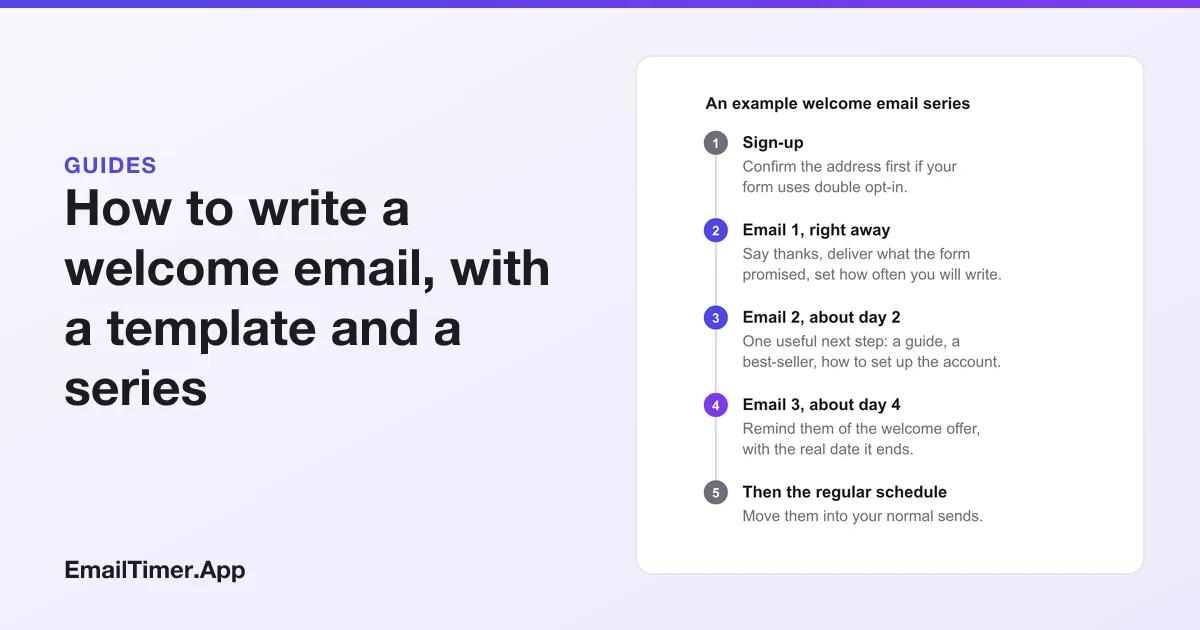
A welcome email is the first message a new subscriber or customer gets after signing up. It thanks them, delivers whatever the sign-up form promised (a discount code, a download, account access), and tells them what you will send and how often. It goes out straight away, while the reader still remembers why they signed up, and it is often the start of a short welcome series.
Below: what to put in one, a template you can adapt, written examples for four kinds of business, a three-email series, and how to give a welcome offer a deadline that is true for each reader.
What is a welcome email?
It is the email your platform sends automatically when someone joins your list, creates an account or makes a first purchase. It is not the same thing as a confirmation email, although the two are often confused.
A confirmation email, used in double opt-in, asks the person to click a link to prove the address is theirs before you add them. Google’s email sender guidelines ask senders to “Confirm each recipient’s email address before subscribing them”, and to “Make sure recipients opt in to get messages from you.” The welcome email comes after that step, once the subscription is real.
| Confirmation email | Welcome email | |
|---|---|---|
| When | Straight after the form, before they are on the list | Straight after they are confirmed, or after sign-up if you use single opt-in |
| Job | Prove the address belongs to the person | Thank them, deliver the promise, set expectations |
| Content | One link, one sentence | The code or download, what comes next, a first useful step |
| Should it sell | No | Lightly, if the sign-up promised an offer |
What should a welcome email include?
Six things, in roughly this order:
| Element | Why it is there |
|---|---|
| A subject line that says it is the welcome | The reader is looking for it, so make it findable: “Welcome to Northfield. Here is your 15% code” |
| The thing the form promised | If the pop-up said 15% off, the code goes at the top, not under three paragraphs |
| What you will send, and how often | “One email a week, on Thursdays” sets an expectation the reader can hold you to |
| One next step | A single button: shop the best-sellers, finish setting up the account, read the starter guide |
| Who you are, briefly | Two sentences on why the business exists. Not the company history |
| The footer | Your postal address and an unsubscribe link, which the law asks for in marketing email |
Write the preview line too. The email preheader guide shows how to set it, and a welcome email’s preheader is a good place for the code itself: “Your 15% code is inside, plus how points work.”
A welcome email template you can adapt
Swap the bracketed parts for your own. It is written for a store with a sign-up discount, but the shape works for any list.
Subject: Welcome to [Brand]. Here is your [offer]
Preheader: Use [CODE] by [date]. One email a week from here.

Hi [first name, or "there"],

Thanks for joining [Brand]. As promised, here is your [offer]:

    [CODE]

It works on [what it covers] until [date and time, with time zone].

[Button: Shop the best-sellers]

What to expect from us: one email a week, on [day], with [what you send].
You can change that or unsubscribe at any time from the link below.

[One or two sentences on who you are and why you make what you make.]

[Sign-off]

[Postal address]  ·  [Unsubscribe]  ·  [Email preferences]
The first name is optional. If your form does not ask for it, “Hi there” reads better than a blank merge field.
Welcome email examples by type of business
These are written examples of the first email, by kind of business. Each one leads with the thing that person signed up to get.
An online store. Subject: “Welcome to Northfield. Here is your 15% code”. The code is the first thing in the body, with the date it ends, one button to the best-sellers, and a line about free returns. Nothing else competes with the code.
A software product. Subject: “Your account is ready. Here is the first step”. The body names the one action that makes the product useful (connect your calendar, invite a teammate, import a file), with a button that goes straight to it. If the account is a trial, say when it ends. Trial and renewal emails covers the countdown to that date.
A newsletter. Subject: “You are in. Here is what to expect”. The body says what each issue covers and the day it arrives, links two or three past issues worth reading, and asks the reader to reply with what they want more of.
A membership or loyalty program. Subject: “Welcome to the club. You already have 100 points”. The body shows the balance, what it buys, and how to earn more.
How to build a welcome email series
One email cannot do everything without becoming long. A short series spreads the work over a few days, each email with one job.
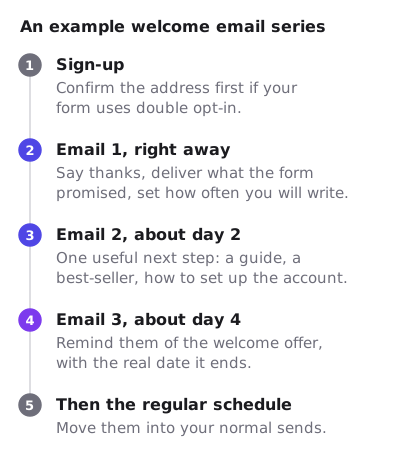
| When | Its one job | Stop the series if | |
|---|---|---|---|
| 1. Welcome | Right away | Deliver the promise, set expectations | Never: everyone gets this one |
| 2. Next step | About day 2 | One useful thing: a guide, a best-seller, a setup step | They already took the step |
| 3. Offer reminder | About day 4 | Remind them the welcome offer ends, with its date | They already used the code |
Many sending platforms let a flow skip a step when a condition is met, such as a purchase. Use it. A reminder about a code the reader already used is the fastest way to look like you were not paying attention.
Give the welcome offer a real deadline
A welcome offer with an end date is reasonable. A welcome offer that claims to end and does not is the practice the FTC’s 2022 staff report on dark patterns calls a “Baseless Countdown Timer”, which it describes as “showing a fake countdown clock that just goes away or resets when it times out”. Fake countdown timers covers where that line is.
The honest version has one deadline per reader, worked out from their own sign-up, and it is the same date in the text and in any countdown image. A countdown timer in an email is an image drawn when the email opens, so it can show the time left for that reader at that moment.
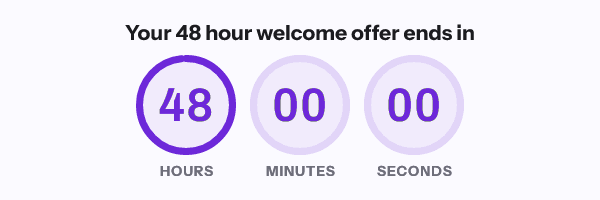
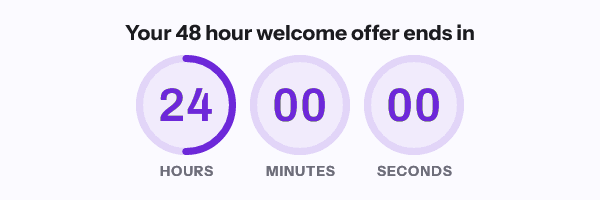
There is a catch worth knowing before you build it. EmailTimer.App starts an evergreen timer at the first fetch of an image address, and a welcome flow normally uses one snippet, so one address, for every subscriber. Then everyone shares a single clock that started when the first subscriber opened. A separate 48 hours for each new subscriber needs a separate address for each, minted from a recipient list or the API, which is on the Growth and Agency plans (pricing). Evergreen countdown timers explains how the first fetch is recorded, and what Apple Mail’s privacy feature does to it, since it can fetch the image at delivery rather than at the read.
If you are not ready for per-subscriber addresses, leave the countdown out of the welcome email and write the end date in words. That is always true. You can see how an evergreen timer behaves, without an account, in the evergreen timer generator.
What the rules ask of a welcome email
A welcome email that includes an offer or promotes your products is marketing email, so the marketing rules apply to it from the first send.
| Rule | What it asks | Source |
|---|---|---|
| CAN-SPAM (US) | “Your message must include your valid physical postal address”, a clear way to opt out, and opt-outs honored “within 10 business days” | FTC compliance guide |
| PECR (UK) | Marketing email to individuals needs consent, or the soft opt-in for existing customers, and “a simple way to opt out” in every message | ICO guidance |
| Gmail (all senders) | Send only to people who opted in, and keep spam rates in Postmaster Tools below 0.3% | Google sender guidelines |
| Gmail (5,000 or more a day) | Marketing and subscribed messages “must support one-click unsubscribe” and show an unsubscribe link in the body | Google sender guidelines |
The welcome email is where a reader first decides whether they meant to sign up. Making the unsubscribe link easy to find costs you a subscriber who was leaving anyway, and spares you a spam complaint.
Check it before you switch the flow on
- Sign up with a fresh address of your own, through the real form.
- Time how long the welcome email takes to arrive.
- Check the code works at checkout, and ends when the email says it does.
- Read the subject and preview line in the inbox list, on a phone.
- Click every link, including the unsubscribe, and confirm it unsubscribes.
- Make a purchase and confirm the series stops sending the offer reminder.
Questions and answers
When should a welcome email be sent?
Straight away. Set the flow to send on sign-up, or on confirmation if you use double opt-in, with no delay.
What is the difference between a welcome email and a confirmation email?
A confirmation email asks the person to prove the address is theirs before they join. A welcome email comes after they have joined, and delivers what the sign-up promised.
How many emails should a welcome series have?
Enough for one job each. Three is a common starting point: the welcome, a useful next step, and a reminder of the offer. Stop the series early for anyone who has already done what the next email asks.
Should a welcome email include a discount?
Only if the sign-up form promised one, or the reader would expect one. If it did, the code goes at the top with its real end date.
Can a welcome email have a countdown timer?
Yes, if the deadline is real. For a window that starts at each person’s own sign-up, each subscriber needs their own timer address. Otherwise write the date in words.
Sources
- Email sender guidelines (Google Workspace Admin Help), read on 29 October 2026
- CAN-SPAM Act: A Compliance Guide for Business (Federal Trade Commission), read on 29 October 2026
- Electronic mail marketing (Information Commissioner's Office, UK), read on 29 October 2026
- Bringing Dark Patterns to Light (FTC Staff Report, September 2022)
Related
Put a countdown in the campaign you are writing now
The free plan covers 5,000 opens a month with no card. Starter is $19 a month for 250,000.