How to write a promotional email that people act on
By Danish Mohammed. 6 min read
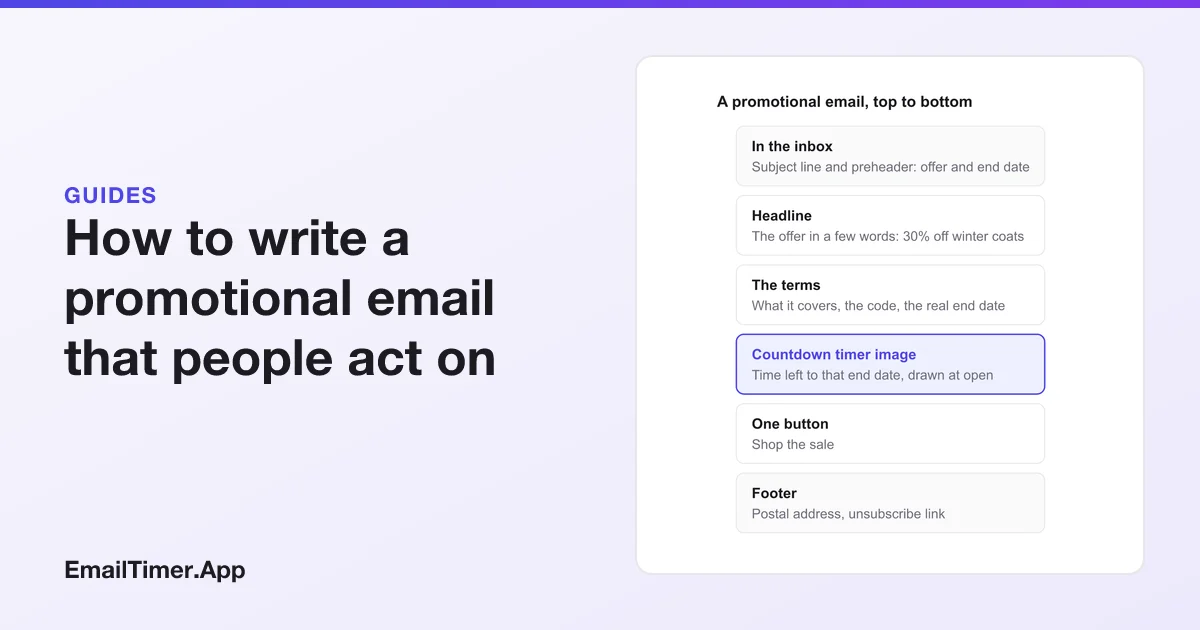
A promotional email is a marketing message that offers something for a limited time or to a chosen group: a sale, a discount code, early access, a launch, free shipping. The ones that work state the offer in the subject line, repeat it in the first screen, give one real end date, and ask for one click. Everything else in the email supports those four things.
This guide sets out the parts of a promotional email in the order a reader meets them, a template, a real example shown with a countdown timer added, the common types, and what US, UK and Gmail rules ask of every promotional send.
What is a promotional email?
It is an email whose main purpose is to sell. The FTC’s CAN-SPAM guide defines a commercial message as “any electronic mail message the primary purpose of which is the commercial advertisement or promotion” of “a commercial product or service”. That covers every sale and offer email, and the rules in that guide apply to all of them.
A promotional email is different from a newsletter, which mostly informs, and from a transactional email such as a receipt, which completes something the customer already agreed to. The difference matters, because the legal requirements differ.
What are the parts of a promotional email?
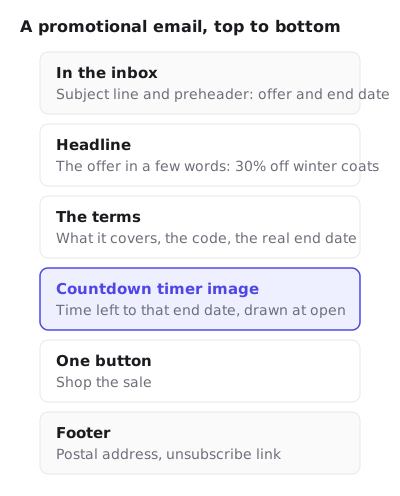
| Part | What it should do | A common mistake |
|---|---|---|
| Subject line | Name the offer and, if it ends soon, when | A clever line that hides the offer |
| Preheader | Add the next fact: the code, the end date, free returns | Leaving it blank, so the inbox shows “View in browser” |
| Headline | Restate the offer in a few words | A brand slogan that says nothing about the sale |
| Terms | What it covers, the code, the end date with a time zone | Terms only in the small print at the foot |
| Timer or date | Show how long is left, if there is a real end | A clock with no deadline behind it |
| Button | One action, worded as what happens: “Shop the sale” | Five buttons of equal weight |
| Footer | Postal address, unsubscribe link | A hard-to-find unsubscribe |
The email preheader guide covers the second row in detail, including the HTML that sets it.
A real promotional email example
Here is an early access email from Mammut. The headline says what is ending, one paragraph says what the reader gets and why now, the countdown sits right under it, and the code is in its own box above three buttons, one per department.


Three things make it work. The deadline is the headline, so the reader knows the stakes before reading a word of body copy. The code is a separate, copyable block rather than a phrase in a sentence. And the timer sits between the reason and the code, which is where a reader decides whether to act now. Countdown timer email examples shows more real campaigns with a timer placed the same way.
A promotional email template
Adapt the bracketed parts. The structure follows the parts table above.
Subject: [Offer] ends [day]
Preheader: Code [CODE] at checkout. [One extra reason: free returns, free shipping].

[Headline: the offer in a few words]

[One or two sentences: what it covers and why now.]

[Countdown timer image, or the end date in words]

Use code [CODE] by [date, time, time zone].

[Button: Shop the sale]

[Optional: two or three products or categories, each with its own link]

[Postal address]  ·  [Unsubscribe]
Types of promotional emails
Each type has its own reason for urgency, and so its own kind of deadline.
| Type | What it offers | The real deadline | More on it |
|---|---|---|---|
| Flash sale | A discount for hours, not days | The sale’s end time, the same for everyone | Flash sale emails |
| Seasonal sale | Black Friday, holiday, end of season | The published end of the event | Black Friday emails |
| Early access | First pick for members or subscribers | When the sale opens to everyone | The Mammut email above |
| Product launch | Something new, often with a launch offer | The launch moment, or the end of the launch price | Product launch emails |
| Back in stock | A product someone wanted is available | Usually none: the limit is the stock | Back in stock emails |
| Free shipping cutoff | Delivery by a date if ordered in time | The carrier’s last order date | Holiday campaigns |
The back in stock row is the odd one. Its constraint is quantity, not time, and adding a clock invents a deadline that nothing enforces.
Is a countdown timer worth adding?
Only when there is a real end. A countdown timer in an email is an image drawn when the email opens, so it shows the time left for that reader at that moment, which a date in text cannot do. It is also the part of a promotional email that is easiest to get wrong. The FTC’s 2022 staff report on dark patterns names the “Baseless Countdown Timer”, “showing a fake countdown clock that just goes away or resets when it times out”, as a practice it is watching. Fake countdown timers covers where the line sits.
If the sale really ends on Sunday at midnight, the honest setup is one fixed deadline, the same in the subject, the terms, the timer, and the store’s checkout. Gmail has a place for it too: Google’s developer guide to Promotions tab annotations lets a deal carry a discount code and an end date, shown as a badge “right next to your subject line”, although it adds that annotations “might not be visible to all users who receive the email”. Use the same end date there.
To try one, the free countdown timer generator makes a timer image without an account, for 500 opens (1,000 when you sign in).
What do the rules ask of a promotional email?
Every promotional email is a commercial message, so these apply to all of them.
| Rule | What it asks |
|---|---|
| CAN-SPAM: subject line | “The subject line must accurately reflect the content of the message.” |
| CAN-SPAM: identify it as an ad | You “must disclose clearly and conspicuously” that the message is an advertisement, though “the law gives you a lot of leeway in how to do this” |
| CAN-SPAM: location | “Your message must include your valid physical postal address.” |
| CAN-SPAM: opt-out | A clear way to opt out, processed “within 10 business days” |
| Gmail, all senders | Send only to people who opted in; keep spam rates in Postmaster Tools below 0.3% |
| Gmail, 5,000 or more a day | Marketing messages “must support one-click unsubscribe” and show an unsubscribe link in the body |
The FTC’s guide puts the cost of getting it wrong at “penalties of up to $53,088” for each separate email in violation. In the UK, the ICO’s guidance requires consent, or the soft opt-in for existing customers, before you send marketing email to individuals at all. Countdown timers and deliverability covers what an image-heavy promotional email does to filtering.
Check it before you send
- Read the subject and preheader together in the inbox list on a phone. Is the offer clear from those two lines alone?
- Check the code at checkout, and that it stops working when the email says it will.
- Check the end date matches everywhere: subject, preheader, terms, timer, store.
- Turn images off and read the email again. The offer and the date should still be there in text.
- Click the unsubscribe link in the test send.
Questions and answers
What is the difference between a promotional email and a newsletter?
A promotional email’s main purpose is to sell a specific offer. A newsletter mostly informs, and may include an offer alongside other content. Under CAN-SPAM, what decides it is the message’s primary purpose.
How often should I send promotional emails?
No rule sets a number. Send as often as your list keeps opening and few people complain: Google asks senders to keep spam rates reported in Postmaster Tools below 0.3%, and suggests below 0.1%.
Do promotional emails need an unsubscribe link?
Yes. CAN-SPAM requires a clear way to opt out of marketing email, and Gmail requires one-click unsubscribe for senders of 5,000 or more messages a day.
Should every promotional email have a countdown timer?
No. Add one when the offer has a real end time. A promotion limited by stock, or with no end, does not need a clock.
What is the best subject line for a promotional email?
One that names the offer and, if it ends soon, when: “30% off winter coats ends Sunday”. The subject line must also reflect what is in the email, which CAN-SPAM requires.
Sources
- CAN-SPAM Act: A Compliance Guide for Business (Federal Trade Commission), read on 29 October 2026
- Email sender guidelines (Google Workspace Admin Help), read on 29 October 2026
- Annotate emails in the Promotions tab (Gmail, Google for Developers), read on 29 October 2026
- Electronic mail marketing (Information Commissioner's Office, UK), read on 29 October 2026
- Bringing Dark Patterns to Light (FTC Staff Report, September 2022)
Related
Put a countdown in the campaign you are writing now
The free plan covers 5,000 opens a month with no card. Starter is $19 a month for 250,000.
These emails belong to the brands that sent them and are credited to each one. We added our timers to show how they look in real campaigns. Brand owners can ask us to remove their email at privacy@emailtimer.app, and we will do it the same day.