The order confirmation email, and what may go in it
By Danish Mohammed. 6 min read
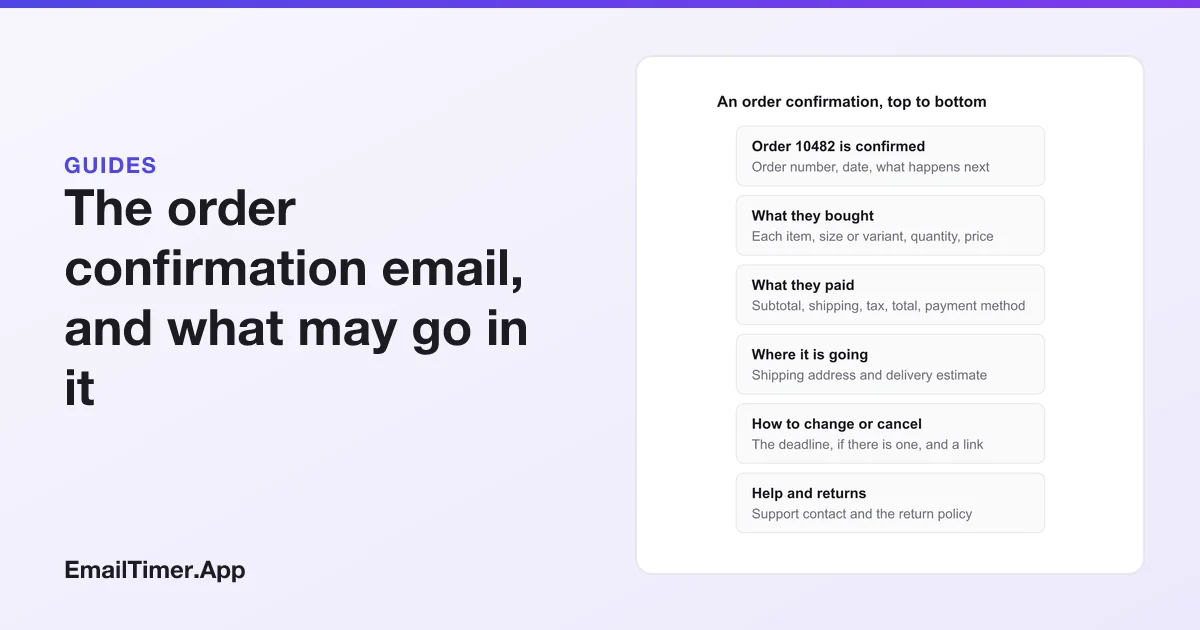
An order confirmation email is the message a store sends straight after a purchase to confirm what was bought, what was paid and where it is going. It is a transactional email, not a marketing one: its job is to complete a deal the customer already agreed to. That status is also why adding promotions to it needs care, and in the UK any promotion changes what it legally is.
What follows: what to include, how it differs from a shipping confirmation, a template, and what the US and UK rules say about putting anything else in it. This is a summary of the regulators’ own guidance, not legal advice for your store.
What is an order confirmation email?
It is the receipt a customer gets by email when an order goes through. The FTC’s CAN-SPAM compliance guide lists the kinds of content it treats as transactional or relationship content, and the first item describes an order confirmation exactly: content that “facilitates, completes, or confirms a commercial transaction that the recipient already has agreed to”. Google’s Gmail markup reference uses the same idea for its Order type, describing an order as “a confirmation of a transaction (a receipt)”.
That puts it in a different category from a sale email or a newsletter. A transactional message is exempt from most of CAN-SPAM’s provisions, the FTC says, but it “may not contain false or misleading routing information”. Who it is from, and where it came from, must be accurate.
What should an order confirmation email include?
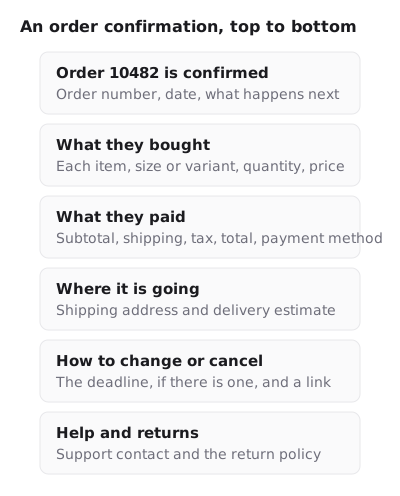
| Part | What it shows | Why the customer needs it |
|---|---|---|
| Confirmation line and order number | “Order 10482 is confirmed”, the date | Proof it went through, and the number to quote to support |
| Items | Each product, variant, quantity and price | To catch a wrong size before it ships |
| Payment | Subtotal, shipping, tax, total, payment method | To match it against the card statement |
| Delivery | Shipping address, shipping method, delivery estimate | To catch a wrong address while it can be fixed |
| Changes and cancellations | How to change or cancel, and until when | Fewer support emails, fewer returns |
| Help | Support contact, return policy link | What to do if something is wrong |
The delivery estimate is worth getting right. The FTC’s Mail, Internet, or Telephone Order Merchandise Rule says that if a seller makes “no shipment statement, you must have a reasonable basis for believing that you can ship within 30 days”, and that a seller who cannot ship on time must offer the customer a delay notice with the option to cancel for a full refund. The FTC’s guide confirms that notice can go by email. An estimate in the confirmation is a statement the store will be held to.
The subject line and preview line should say what the email is: “Your order 10482 is confirmed” and “Arriving Thursday. Here is your receipt.” The email preheader guide covers the preview line.
Order confirmation vs shipping confirmation email
They are two emails with two jobs, and many stores send both.
| Order confirmation | Shipping confirmation | |
|---|---|---|
| When | Straight after the purchase | When the parcel leaves the warehouse |
| Main content | Items, total, address, receipt | Carrier, tracking number and link, expected delivery date |
| What the customer does with it | Checks the order is right | Tracks the parcel |
| The FTC rule to watch | The delivery estimate is a shipment statement the store must have a basis for | If the date slips, a delay notice that offers cancellation and a full refund |
Both are transactional under the FTC’s list, which also includes content that “delivers goods or services as part of a transaction that the recipient already has agreed to”.
An order confirmation email template
Subject: Your order [number] is confirmed
Preheader: Arriving [estimate]. Your receipt is inside.

Thanks, [first name]. We have your order.

Order [number], placed [date]

[Item]  [variant]  x[qty]  [price]
[Item]  [variant]  x[qty]  [price]

Subtotal [ ]   Shipping [ ]   Tax [ ]   Total [ ]
Paid with [card ending 1234]

Shipping to:
[Name, address]
Estimated delivery: [date range]

Need to change something? You can edit or cancel until [time, time zone]:
[Manage your order]

Questions? Reply to this email or contact [support link].
Returns: [policy link]
Can you put promotions in an order confirmation email?
This is the question with the most at stake, and the US and UK answer it differently.
In the US, CAN-SPAM looks at the message’s primary purpose. When an email contains both order details and a promotion, the FTC regulation at 16 CFR 316.3(a)(2) says the primary purpose is commercial if either of two things is true: “a recipient reasonably interpreting the subject line” would conclude it contains an advertisement, or the transactional content “does not appear, in whole or in substantial part, at the beginning of the body of the message.” If it is commercial, every CAN-SPAM requirement applies, including the opt-out link and the postal address.
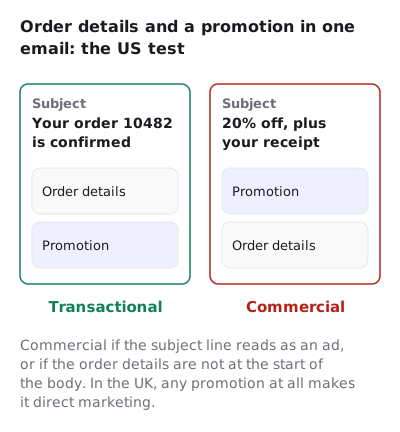
In the UK, the ICO’s guidance on identifying direct marketing calls these “service messages”, messages “that aren’t promotional but are for administrative or customer services purposes”. It is stricter about mixing: a service message falls within direct marketing “if your service message has elements that are direct marketing, even if that is not the main purpose of your message.” General branding and logos do not count. So a confirmation with a “you might also like” row is direct marketing in the UK, and the marketing consent rules apply to it.
| Content | US (CAN-SPAM) | UK (ICO) |
|---|---|---|
| Order details only, with your logo | Transactional | Service message |
| Order details first, a product row below, neutral subject | Transactional, under the 316.3(a)(2) test | Direct marketing |
| A promotion first, or a subject that reads as an ad | Commercial: all CAN-SPAM rules apply | Direct marketing |
If you sell to both countries from one template, the UK rule is the one that decides what goes in.
Does a countdown timer belong in an order confirmation?
A countdown to a sale does not. It is promotion, so it moves the email into the commercial or direct marketing column above, and it puts a clock in front of a customer who has already bought.
A countdown to something about the order itself is different. If your store really does let customers edit or cancel an order until a fixed time, that deadline is order information, the same as the delivery estimate, and an image that shows the time left can save a support ticket. It needs to be that customer’s own deadline, so each email needs its own timer address. In EmailTimer.App that is a per-recipient deadline in a signed address, minted from the API on the Growth or Agency plan. If the edit window is not real, or not enforced at checkout, leave the clock out. Fake countdown timers explains why a clock with no deadline behind it is a problem, and countdown timers and deliverability covers how images affect filtering.
Gmail order markup
Gmail can read structured data in a confirmation. Google’s Order markup reference lists fields such as the merchant, the order number, the price and the items, and a url property that adds a View Order button. Google’s registration page says only the sender sees the markup until the sender registers, and that registration needs, among other things, mail “authenticated using DKIM or SPF”, a static sender address and “a very low rate of spam complaints from users”.
Questions and answers
Is an order confirmation email a marketing email?
No. Under CAN-SPAM, content that “facilitates, completes, or confirms a commercial transaction that the recipient already has agreed to” is transactional. It becomes commercial if the subject line reads as an ad or the order details are not at the start of the body.
Does an order confirmation email need an unsubscribe link?
A purely transactional message is exempt from most CAN-SPAM provisions, including the opt-out requirement. If it is commercial under the primary purpose test, the opt-out and postal address rules apply.
What is the difference between an order confirmation and a shipping confirmation?
The order confirmation is sent at purchase and confirms the items, total and address. The shipping confirmation is sent when the parcel leaves and carries the carrier and tracking details.
Can I add product recommendations to an order confirmation?
In the US, a recommendation row below the order details, with a neutral subject line, keeps the message transactional under 16 CFR 316.3(a)(2). In the UK, the ICO treats any marketing element as making it direct marketing, so consent rules apply.
How fast should an order confirmation be sent?
Straight after the order is placed. It is the customer’s proof the order went through, so set the store to send it on purchase with no delay.
Sources
- CAN-SPAM Act: A Compliance Guide for Business (Federal Trade Commission), read on 29 October 2026
- 16 CFR 316.3, Primary purpose (Legal Information Institute, Cornell Law School), read on 29 October 2026
- Identify direct marketing (Information Commissioner's Office, UK), read on 29 October 2026
- Business Guide to the FTC's Mail, Internet, or Telephone Order Merchandise Rule (Federal Trade Commission), read on 29 October 2026
- Order (Gmail markup reference, Google for Developers), read on 29 October 2026
- Register with Google (Gmail markup, Google for Developers), read on 29 October 2026
Related
Put a countdown in the campaign you are writing now
The free plan covers 5,000 opens a month with no card. Starter is $19 a month for 250,000.