The email header, field by field
By Danish Mohammed. 7 min read
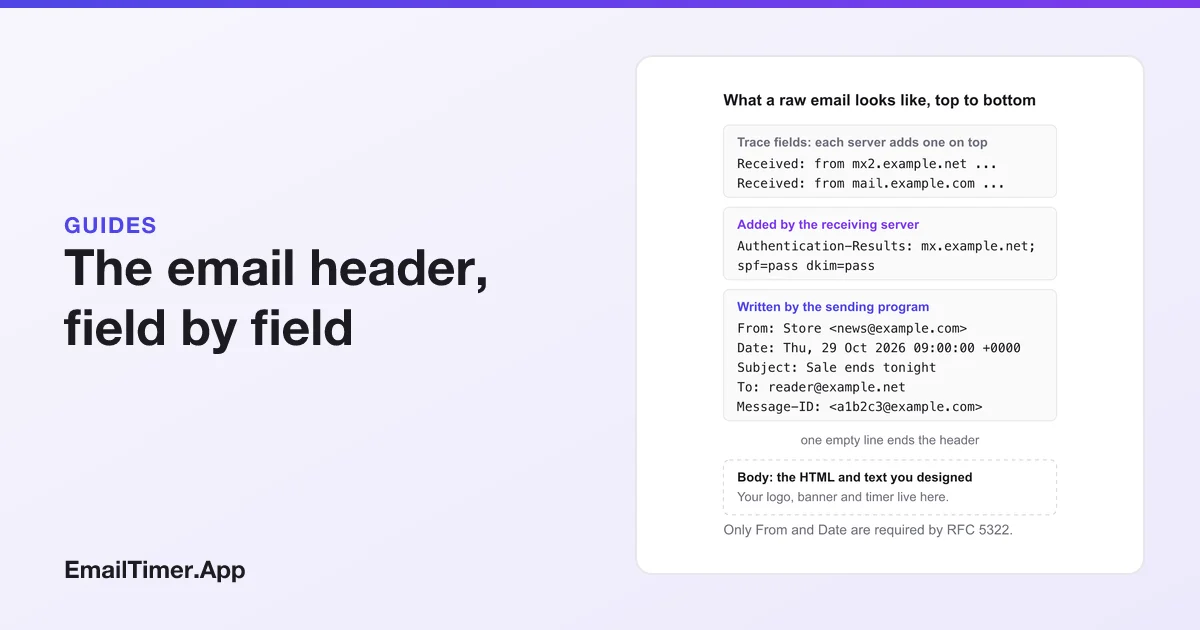
An email header is the block of labelled lines at the top of every message, such as From, To, Date, Subject and Message-ID, plus the Received and authentication lines added on the way. It records who sent the message, when, and through which servers. Your inbox shows a few of these fields. The full email header sits behind Gmail’s Show original or Outlook’s View message details.
The word has a second meaning in email design, the logo and banner at the top of the message body. That part has its own section near the end. Most of this page is about the technical header, because that is what you need when a message looks suspicious, lands in spam or seems to come from the wrong place.
What is in an email header?
A raw email is two parts: the header section, then the body. RFC 5322, the standard for the format, says the header “is a sequence of lines of characters with special syntax”, separated from the body by one empty line. Each line is a field name, a colon and a value.
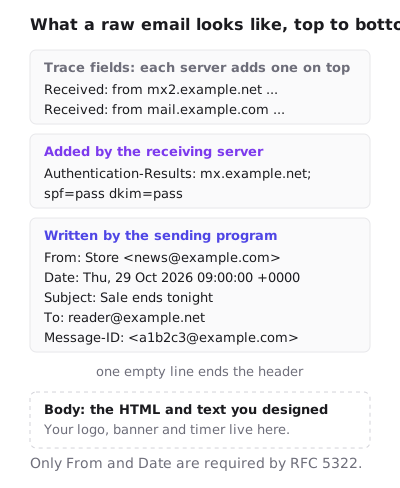
The fields come from three places. The sending program writes the ones you would expect. Each mail server the message passes through adds a line about itself. The receiving server adds its verdict on whether the message is authentic.
The fields, and who writes each one
| Field | Written by | What it tells you |
|---|---|---|
| From | The sender’s program | The author. RFC 5322: it “specifies the author(s) of the message” |
| Date | The sender’s program | When the message was written, with a time zone offset |
| To, Cc | The sender’s program | The visible recipients |
| Subject | The sender’s program | The subject line. Optional in the standard |
| Message-ID | The sender’s program | An identifier that “MUST be a globally unique identifier for a message” |
| Reply-To | The sender’s program, optionally | Where replies go if it differs from From |
| Received | Every server on the route | One line per hop: which server handed it over, which received it, and when |
| Return-Path | The final delivering server | The address that bounces go back to |
| DKIM-Signature | The sending domain’s server | A cryptographic signature the receiving server can check |
| Authentication-Results | The receiving server | Whether SPF, DKIM and DMARC checks passed |
| List-Unsubscribe | Bulk senders | The address or URL for one-click unsubscribe |
Only two are compulsory. RFC 5322 says “The only required header fields are the origination date field and the originator address field(s)”, which are Date and From. Message-ID is not required but should be present. Everything else is optional in the format, though mailbox providers expect more than the minimum, as the section on bulk senders below shows.
How to see the full email header
Every client hides most of the header by default. These are the steps from Google’s and Microsoft’s help pages, read on 29 October 2026.
| Client | Steps | Where the header appears |
|---|---|---|
| Gmail on a computer | Open the email. Next to Reply, click More, then Show original | A new window. Copy to clipboard copies it |
| New Outlook for Windows | In the message, select More actions, then View, then View message details | A details window |
| Outlook on the web and Outlook.com | More actions, then View, then View message details | A details window |
| Classic Outlook for Windows | Double-click the email to open it in its own window, then File, then Properties | The Internet headers box |
| Apple Mail | Open the email, then View, Message, All Headers | In the message window |
| Yahoo Mail | Select the email, click More, then View Raw Message | A new window |
Google’s steps are for Gmail in a browser on a computer, so open the message there rather than in the phone app.
How to read the Received lines
Read them from the bottom up. RFC 5321, the standard for sending mail, says a server “MUST insert trace (“time stamp” or “Received”) information at the beginning of the message content.” So the newest hop is on top, and the bottom Received line is the first server that handled the message.
Each line’s from part names the server that handed the message over. The same standard says it “SHOULD contain both (1) the name of the source host as presented in the EHLO command and (2) an address literal containing the IP address of the source, determined from the TCP connection.” The name is what the sending server called itself. The IP address is what the receiving server saw. If they disagree with what the From line claims, that is worth a second look.
Each line ends with a date and time. Subtracting one from the next shows where a message was delayed. Gmail’s help page points to Google Admin Toolbox Messageheader for this: paste the header in and it lays out the hops and the delay between them.
Checking whether a message is genuine
Look for the Authentication-Results line. RFC 8601 defines it as a field “to indicate the results of message authentication efforts”, and the receiving server writes it, which is why it is worth more than anything the sender wrote. A typical line reads spf=pass, dkim=pass and dmarc=pass, each followed by the domain it checked.
- SPF checks that the sending server is one the domain has authorized. RFC 7208 says domains “can explicitly authorize the hosts that are allowed to use their domain names”, and the check uses the envelope sender, which ends up in Return-Path.
- DKIM checks the signature in the DKIM-Signature field. RFC 6376 says “The signature of the email is stored in the DKIM-Signature header field”, and a pass means the signed parts were not changed on the way.
- DMARC checks alignment, which RFC 7489 defines as “When the domain in the RFC5322.From address matches a domain validated by SPF or DKIM.” It ties the checks to the From line the reader sees.
A message whose From line says your bank, with a DKIM pass for an unrelated domain and a DMARC fail, did not come from your bank. The display name in the inbox can say anything. The authentication results are much harder to fake, because they are written by the server that received the message.
Headers bulk senders must add
Google’s sender guidelines set requirements for anyone sending more than 5,000 messages a day to Gmail accounts. Among them: “Set up SPF and DKIM email authentication for your domain”, “Set up DMARC email authentication for your sending domain”, and support for one-click unsubscribe through the List-Unsubscribe and List-Unsubscribe-Post headers, with “a clearly visible unsubscribe link in the message body” as well. Your sending platform normally writes these headers for you. Show original on a test message is the way to confirm they are there.
Header lines have a length limit too. RFC 5322 says “Each line of characters MUST be no more than 998 characters, and SHOULD be no more than 78 characters”, and long values are folded onto several lines, which is why some fields in a raw header wrap.
What a header does not contain is anything about the images in the body. A countdown timer or a logo is fetched from its own address when the reader opens the email, long after the header was written. Countdown timers and deliverability covers what images in the body do and do not mean to spam filters.
The other email header: the top of the design
In a newsletter or a campaign, “header” also means the first thing in the body: a logo, sometimes a navigation row, and often a wide image under it. That is part of the HTML you design, not part of the technical header above.
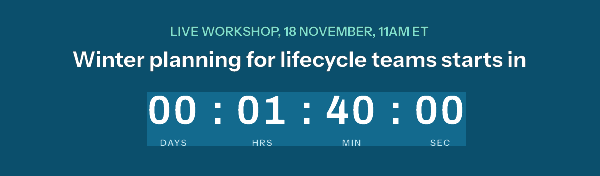
Its sizing follows the same rules as any banner: as wide as the content column, 600 pixels or less in most templates, with the file at twice that width. Email banner size works through the width, height and HTML, and countdown timer HTML for email covers the image tag itself.
Questions and answers
What is the header of an email?
The lines above the message body that describe the message: From, To, Date, Subject, Message-ID, plus Received lines from each server and the receiving server’s authentication results. Only From and Date are required by the standard.
How do I view email headers in Gmail?
Open the email in Gmail on a computer, click More next to Reply, then Show original. The full header opens in a new window.
How do I view email headers in Outlook?
In new Outlook and Outlook on the web, select More actions, then View, then View message details. In classic Outlook, open the message in its own window and select File, then Properties.
Can an email header show where an email came from?
Yes. The bottom Received line names the first server that handled it, and servers usually record the IP address they received it from. That shows the sending server, not necessarily the person or their location.
Can email headers be faked?
The sender’s own fields, such as From, can be written to say anything. Lines added by the receiving server, such as Authentication-Results, cannot be set by the sender, which is why they are the ones to check.
Sources
- RFC 5322, Internet Message Format (IETF, October 2008), read on 29 October 2026
- RFC 5321, Simple Mail Transfer Protocol (IETF, October 2008), read on 29 October 2026
- RFC 8601, Message Header Field for Indicating Message Authentication Status (IETF, May 2019), read on 29 October 2026
- RFC 6376, DomainKeys Identified Mail (DKIM) Signatures (IETF, September 2011), read on 29 October 2026
- RFC 7208, Sender Policy Framework (SPF) (IETF, April 2014), read on 29 October 2026
- RFC 7489, Domain-based Message Authentication, Reporting, and Conformance (DMARC) (IETF, March 2015), read on 29 October 2026
- Trace an email with its full headers (Gmail Help), read on 29 October 2026
- View internet message headers in Outlook (Microsoft Support), read on 29 October 2026
- Email sender guidelines (Google Workspace Admin Help), read on 29 October 2026
Related
Put a countdown in the campaign you are writing now
The free plan covers 5,000 opens a month with no card. Starter is $19 a month for 250,000.