How to write an event invitation email, and the reminders after it
By Danish Mohammed. 6 min read
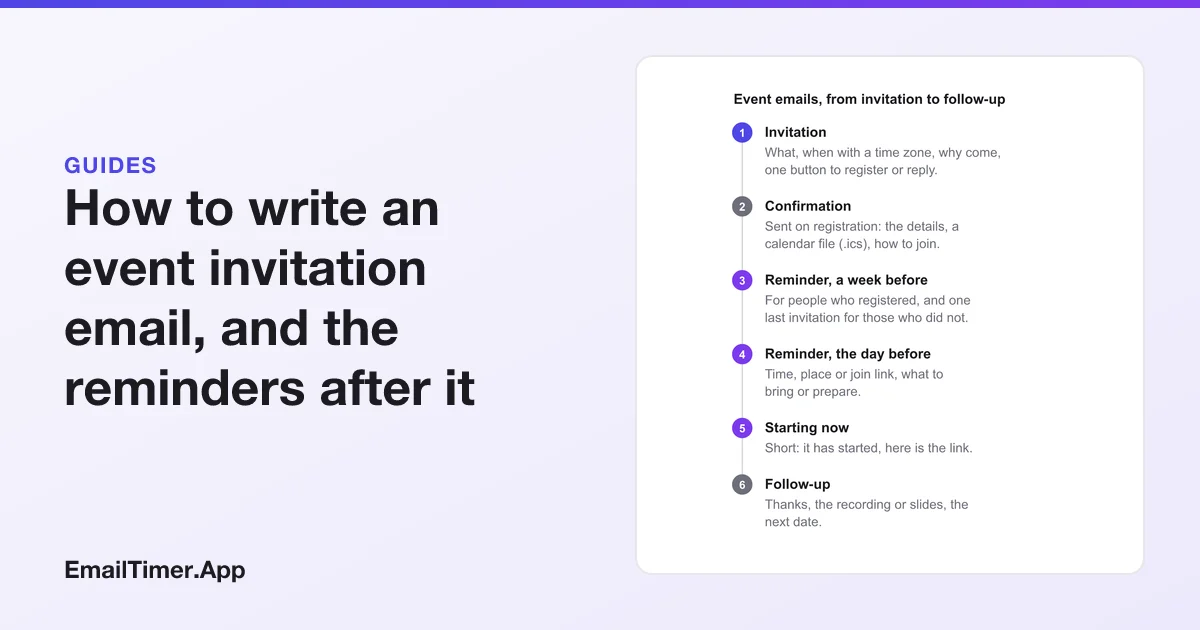
An event invitation email asks someone to come to a specific thing at a specific time: a conference, a launch party, a store opening, a workshop, a webinar. It needs five facts near the top (what it is, when, with a time zone, where or how to join, and why it is worth the time) and one button to register or reply. The reminders that follow do the rest.
This guide covers what goes in the invitation, how to write the time so it is right for every reader, a template, a real registration email, and the reminder sequence that turns registrations into people who actually show up.
What should an event invitation email include?
| Element | What to write | Why |
|---|---|---|
| What it is | One line: “A half-day workshop on winter planning” | The subject and headline should say it, not a teaser |
| When | Date, start time, end time, time zone: “Tuesday 18 November, 11am to 12:30pm ET” | A time with no zone is wrong for part of your list |
| Where, or how to join | The address and a map link, or “online, link sent on registration” | People decide on travel before content |
| Why come | Two or three specific things they will get: speakers, a demo, a discount | “Join us” is not a reason |
| One action | Register, RSVP, or reply, as a single button | A second button splits attention |
| The deadline, if any | When registration or the early rate closes | Only if it is real |
| Who is behind it | The host, in a line | So the reader trusts the sender |
Put the date and time in the preheader as well as the body, so the reader knows whether they are free before they open the email. The email preheader guide shows how to set it.
The invitation is the first of several emails about the same event. The rest of this page follows them in order.
How do you write the time for every time zone?
An invitation sent to a list across several time zones has to say the time in a way nobody can misread. Three rules cover it:
- Always name the zone. “11am ET” or “16:00 UTC”, never just “11am”.
- For a list spread across regions, give two or three. “11am ET, 8am PT, 4pm in London”.
- Put the real time in the calendar file. The iCalendar format, defined in RFC 5545 and registered with the file extension “ics”, stores times either in UTC (marked with a “Z” suffix) or with a TZID that names the zone. A time with neither is “floating” and is read as local time wherever it is opened, which shifts the event for everyone in another zone. Make sure your event tool writes the zone.
A countdown timer solves the same problem from the other side. It counts to one instant, so a reader in Los Angeles and a reader in London both see the same time left, correct for each of them, without either one converting anything.
A real event invitation example
Here is a registration email from SXSW EDU, shown with an EmailTimer.App countdown in the place its own timer sat. It is a last-call invitation: the headline says time is running out, one sentence gives the reason (save $300 off the walk-up rate), the countdown shows how long is left, and the line under it states the deadline in words with its time zone.


The detail worth copying is the line under the timer: “Lowest registration rate expires at 11:59pm PT on Thursday, September 17.” The timer shows the time left. The text says the moment, with its zone. A reader whose inbox blocks images still has the deadline, and a reader who sees the image can check it against a date.
An event invitation email template
Subject: You are invited: [event], [date]
Preheader: [Start time and time zone], [in person at X / online]. [One reason to come].

[Headline: what it is, in a few words]

[Date], [start] to [end] [time zone]
[Address and map link / "Online. We will send the link when you register."]

[Two or three specific reasons to come: who is speaking, what you will learn or get.]

[Button: Register / Save my seat / RSVP]

[If there is one: Registration closes [date, time, time zone].]

[Host name and a line about them]
[Postal address]  ·  [Unsubscribe]
What should the event reminder emails say?
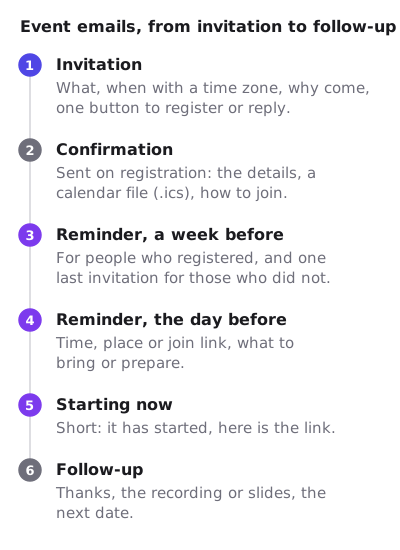
The invitation gets the registration. The reminders get the attendance. Each one should be shorter than the last, and the sequence pictured near the top of this page is a starting point.
| When | What it says | Who gets it | |
|---|---|---|---|
| Confirmation | On registration | The details, a calendar file, how to join | Everyone who registered |
| Reminder | A week before | The date again, what to prepare | Registered; a last invitation for the rest |
| Reminder | The day before | Time, place or link, what to bring | Registered |
| Starting now | At the start | “It has started. Here is the link.” | Registered, for an online event |
| Follow-up | After | Thanks, the recording or slides, the next date | Attended, and separately those who missed it |
The confirmation is the one that matters most for turnout, because it puts the event in the reader’s calendar. Attach or link a calendar file, and check that it carries the time zone as described above.
One image for every reminder
Because a countdown image is drawn when the email is opened, one image can say different things at different moments. Before the start it counts down. During the event it can switch to a “happening now” panel with a join button. After it, it can show the replay.
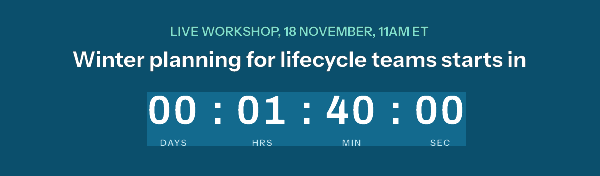

That is built with rules on the time the image is opened, which are on the Starter plan and up. The button in the image is part of the picture, so its link should go to a page that does the right thing at each moment: the registration page before, the live room during, the recording after. Webinar and event registration builds this in full for online events, and accessible countdown timers covers the alt text a timer needs. To try a plain countdown to your event’s start, the free countdown timer generator makes one without an account.
Is an event invitation a marketing email?
Usually, yes. If the event is a paid conference, a sales event, a product launch or a store opening, the email promotes a commercial product or service, which is how the FTC’s CAN-SPAM guide defines a commercial message. That means the usual rules: a subject line that “must accurately reflect the content of the message”, your “valid physical postal address”, and an opt-out honored “within 10 business days”. Gmail’s sender guidelines add one-click unsubscribe for senders of 5,000 or more messages a day.
The reminders sent to people who registered sit closer to the line. In the UK, the ICO’s examples of service messages, which are not direct marketing, include messages that “confirm or remind them about appointments”. A reminder that only repeats the time and the join link looks like that; one that adds a promotion for something else does not. If a reminder carries any offer, treat it as marketing.
Check the invitation before you send
- Read the date, time and zone in the subject, preheader, body, calendar file and timer. They must all say the same moment.
- Add the calendar file to a calendar set to a different time zone, and check the event lands at the right local time.
- Register through the email’s button, and check the confirmation arrives.
- Turn images off. The time and the deadline should still be readable in text.
- Open the test on a phone. The register button should be visible without much scrolling.
Questions and answers
When should you send an event invitation email?
Early enough for people to plan travel or clear their calendar: weeks ahead for an in-person event, less for a short online one. Follow it with reminders closer to the date.
What is the difference between an event invitation and an event reminder email?
The invitation asks people to register or attend. The reminder goes to people who already said yes, and repeats the time, place or join link so they show up.
How many reminder emails should an event have?
Two is common: one about a week before and one the day before. An online event can add a short “starting now” email with the link.
Should an event invitation have a countdown timer?
It helps when there is a real moment to count to: the start, or a registration deadline. Write the same moment in text, with its time zone, for readers whose images are off.
How do I add an event to the reader’s calendar from an email?
Attach or link an iCalendar (.ics) file, the format defined in RFC 5545. Make sure it stores the time in UTC or with a named time zone, not as floating local time.
Sources
- RFC 5545, Internet Calendaring and Scheduling Core Object Specification (iCalendar) (IETF, September 2009), read on 29 October 2026
- CAN-SPAM Act: A Compliance Guide for Business (Federal Trade Commission), read on 29 October 2026
- Email sender guidelines (Google Workspace Admin Help), read on 29 October 2026
- Identify direct marketing (Information Commissioner's Office, UK), read on 29 October 2026
Related
Put a countdown in the campaign you are writing now
The free plan covers 5,000 opens a month with no card. Starter is $19 a month for 250,000.
These emails belong to the brands that sent them and are credited to each one. We added our timers to show how they look in real campaigns. Brand owners can ask us to remove their email at privacy@emailtimer.app, and we will do it the same day.