Building a countdown timer yourself, counted from the code
By Danish Mohammed, founder. 7 min read
Doing it yourself means one of three things. You can write the date into a static image, or export an animated GIF once and drop it into the template. Or you can run a small server that draws the countdown each time a mail client asks for the picture.
The first two cost almost nothing and fail in ways you can predict. The third is the one that competes with buying a product like this one. I can count what it takes, because it is what I built, and every figure below comes from this product’s repository as it stood on 17 September 2026.
A static image with the date on it
A picture reading “Sale ends Friday 23:59” is accurate, small and safe in every client. It is not a countdown. It says the same thing on Thursday morning as it does an hour before the close.
For a lot of sends that is enough. If the offer runs for a week and the email goes out once, write the date in text and skip the image. Text survives blocked images and screen readers, and it cannot go stale.
A GIF made once
A downloaded GIF counts from the moment its frames were drawn. The free generator here says so under its own download button: “A downloaded GIF counts from the moment it was made, not from the moment it is opened.”
Sent an hour after it was made, the file is an hour wrong for everyone. Opened the next morning, it is a night wrong. Nothing inside the file can correct that. The GIF89a specification gives a frame a delay, measured in “hundredths (1/100) of a second”, and a GIF has no field for the time of day. A countdown exported from a design tool has the same limit, which the Canva countdown page goes through.
A renderer of your own
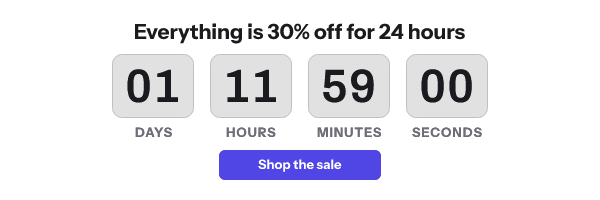
The version to compare against a product is a web service. The email carries an image address, a mail client fetches it, and the service works out the time left and draws a GIF on the spot. The idea fits in one paragraph. The table lists what it took to make it safe to send to a real list.
| Job | What it involves here | Where it lives |
|---|---|---|
| Draw the countdown when the image is fetched | A composed background, a sheet of digit sprites and a GIF assembler. 30 frames by default, 20 to 60 allowed, one frame a second | packages/engine |
| Make frame one a finished picture | Frame one is the whole canvas with the live numbers painted in. Microsoft’s support page says that when only the first frame appears, “you have animations, or animated GIFs, disabled” | packages/engine/src/gif.ts |
| Keep the file small | Frames after the first repaint only the digit cells that changed. The engine’s notes record a local benchmark of that change: assembly from 24.9 ms to 5.2 ms median, and the file from 56 KB to 10.8 KB, at 600 by 200 and 30 frames | packages/engine/src/gif.ts |
| Stop anyone editing the address | HMAC-SHA256 over the path and a canonical query. It is written twice, for Node and for Web Crypto in an edge Worker, and 17 shared test vectors pin the two together | packages/engine/src/sign.ts, apps/edge/src/sign.ts |
| Get time zones right | Location names such as Europe/London, plus UTC and GMT. Etc/GMT+5, SystemV zones and abbreviations such as EST are refused, because each one freezes daylight saving or inverts a sign |
packages/engine/src/time.ts |
| Start a clock on first open | A first-seen record per address in Redis, written with one atomic SET using NX and GET, kept for the timer’s length plus 30 days and never longer than a year |
apps/img/src/evergreen.ts |
| Never show a broken image | Every request is answered HTTP 200 with a picture. There are three fallback layers, the last a hard-coded 1 by 1 PNG. A render still running after 5,000 ms is answered with the fallback, and so is new work past 64 renders in flight | apps/img/src/fallback.ts, apps/img/src/limits.ts |
| Tell caches how long to keep a render | For a live timer the service writes public, max-age=0, s-maxage=30, no-transform, must-revalidate and a strong ETag, so a repeat fetch of identical bytes can get a 304 |
apps/img/src/cache-headers.ts |
| Stop cleanly at the deadline | An expired timer is a single frame of zeros or an image you choose. Its headers allow a day in a private cache and a week in a shared one | packages/engine/src/render.ts, apps/img/src/cache-headers.ts |
| Refuse a template that cannot render | Publishing renders the template first, and refuses it for an unusable time zone, a deadline already past, a missing asset, an unknown font or a render that fell back | apps/api/src/publish-gate.ts |
| Keep sent emails working after an edit | Published versions are append-only, and every image address carries the version it was sent with inside the signature | packages/shared/src/url-params.ts |
What the table leaves out
Daylight saving is the first. A weekly deadline at 09:00 that crosses a clock change is 167 or 169 real hours away, not 168, and the engine has a test for each direction.
The second is silence. A signature that fails, a template that cannot be read or a store that times out all end in a grey “image unavailable” card at HTTP 200. That is the right answer for a delivered email. It also means nothing in a request log looks like an error, so you have to build the alerting on purpose. A merge tag pasted inside a signed address shows why: the platform fills it in after signing, verification fails for every recipient, and every one of them gets that card.
The third is load. An audit on 16 September 2026 estimated the image service, as it stood then, at about 80 opens a second per process, and one send to a large list outruns that. The changes that followed were a GIF cache shared by everyone who opens in the same second, and one render per key however many requests wait on it. They also added several worker processes, and timeouts that shed to the grey “image unavailable” card.
How much code that is
Counted at commit 170b79f with wc -l over the TypeScript files, comments included, and this repository comments heavily. Only the render path is counted: the engine, the image service, the shared schema and an edge Worker that is built but not yet routed in front of the image service. The editor, the API, billing, CSV import and Photoshop import are left out.
| Package | Source lines | Test lines | Test files |
|---|---|---|---|
packages/engine |
8,618 | 10,365 | 17 |
apps/img |
4,898 | 6,164 | 20 |
apps/edge |
1,463 | 1,883 | 7 |
packages/shared |
1,395 | 1,114 | 5 |
| Total | 16,374 | 19,526 | 49 |
Across those 49 files there are about 1,300 it( and test( calls, give or take a few dozen depending on how parameterised tests are counted. The test lines outnumber the source lines. A failure here happens inside an email that was already delivered and cannot be recalled, which is why so much of the code is tests.
What buying costs instead
These are the published plans. Prices exclude tax. An open is one request for the image, and annual billing is ten months’ price for twelve. What each plan includes is on pricing.
| Plan | Per month | Opens a month |
|---|---|---|
| Free | $0 | 5,000 |
| Starter | $19 | 250,000 |
| Growth | $49 | 1,000,000 |
| Agency | $149 | 5,000,000 |
Past 110 percent of the allowance, new renders carry a small watermark until the plan changes. Nothing is switched off mid-send.
I am not putting a salary on this page. Day rates vary by country and by person, so the only figure that means anything is yours. Put your own rate against the tables above, then add the cost that is easy to leave out: someone to notice when a render goes wrong on a Saturday.
When building it yourself is the right call
If you need more than 5,000,000 opens a month, there is no larger plan here and no enterprise contract either. A service of your own is the sensible route at that size.
If your security review needs the image service inside your own network, this is the wrong product. There is no self-hosted edition, and there is no SOC 2 report or ISO 27001 certificate.
If you want a hosted tool but not this one, the others are compared, with their prices and the date they were read, in the best email countdown timers.
If you only need people to know the date, you need neither. Write it in the email.
Questions and answers
Can I make a countdown GIF with a script and host it myself?
Yes, provided the script runs when the image is fetched rather than once before the send. The drawing is the easy half. Signing the address, answering every failure with a picture and setting cache headers are where the time goes.
Why does a timer I built show the wrong number on a second open?
Usually because a proxy or a mail app served a copy it kept. Your response headers decide how long a shared cache may reuse a render, and each client’s own behaviour, with its sources, is in how email image caching works.
Is there a self-hosted version of EmailTimer.App?
No. The price list has four hosted plans and nothing to install.
Can I keep templates in my own code and still use this?
On Growth and Agency. The REST API creates and publishes templates and mints up to 10,000 signed image addresses in one call, and the API reference lists every endpoint. If you want to try the renderer before any of that, the free generator makes a live timer without an account.
Sources
Related
Put a countdown in the campaign you are writing now
The free plan covers 5,000 opens a month with no card. Starter is $19 a month for 250,000.