What every free email timer plan actually gives you
By Danish Mohammed, founder. , updated 7 min read
Seven of the eight tools below advertise something free. The word covers a spread from “no account and no limit” to “1,000 opens and then a one-pixel image”, and the difference is rarely on the page that says free.
I build one of these, so read this as a vendor’s table that shows its working. Every cell below was read off the vendor’s own page on 17 September 2026, and every source is linked at the foot.
Every free tier in the category
Prices checked on 17 September 2026, except the NiftyImages row, which was re-read on 23 September 2026 after it republished its pricing page. Where a cell says “not published”, the figure is on neither the vendor’s pricing page nor its FAQ, and I went looking.
| Tool | Free views or opens | Watermark or branding | Longest countdown | Evergreen | Custom fonts | Account needed for the code |
|---|---|---|---|---|---|---|
| Sendtric | 10,000 views a month | Appears once 10,000 monthly views are exceeded, until the limit resets | Not published | Paid. Start-on-open begins at Micro | Brand fonts are Enterprise | Yes. The generator asks for an email address and a full name |
| MotionMail | 20,000 views a month | Stays. Branding removal is a paid feature | Not published | Not offered. Its own page says “Everyone sees the same countdown” | A fixed font list, with no upload | Not stated on its pricing surface |
| MailTimers | 100,000 views a month | Stays. The grid marks Branding Removed as excluded on free. See the note below | “Max 30 days for Free plan” | Excluded on free | Excluded on free | Yes |
| CountdownMail | Unlimited | “Branding is shown on the Free plan. Any paid plan removes it” | Not published | Yes, on free. A “personal (evergreen) timer” keyed on a subscriber identifier in the URL | No font row on the grid at all | Yes |
| CleverTimer | No limit stated. Timers may be used “without quantitative restrictions” | “No watermark, no branding” | Not stated | Not offered | Not offered | No. “No Account Required” |
| NiftyImages | No free tier. A trial only, “with free images. No time limit or credit card required”, and the allowance is not stated. Re-read 23 September 2026 | Not applicable | Not published | Not stated | On paid plans | Yes |
| Stripo | 1,000 timer opens a month | Not stated. Past the allowance the timer GIF “will be replaced with a single-pixel image” | Not published | Not stated | Not stated | Yes |
| EmailTimer.App | 5,000 image opens a month in a free account. A timer from the free generator: 500 opens in total without an account, 1,000 once claimed | None inside the allowance. Past 110 percent of any plan, new renders carry a corner watermark. A generator timer past its opens shows a note that they are used up | 90 days from the free generator. No published cap on a template deadline in an account | Yes on every plan, from the open or from the send. One address per person needs Growth | Brand font uploads from Starter, $19 | No for a generator timer. Yes for a saved one |
Where reading a grid as text gets it backwards
MailTimers is the row that needs explaining, because its pricing grid repeats the same list of feature labels under every column. What is included is carried by a class on each item rather than by the words, so read as plain text the free column appears to include Branding Removed, Custom Fonts and Evergreen Timer. Read as markup, all three are excluded, and the same page says as much in prose: “Need Evergreen Timer? They are available only in premium plans, please upgrade your plan.” The 30-day cap is unambiguous either way, and it is the limit that actually breaks launches.
The same page will not give you its paid prices. Every tier price is an empty Paddle element filled in by script after the page loads, and CountdownMail does the same for all five of its paid tiers. The only quotable paid figure on MailTimers is the “$7.99” in its own FAQ text. A price that is not in the page is not in this table.
CountdownMail is clearer on the question that matters here. The pricing page shows unlimited views on the free plan, the free column leaves the evergreen timer unstruck, and the FAQ settles branding in two sentences rather than in a grid.
What a view allowance actually counts
Every number in the first column counts image fetches, and an image fetch is not a human reading your email.
Apple Mail with Protect Mail Activity fetches remote content at delivery. Apple’s own description of the feature says it “downloads remote content in the background by default”. Every Apple Mail recipient of your campaign therefore consumes an allowance unit whether or not they ever open the message. Forwarded copies, preview panes and a second open on another device all count too.
The practical effect is that a 20,000-recipient send can spend a 20,000-view allowance on the first morning. If you are choosing between free tiers on volume, work from your list size and your typical open behaviour rather than from the number on the pricing page.
Stripo’s allowance is the strictest in the table, and its own support article says the builder spends it too. “Each time when you open an email\template that contains a timer block in the editor Stripo reduces 1 monthly opens.” On 1,000 free opens, a morning of design work is a meaningful fraction of the month.
What happens when you run out
This is where the free tiers differ most, and it is the question to ask before you commit a campaign.
Sendtric adds a watermark and keeps rendering. Its pricing page says the watermark appears once 10,000 monthly views are exceeded on the free plan and that paid plans never add one. The timer keeps working, with a mark on it.
Stripo stops rendering a timer at all. The GIF is replaced by a single-pixel image, and the damage does not end when you pay. Its support article warns that because Gmail caches images, “even after purchasing extra timer views, the timer will NOT work in already opened emails”. Money cannot undo a cached pixel, and the Stripo timer page works through what that costs a live campaign.
MotionMail’s free tier has no overage route at all, so the ceiling is the ceiling.
Here, images keep rendering past the allowance and new renders carry a small corner watermark from 110 percent onward, with warning mail at 80 and 100 percent. That choice comes from one rule: a delivered email cannot be recalled, so a broken image is never an acceptable answer.
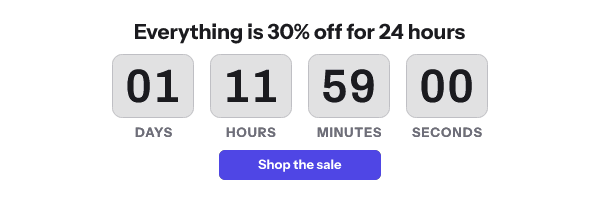
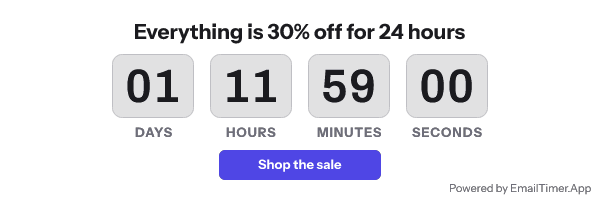
A timer from the free generator is different. It has a lifetime allowance rather than a monthly one. It works for 500 opens without an account, and for 1,000 once you sign in and claim it. After that the image shows a note that its free opens are used up, in place of the countdown. It is still an image rather than a broken one, but for a large send, build the timer in an account.
Which free tier fits which job
If you need one timer for one send this afternoon and never want an account anywhere, CleverTimer is the honest recommendation. No registration, no branding, no limit stated. It also offers no evergreen timers, no fonts of your own and nothing to look at afterwards. Whichever tool made the GIF, the GIF checker reads its size, frame count and first frame before you send it.
If you want unlimited free volume and can live with someone else’s badge on your campaign, CountdownMail is the only tool here offering that trade openly.
If your list is large and your countdown is short, MailTimers’ 100,000 views is the biggest free number in the table, inside its 30-day ceiling.
If you want no watermark, every timer mode on the free tier, and a timer you can still edit next week, that is what I built. The free plan is 5,000 image opens a month, which is the smallest allowance here, and I would rather publish that plainly than dress it up. A deadline that differs per recipient needs Growth, because it needs one signed address per person. The free generator hands over working code before anything asks who you are, and a timer from it works for 500 opens without an account, and for 1,000 once you sign in and claim it.
Questions and answers
Which free email timer has no watermark?
CleverTimer states no watermark and no branding with no account. Sendtric is unwatermarked up to 10,000 monthly views. EmailTimer.App is unwatermarked inside its 5,000-open allowance. MailTimers’ pricing grid claims the same, with the caveat above.
What counts as a view or an open?
A fetch of the timer image by a mail client or its proxy. Apple Mail fetches at delivery rather than at reading, so unopened messages still spend the allowance.
Is unlimited really unlimited?
CountdownMail publishes unlimited views on its free plan and pairs it with branding on every free timer. That is the trade, and it is stated on the vendor’s own FAQ.
Why do some tools not publish a maximum countdown length?
Because it rarely comes up until it does. MailTimers is the one tool here that states a cap, at 30 days on free, and a product launch announced eight weeks out runs straight into it.
How current is this table?
Every cell was read on 17 September 2026 from the linked page. Free tiers in this category change without announcements, so check any figure you are about to depend on.
Prices checked on 17 September 2026. Vendors change their prices without announcing it, so check the figure you care about before you act on it.
Sources
- Sendtric pricing, read on 17 September 2026
- Sendtric free countdown timer generator, read on 17 September 2026
- MotionMail, read on 17 September 2026
- MailTimers pricing, read on 17 September 2026
- CountdownMail FAQ, read on 17 September 2026
- CountdownMail pricing, read on 17 September 2026
- CleverTimer, read on 17 September 2026
- NiftyImages pricing, read on 17 September 2026
- Stripo pricing, read on 17 September 2026
- What do you mean by timer block monthly opens (Stripo Support), read on 17 September 2026
Related
Put a countdown in the campaign you are writing now
The free plan covers 5,000 opens a month with no card. Starter is $19 a month for 250,000.