A Deadline Funnel alternative when you only need the timer
By Danish Mohammed, founder. 7 min read
Deadline Funnel and an email timer tool look like the same product from the search results. They are not. Deadline Funnel sells an enforced deadline: the clock in the email, the clock on the sales page, and a checkout that stops accepting the offer when the clock runs out. The email timer is one surface of that system.
If the enforcement is what you need, this page will tell you to keep it. If all you ever wanted was a live countdown in the email, you are buying a funnel engine to get an image.
Deadline Funnel pricing and limits, checked on 17 September 2026
Figures from the pricing page. Monthly first, annual-per-month in brackets. The page offers a 14 day trial on any plan and a 30 day money-back guarantee. There is no free plan.
| Deadline Funnel | EmailTimer.App | |
|---|---|---|
| Free plan | None. 14 day trial on any plan | Free, 5,000 image opens a month, no watermark |
| Entry paid plan | Start $49 ($39 annual): 3 campaigns, 1,000 leads a month | Starter $19 or Rs 1,599: 250,000 image opens a month |
| Next plans | Create $99 ($79), 10,000 leads. Accelerate $149 ($119), 20,000 leads. Scale $199 ($159), 50,000 leads | Growth $49, 1,000,000 opens. Agency $149, 5,000,000 opens |
| What is metered | Leads per month | Image opens per month |
| Campaign limit | 3 on Start, unlimited from Create | 3 live images on the free plan, unlimited templates from Starter |
| Branding removal | “Remove Deadline Funnel Branding”, from Create at $99 | Nothing to remove inside the allowance |
| Deadline enforcement on web pages | Yes: floating bar, page-only deadlines, checkout redirects | None. This renders images for email |
| Email timer | “Add dynamic email timers to your emails that are personalized to each lead” | Six timing models, including evergreen from first open and evergreen from send |
| Personalized images | Not offered | Merge values drawn into the same image as the countdown |
| Campaign types | “10+ campaign types” listed, including Evergreen, Tripwire Offer, Product Launch, Holiday Promo, Flash Sale, Abandoned Cart, Automated Webinar | Timer types rather than funnel types, described in the timer types guide |
| Support | “Email and Chat Support”, priority from Create | One person, who wrote the renderer, within one business day |
What Deadline Funnel does well
The deadline is real. A countdown image is a picture of a promise, and a subscriber who arrives at the sales page after the clock hits zero can usually still buy. Deadline Funnel closes that loop by moving the page and the checkout too. For an evergreen course or a tripwire sequence, that consistency is the product, and no image renderer can do it.
Per-lead deadlines are synced across surfaces. The pricing page describes timers “personalized to each lead” that “automatically sync your subscribers’ deadlines across your emails, sales pages, and checkout pages”. Building that by hand across an ESP and a website is several days of work and a permanent maintenance job.
The campaign types are opinionated in a useful way. Naming a build “Tripwire Offer” or “Automated Webinar” and shipping the defaults for it saves a course creator from designing a deadline system from scratch.
The trial is 14 days on any plan, and the 30 day money-back guarantee is stated on the same page. That is a clearer commitment than most tools in this market publish.
Where it falls short
The meter is leads, not opens, and at the entry plan the number is small. Start is $49 a month for 1,000 leads. A list of 20,000 people is on Scale at $199 before anyone has sent anything. For a marketer who wants a Black Friday clock in one broadcast, that pricing model does not describe the job.
Three campaigns on the entry plan is a low ceiling. Unlimited campaigns begin at Create, $99 a month.
Branding removal also begins at Create. The two cheapest things most people want, more campaigns and no branding, are behind the same $50 step.
There are no personalized images. The clock is the only thing the image can carry, so a first name or a voucher code in the same picture is a separate purchase from a separate vendor.
The web-page machinery is the majority of what you are paying for. If your deadline lives entirely inside an email, floating bars, page-only deadlines and checkout redirects are cost without use.
What EmailTimer.App does differently
The meter is image opens, which is what a timer actually consumes. 250,000 opens for $19 a month is a different order of arithmetic from 1,000 leads for $49, because the two products count different things. The whole ladder is on the pricing page, in dollars and rupees.
Evergreen is on every plan, including the free one. Evergreen from first open and evergreen from send are two of six timing models in the timer types guide. Deadline Funnel puts per-lead deadlines on every plan too, so this is not a feature gap. It is a price difference.
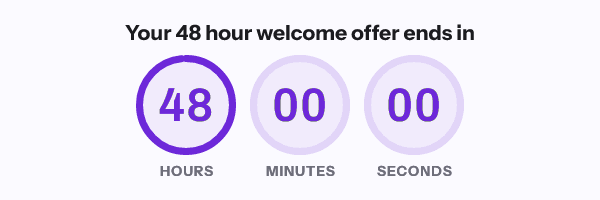
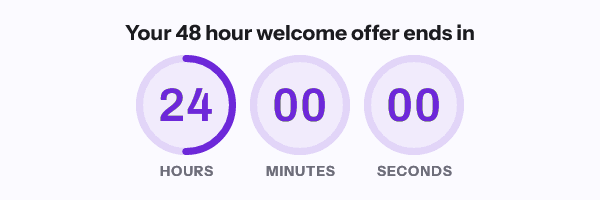
The countdown and the recipient’s own data come out of one render. A deadline, a first name and a code arrive as one image URL.
There is a free plan with no card, at 5,000 opens a month with no watermark, so you can put a real timer in a real send before deciding anything.
What is not here is enforcement. Nothing on this site closes a sales page or redirects a checkout. If the offer needs to actually expire, you need Deadline Funnel or something like it, and I would rather write that sentence than sell around it.
When Deadline Funnel is the better choice
Buy Deadline Funnel if the offer must genuinely expire for each person. Course launches, evergreen webinars and tripwire sequences all depend on the page agreeing with the email. That is the whole reason the product exists.
Buy Deadline Funnel if your deadlines already live across a landing page, a checkout and an email sequence, and keeping them in sync by hand is the current pain.
Buy Deadline Funnel if the lead count fits. Under 10,000 leads a month on Create at $99, with unlimited campaigns and no branding, is a fair price for a system that spans three surfaces.
Do not buy it to put a clock in a Black Friday broadcast. That is a $0 to $19 job here, and the roundup at best email countdown timers lists the other cheap routes honestly. Two of them have free tiers with their limits set out on pages of their own: MotionMail and Sendtric.
How to move
Only move the email half, and only if the page half was never in use.
- Decide first whether any of your deadlines are enforced on a web page or a checkout. If any are, keep Deadline Funnel for those and read no further.
- For each email timer, write down the deadline rule: fixed date, or a per-lead clock that starts at a trigger.
- Rebuild it here. A per-lead clock maps to evergreen from send or evergreen from first open, described in the timer types guide.
- Match the pixel width of the old image. Width is the migration risk: 40 pixels wider reflows a two-column table in Outlook.
- Replace the
srcinside the existing<img>. Keep the width attribute, the alt text and any link wrapper. - Pass the recipient identifier your ESP already has, using the merge tag in the snippet on each integration page.
- Set the expired image, then send yourself the whole sequence and read it in a real client before you switch the audience over.
Questions and answers
What does Deadline Funnel cost?
Its pricing page lists Start at $49 a month ($39 annual) for 3 campaigns and 1,000 leads a month. Create is $99 ($79) for unlimited campaigns and 10,000 leads, Accelerate $149 ($119) for 20,000 leads, and Scale $199 ($159) for 50,000 leads. There is no free plan, and every plan has a 14 day trial.
Can Deadline Funnel put a timer in my email?
Yes. Its pricing page describes dynamic email timers personalized to each lead, synced with the deadline on your sales and checkout pages. The email timer is one part of a deadline system rather than the whole product.
Is an email timer tool cheaper?
For the email half, yes, by a wide margin, because the meter is image opens rather than leads. For the enforced half there is no comparison to make, because a timer tool does not close a sales page.
Do I need both?
Some people do. If the enforced deadline is on an evergreen funnel and you separately want a branded countdown with the subscriber’s name in the image for a promotional broadcast, the two jobs do not overlap.
Does either fix Outlook?
No tool does. Classic Outlook on Windows draws a still rather than an animation, so frame one has to be a correct image on its own. Countdown timers in Outlook sets out which versions animate and which do not, in Microsoft’s own wording.
Next: the timer types guide if evergreen is the feature you actually came for, and the roundup for twelve tools in one dated table.
Prices checked on 17 September 2026. Vendors change their prices without announcing it, so check the figure you care about before you act on it.
Sources
- Deadline Funnel pricing, read on 17 September 2026
Related
Put a countdown in the campaign you are writing now
The free plan covers 5,000 opens a month with no card. Starter is $19 a month for 250,000.