A MotionMail alternative without the branding
By Danish Mohammed, founder. 8 min read
MotionMail gives you 20,000 timer views a month for nothing, and its own pricing page puts branding removal on the paid tiers, so the free tier is branded for good. Two limits in its own documentation matter more than the price. The animation is capped at 45 seconds, and the countdown starts again from the beginning every time the email is re-opened.
MotionMail pricing and limits, checked on 16 September 2026
Figures from MotionMail’s own pricing table. Monthly first, annual-per-month in brackets. MotionMail applies a 20 percent discount on annual billing.
| MotionMail | EmailTimer.App | |
|---|---|---|
| Free tier | $0 for 20,000 views a month | $0 for 5,000 image opens a month |
| Entry paid plan | Bootstrap $10 ($8 annual) for 100,000 views | Starter $19 for 250,000 opens |
| What the free tier withholds | Branding removal, dynamic language, and the per-impression overage that paid tiers get. Credit rollover starts two tiers up, at Startup | Brand font uploads, the flip, ring and progress-bar styles, conditional layers, more than 3 live images at once |
| Watermark or branding | MotionMail branding stays on the free plan. “Branding Removed” is listed as a paid feature | No watermark on the free plan inside its allowance. Past 110 percent of any plan’s allowance, new renders carry a small watermark until you move up |
| Evergreen per-recipient timers | Not offered. Its knowledge base states “Every time your email is re-opened, the countdown timer will start ticking down again” | Six timing models on every plan, including evergreen from first open and evergreen from send |
| Personalized images | Not offered | Timers and personalized images out of one engine, on every plan, in the same image if you want both |
| API | Not listed on the pricing page | Included from Growth, $49 |
| Custom fonts | Not listed on the pricing page | Your own .woff2 or .ttf from Starter, $19 |
| Longest countdown | The animation is limited to 45 seconds by MotionMail’s own documentation, then it stops until the next open | 30 seconds of live animation, then the last frame holds. The clock itself runs to 9,999 days on the largest unit |
| Support | An offsite Freshdesk knowledge base and a public forum with an open bug report and no reply on it | One person, who wrote the code, replying within one business day |
MotionMail’s full range, checked on 16 September 2026: Free $0, Bootstrap $10 for 100,000, Startup $60 ($48 annual) for 700,000, Enterprise $200 ($160) for 2,800,000. Paid tiers carry per-impression overage from $0.0001 down to $0.000085 a view with a $1 minimum. The range here, in dollars and rupees, is on the pricing page.
What MotionMail does well
The free allowance is generous in raw numbers. 20,000 views a month is double Sendtric’s free tier and four times the one here, and for a small list running one dated promotion a month it will not run out.
The four timer designs are clean and the builder is short. There is no template gallery to wade through and no upsell in the middle of the flow. You pick a style, set a date, copy the code.
Startup and Enterprise roll unused credits into the next month, and every paid tier prices overage per impression rather than cutting the timer off, which is a fairer model than a hard stop.
Where it falls short
The branding is permanent on free. “Branding Removed” appears only against the paid tiers on MotionMail’s own pricing table, so every timer you send on the free plan carries somebody else’s name inside your creative.
The 45-second ceiling is documented and rarely mentioned. MotionMail’s knowledge base says: “We optimize the size of our timer images by limiting the duration to 45 seconds, which we expect is plenty of time for someone viewing your email in most cases.” The same article adds that “Every time your email is re-opened, the countdown timer will start ticking down again.” A recipient who reads your email twice sees the clock reset, which is the opposite of the urgency you bought.
Gmail gets a stale timer, and MotionMail says so. Its support article on Gmail explains that because of Gmail’s image handling, “some gmail.com users will see an older countdown clock instead of loading a brand new one, as intended.” That is honest documentation buried three clicks from the pricing page.
The public forum is thinly staffed. A thread about timers being replaced mid-send by a MotionMail placeholder icon has over six thousand views and did get a reply from the MotionMail team, marked completed, acknowledging increased error rates. A report titled “Countdown timer is overestimating the time left by 14 minutes” has five thousand views, zero replies and is eight years old. The forum also carries search spam that nobody has cleared.
The site has not moved in years. There is no blog, and /robots.txt and /sitemap.xml both answer with the app shell rather than a real file. The homepage artwork is stamped 2021, the mockups still read 2021, and the platform logo strip still shows “sendinblue”, which was renamed Brevo in 2023. The 2026 in the footer is generated by JavaScript from the current date, so it tells you nothing.
What EmailTimer.App does differently
The clock does not reset on a second open. An evergreen timer anchors the first fetch against a hashed recipient identifier and holds that anchor, so open number two continues from where open number one left off. The mechanism, and its Apple Mail caveat, is written out in the timer types guide.
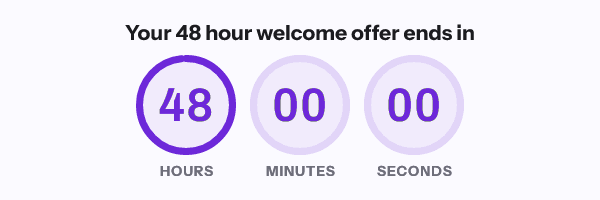
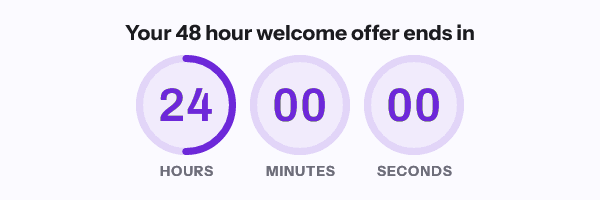
Animation and deadline are separate numbers here. Thirty frames render at one frame per second, so the timer ticks live for 30 seconds and then holds its last frame rather than blanking. The countdown behind it runs as far out as 9,999 days on the largest unit, which is a little over 27 years, and only then holds at all nines.
The same image can carry the name and the code. A cart-abandonment email can show the hours left, the subscriber’s first name and their own voucher code in one picture, on the $19 plan. MotionMail has nothing for this, so today you would be running a second subscription beside it.
The caching behaviour is on the page where you get out your card. Apple Mail pre-fetches at delivery, and testing reports it keeps images two to three days. Gmail’s proxy caches per recipient per URL, and Google publishes no lifetime for it. Outlook on Windows draws frame one and nothing else. The editor previews all three before you send, and the countdown timer guide sets out why. This is a documented behaviour table rather than a photographed inbox test, and the page says so.
Support has a name. Mail comes to me, I wrote the renderer, and the answer arrives within one business day. There is no second person, which is the honest reason it is one business day rather than one hour.
When MotionMail is the better choice
Stay on MotionMail if a fixed-date timer at 20,000 views a month is genuinely the whole job and the branding does not bother you. Free is free, the free tier here is 5,000 opens, and paying $19 to remove a logo you do not mind is a poor trade.
Stay on MotionMail if you already have working timers embedded across live automations and no reason to touch them. A timer that renders correctly in your Gmail-heavy list is not a problem waiting to be solved.
Choose MotionMail at 700,000 views a month of plain timers. Startup at $60 against the $49 Growth plan here is close, and if you will never need personalized images, the cheaper of the two on the month is the right answer.
If the branding is the only thing you want gone and the budget is zero, CleverTimer carries no branding and needs no account, and Countdown Builder has a watermark-free free tier. Both are in the roundup.
How to move
- List every live automation and template that embeds a MotionMail image. Flows matter more than broadcasts, because a flow keeps sending after you stop thinking about it.
- Note each timer’s deadline in UTC and its pixel width. Match the width when you rebuild, or an Outlook layout will reflow around a wider image.
- Build the timer here, then replace the
srcvalue inside the existing<img>tag. Leave the width, the alt text and any surrounding link alone. - For anything that was meant to be per-recipient, switch to evergreen from first open or evergreen from send rather than a fixed date, and pass the identifier your platform already has. The snippet for your platform is on its integration page.
- Re-check frame one as a still image, the expired state, dark mode, and the alt text. Send yourself one test into Gmail and one into Outlook before scheduling.
- Keep the MotionMail account open until the last campaign carrying its images has finished sending. Closing it turns delivered emails into broken images, and a delivered email cannot be edited.
Questions and answers
Can I remove MotionMail branding without paying?
No. Its pricing table lists “Branding Removed” against the paid plans only, so the free tier is branded.
Why does my MotionMail timer restart when I reopen the email?
Because that is how it works, by their own documentation: the countdown starts ticking again on every re-open, and the animation lasts 45 seconds. An evergreen timer anchored to a recipient identifier is the fix, and it is described in the timer types guide.
Is MotionMail abandoned?
There is no public evidence it has shut down, and the service still renders timers. There is also no blog, no real sitemap, artwork stamped 2021, a platform logo a rebrand out of date, and an eight-year-old bug report in its own forum with no reply.
Is 20,000 free views better than your 5,000?
On the number, yes. The 5,000 here carry no branding, include every timing model and every integration snippet, and are enough to run one real campaign and compare the result.
Which is cheaper at 100,000 views a month?
MotionMail, at $10 against $19. The comparison changes if you need evergreen timers, a personalized image, brand fonts or an API, none of which appear on MotionMail’s pricing page.
Next: the Sendtric alternative, which is the closest thing to MotionMail that is still being developed, and the NiftyImages alternative if you need names and codes in the picture too.
Prices checked on 16 September 2026. Vendors change their prices without announcing it, so check the figure you care about before you act on it.
Sources
- MotionMail pricing and plan features, read on 16 September 2026
- MotionMail knowledge base: why does my timer stop counting down, read on 16 September 2026
- MotionMail support: my timer is not showing the correct time in Gmail, read on 16 September 2026
- MotionMail forum: countdown not working, read on 16 September 2026
- MotionMail forum: countdown timer is overestimating the time left by 14 minutes, read on 16 September 2026
Related
Put a countdown in the campaign you are writing now
The free plan covers 5,000 opens a month with no card. Starter is $19 a month for 250,000.