Download an animated countdown GIF
By Danish Mohammed, founder. , updated 5 min read
Build your timer
Live preview
Rendering
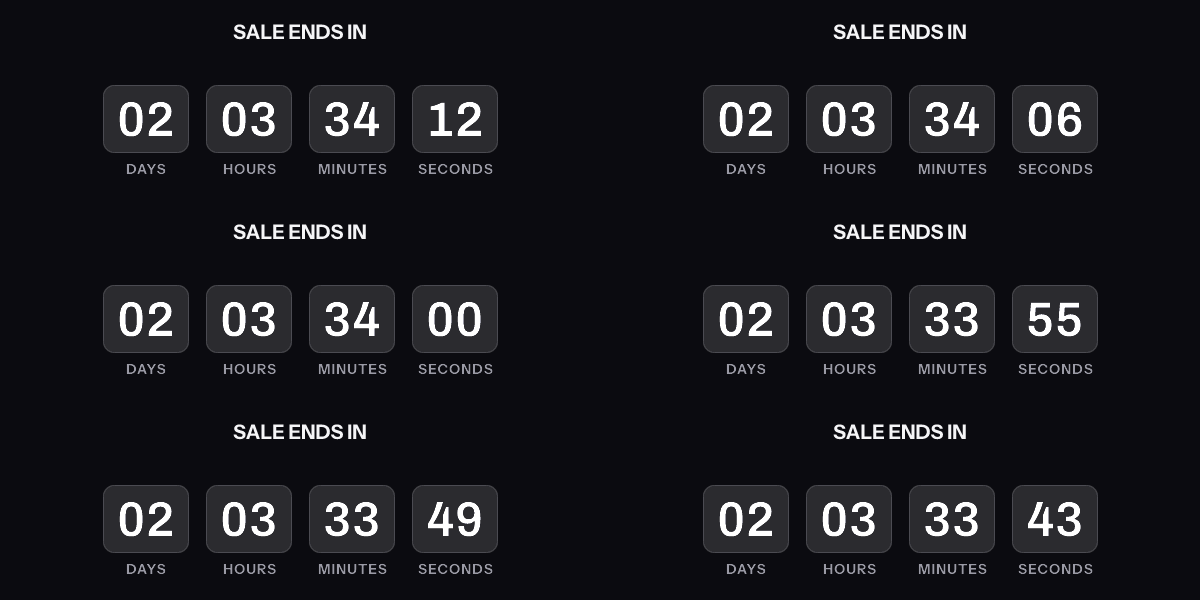
A downloaded GIF counts from the moment it was made, not from the moment it is opened. The hosted timer above is what counts from the open.
Get the code
This publishes the timer above and hands you the snippet. No email address, no account. Without an account, a timer from this generator works for 500 opens. Sign in and claim it, and the same timer works for 1,000 opens. After that, the image shows a note that its free opens are used up.
Your timer is live
HTML snippet
Image URL
See it in a real inbox
The preview above is your browser fetching the image. A mail client fetches it differently, and that is the part worth checking before a campaign goes out. Type an address you can open and this timer is sent there once, in a message that carries the picture and one sentence saying you asked for it.
One send per timer, and the address is used for that message and nothing else. The time in the picture is the time when your mail client fetched it, which is the behaviour the test is for.
Where to paste it
Keep it, or keep going
This timer works as it is, for 500 opens. To change the deadline later, see how many people opened it, use per-recipient evergreen timers, put a name or a code in the image, or use your own fonts, create a free account.
Create a free accountClaim code
After you sign up, open Templates and choose Claim a generator timer, then paste this code. It is valid until . Claiming raises this timer, the same image address you already copied, from 500 to 1,000 opens.
The file comes from the tool above. Set the date, the time and the time zone the offer ends in, pick a style, a size and colours, then press “Download this GIF”. It saves as countdown.gif. There is no account, no email address and no watermark. The picture is drawn by the same renderer that answers inbox requests for EmailTimer.App timers, not by your browser.
One thing to read before you attach it to an email: a saved GIF shows the time that was left when you pressed the button. It does not count from the moment somebody opens the message.
What is in the downloaded file
| Setting | What you can choose |
|---|---|
| Size | 600 by 200, 600 by 300, or 300 by 250 pixels |
| Style | Cards, Flip, Circles, Rings, Plain, Underline, Stacked, Bar |
| Colours | Background, digits and labels, as hex values |
| Labels | Unit words in any of 44 languages |
| Headline | Optional, up to 60 characters of plain text |
| Deadline | At least a minute ahead and no more than 90 days ahead |
The file holds 30 frames, one a second, so the animation covers 30 seconds of countdown from the moment it was drawn. It loops: after the 30th frame it starts again from the first number. On a small canvas the tool drops the days unit before it shrinks the digits past legibility.
The download and the live preview draw from the same route, which allows 60 renders a minute from one address. Past that, the tool says “The preview accepts 60 renders a minute from one address”, and a short wait clears it.
Why a saved GIF stops being right
A GIF is a list of frames with a delay between each one. The format’s own specification defines that delay as a count of “hundredths (1/100) of a second”, and says “The clock starts ticking immediately after the graphic is rendered”. That is the only clock a GIF has. Nothing in the file reads today’s date.
So the numbers are fixed at the moment the frames were drawn. Download a GIF at 10:00 on Monday with three days left, and a subscriber who opens it at 10:00 on Wednesday still sees three days. The offer has one day left. Every send that reuses the file is another day further out.
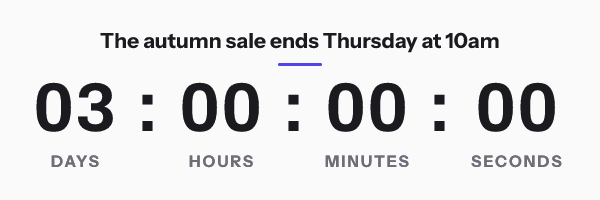
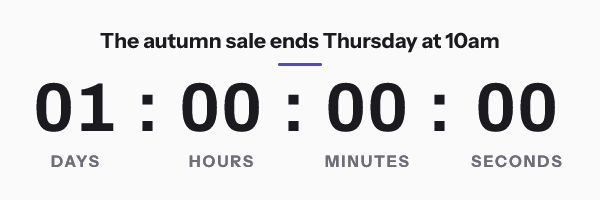
The loop makes it look worse up close. A reader who watches for more than 30 seconds sees the countdown jump back up to where it started. Old Outlook shows no loop at all. Klaviyo’s help centre notes that Outlook 2007, 2010 and 2013 “will simply display the first frame in the GIF”, so those readers get the first number only.
When a downloaded GIF is the right thing
A file suits any place where the number is an illustration rather than a promise. A mockup for a stakeholder review is one. A design comp for a campaign still in planning is another.
In a marketing email the number is out by however long passed between the download and the open. No send can promise that gap is small.
What counts from the open
The “Get the code” button in the tool publishes the same design as a hosted timer instead of a file. You get an HTML snippet and a signed image address. The image is drawn each time a mail client asks for it, so a message sent next Tuesday counts to the right second at the moment of that fetch.
It still needs no account and carries no watermark. Without an account, a hosted timer works for 500 opens. Sign in and claim it, and the same timer works for 1,000 opens. After that, the image shows a note that its free opens are used up. The downloaded file has no such limit, because nothing is served. The deadline limits are the same as the download’s. After the deadline the image shows the design at zero with “Offer ended” under it, and the timer is deleted 30 days after its deadline. The page also shows a claim code, valid for 30 days, which copies the timer into a free account if you want to edit it later and raises the hosted timer to 1,000 opens.
The snippet is a single image tag with its width, height and alt text already set. The HTML for an email countdown timer goes through it attribute by attribute, and the free countdown timer generator is the same tool with the email client notes written out underneath it.
What a mail client does with a hosted timer still varies. Google documents that “Gmail uses Google’s secure proxy servers to serve images”, so the fetch comes from Google rather than the reader. Apple documents that Protect Mail Activity “downloads remote content in the background by default” when a message arrives, so an Apple Mail reader sees the time left at delivery. The email client support page goes client by client.
Checking a GIF you already have
If a GIF came from somewhere else, the email-safe GIF checker reads its frame count, frame delays, loop setting, file size and first frame in the browser, without uploading the file. A countdown whose first frame is a title card rather than a number is the one to fix before a send, because that first frame is all some Outlook readers ever see.
Questions and answers
Is the downloaded GIF free?
Yes. Nothing is stored when you download it, and the file carries no watermark.
Why does my downloaded countdown GIF show the wrong time?
Because the frames were drawn when you downloaded it. A GIF has no clock of its own beyond the delay between frames, so it shows the time left at the moment of download for as long as it exists.
Can I make a GIF that counts down live in an email?
Not as a file. A live countdown has to be an image address that is drawn when the email client fetches it. The “Get the code” button in the same tool makes one, free and without an account, for 500 opens, or 1,000 once you sign in and claim it.
How long does the downloaded GIF play?
Thirty frames at one a second, then it loops back to the first frame.
Can I upload the GIF to my email platform instead of using a link?
You can, and it will show the numbers from the moment of download in every email. For a deadline that has to be right when the email is opened, use the hosted timer, and see pricing for what an account adds beyond the free tool.
Sources
Related
Put a countdown in the campaign you are writing now
The free plan covers 5,000 opens a month with no card. Starter is $19 a month for 250,000.