Why I built EmailTimer.App
By Danish Mohammed, founder. , updated 3 min read
Two things about email countdown timers bothered me enough to build one. The tools sold the countdown and the personalized image as two different things, and almost none of them said on their own pages what email clients do to a timer.
Two products for one picture
A flash sale email wants two things in the same image: how long is left, and something that belongs to the reader, such as a first name or their own code. Of the tools I compared, most sell the countdown and either sell the personalized image separately or do not sell it at all. NiftyImages is the exception, and its entry plan is $59 a month for 25,000 opens, read on 23 September 2026.
I wanted both drawn by one engine into one image, on one plan, so a campaign has one asset to approve and one thing that can go wrong.
What email clients do to a timer
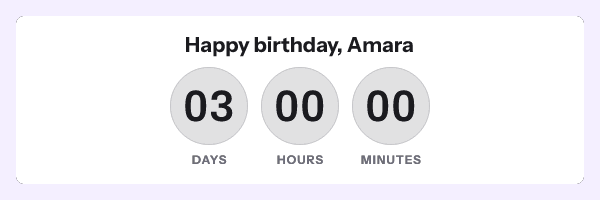
Image caching is the part this category does not print. Apple Mail, with Mail Privacy Protection on, fetches your images when the message is delivered, not when it is read. Gmail fetches through its image proxy at the first open, and a re-open can come back from the copy the proxy kept, for a length of time Google does not publish. Outlook on Windows draws the first frame of a GIF and stops. How long Apple keeps its copy, and why no header shortens that, is in how Apple’s image cache freezes a countdown.
I put that on the home page, and the publish dialog shows what Gmail, Apple Mail and Outlook will each display before a template goes live, because a marketer who finds out on Black Friday morning has a worse day than one who found out in August. The longer version is how caching affects timers.

What I built around that
Frame one of every timer is a complete image with the time left at the moment of the fetch, because for a reader on Outlook for Windows it is the whole timer.
The image address is signed, so a merge tag your platform fills into it breaks the image for the whole send. A deadline that is the same for everyone therefore uses one address for the whole send, with the merge tags in the link and the alt text. A deadline that differs per reader uses one signed address per reader. Where each kind of value can go is in merge tags, and the six ways a deadline can be defined are in timer types.
Every request gets HTTP 200 and a valid picture, including a request the service cannot serve properly, because a delivered email cannot be recalled and a broken image in it stays broken.
What it costs
Starter is $19 a month for 250,000 opens, which is $0.076 per 1,000. NiftyImages’ entry plan works out at $2.36 per 1,000, as its pricing page read on 23 September 2026. Starter includes every timer style, your own fonts, QR codes and layers that show or hide depending on the subscriber. The free plan covers 5,000 opens a month with no watermark, which is enough to put a timer into a real campaign before paying anything.
Sources
- Protect email privacy in Mail on Mac (Apple Support)
- Set up an image URL proxy allowlist (Google Workspace Admin Help)
- The animated graphic in my e-mail message does not work (Microsoft Support)
- NiftyImages pricing, read on 23 September 2026
Related
Put a countdown in the campaign you are writing now
The free plan covers 5,000 opens a month with no card. Starter is $19 a month for 250,000.